13-21 Section 13 Operating a Chart (option)
1
2
3
4
5
6
7
8
9
10
11
12
13
14
15
16
17
18
19
20
21
22
23
24
25
26
27
付録
13.9 Displaying a Chart Abbreviation List
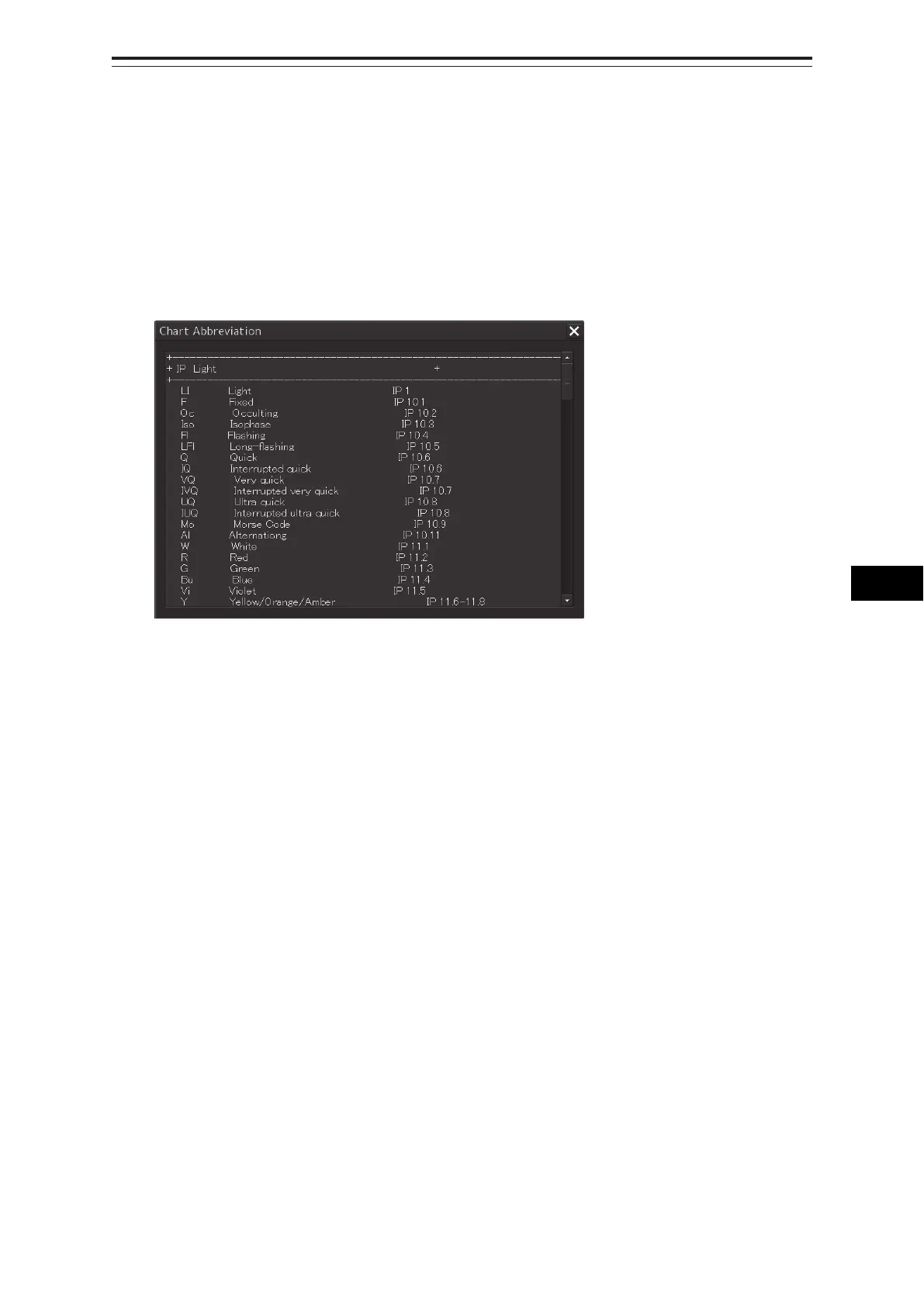
A list describing chart abbreviations can be displayed.
1 Click on the [Menu] button on the left toolbar.
The menu is displayed.
2 Click on the [Chart] - [Chart Abbreviation] on the menu.
The [Chart Abbreviation] dialog box appears.



 To Next Page