14-57 Section 14 Creating a User Chart/ Updating a Chart Manually
1
2
3
4
5
6
7
8
9
10
11
12
13
14
15
16
17
18
19
20
21
22
23
24
25
26
27
14.5.7 Creating an arrow (Line object)
An arrow can be displayed on the user chart or chart.
1 Click on the [Type] button on the drawing toolbar.
An icon list is displayed.
2 Select the arrow icon. (Refer to "14.2.3 Selecting an object type")
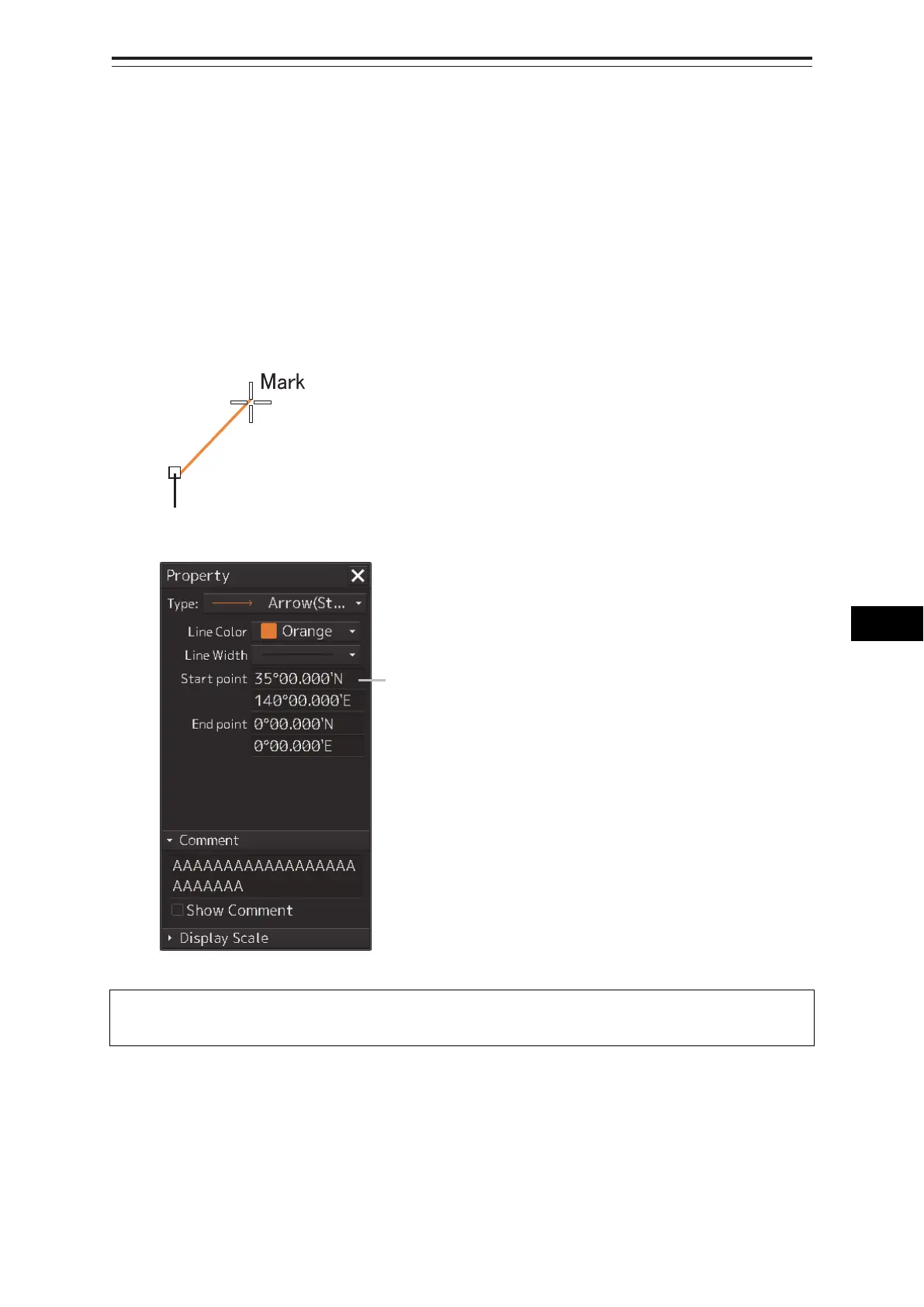
3 Click on the starting position with the cursor.
A starting point is created and the property information of the starting point is displayed on the
object property dialog box.
Note
The color, line type, and line width of a starting point cannot be changed.
Starting
point
Latitude and longitude of starting point



 To Next Page