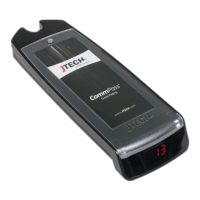
ServerCall Paging, Rugged Staff Pagers
Model Number: J1703, J1704
Components
Your ServerCall
®
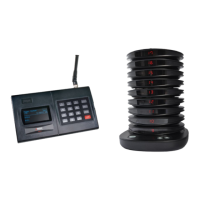
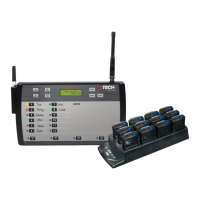
paging system is comprised of three key elements:
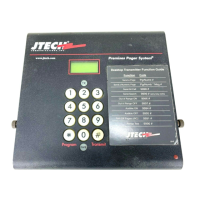
> The JTECH ServerCall Transmitter
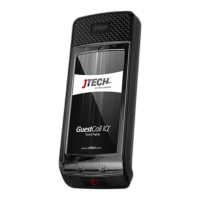
> The Rugged Staff Pagers
> The Rugged Pager Charger
Quick Setup
> Mount the ServerCall transmitter to the cook line using the included brackets. Bracket can also be used as a
stand by reversing its position on the back of the transmitter.
> Lock the antenna to the connector on the transmitter by placing antenna on connector and twisting left to
lock in place.
> Plug the power supply into the transmitter and then into a standard outlet. A surge protector is
recommended.
> Ensure that the transmitter and power supply are away from heat lamps, steam tables and water.
> Compile charger base(s) and plug charger power supply into charger and then into a standard outlet. Surge
protection is recommended for charging bases.
> Add pagers to charger slots. You will see a BLUE light on each pager. This light indicates the charging status.
o ‘LO’ on the number display: Battery is below 20% charged and SHOULD NOT currently be used.
o Flashing BLUE: Pager is charging and CAN BE available for use.
o Solid BLUE: Pager is fully charged.
o Allow 4 hours for a complete charge of the pagers.
System Use
Overview
> Server takes or is assigned a pager for the shift..
> Write the server’s name next to the pager number with a white grease pencil (included).
> When needed, press the number that corresponds to the server’s name when they should be called.
> When the server returns to pick up the order, press the number again to cancel the page.
Paging Options
You have the option to send a single, double, or triple vibration to the server. Different vibration patterns can indicate
different parts of the restaurant, such as Bar or Salad.
By default, all messages are sent as a SINGLE vibration. To send 2x or 3x vibration patterns, press the corresponding
button on the transmitter PRIOR to selecting the server’s number.


 To Next Page