ServerCall Paging, Rugged Staff Pagers
Model Number: J1703, J1704
Re-Page Feature
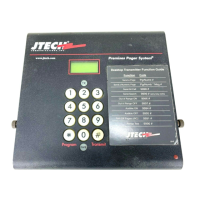
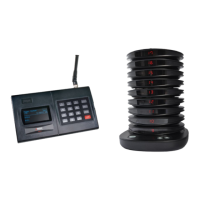
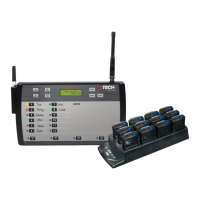
By default, Servers will be paged 3 times before the page is escalated. Each page is indicated by a colored LED on the
transmitter.
> GREEN – 1st page has been sent to server
> YELLOW – 2nd page has been sent.
> SOLID RED – 3rd page has been sent.
> FLASHING RED – page not canceled, manager has been notified.*
*When used with a Manager’s messaging pager, the manager will receive a page with the number of any server who
has not cancelled their page.
Additional information is available in the SYSTEM PROGRAMMING section of this manual.
Page All
ServerCall has two PAGE ALL options available.
ALL PAGE – will page all servers
MGR ALL – will page all managers (requires message pagers)
> Press and HOLD the appropriate button until it stops beeping and flashing and you hear a short tone (5
seconds).
> Server pagers will vibrate 4x
> Manager pagers will receive a message.
System Configurations
System Default Configuration
The paging system was set to default settings listed below prior to shipment.
> Current time is set.
> Out of Range is set to OFF
> Pagers are set to vibrate for 15 seconds.
To enter programming mode, on the transmitter, press SETUP, use password 1379 and press ENTER.
Use the 2X button and the 3X button to scroll or choose the menu option.
Once you have saved your changes, press CANCEL until you return to the main screen.
Set Current Time
> Scroll to SET CURRENT TIME.
> Set Hours, Press ENTER.
> Set Minutes, Press ENTER.
> Press 2X or 3X for AM/PM.
> Press ENTER to save.
> Press CANCEL to exit.


 To Next Page