18
5. Connecting
5-1 How to connect the receiver
1.1 :
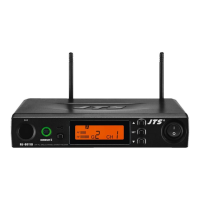
(1) The XLR output jack or 6.3mm unbalance output jack can be selected
individually to connect the AF output to a mixer or amplier.
(2) Switch the “Mixed” on the back to ON. This allows to mix the RX1 and RX2
signals to RX1’s 6.3mm non-balance output jack and then to a mixer or
amplier.
1. Connect the audio output of receiver to mixer or amplier
2.1. Connect the AC/DC adapter:
Check that the DC current and voltage ratings of the adapter match the
label on the unit. Connect the DC terminal to the “DC input” port on the unit,
and the AC end to an AC socket.
2.2. Set the parameters:
Turn the power on and set the parameters of receiver according to the
setting instructions.
Caution! Secure the power cable on the fastening hook of anti-pulling clip in
order to prevent the power cable from falling.
2.Connect the power


 To Next Page