28
6-3 How to use// /
Push and hold the SET button for 2 seconds to enter the setting mode, and
push the▲/▼button to select dierent parameters. Push the SET button
again to save and exit the setting mode.
Normal
sensitivity
GAIN:+15dB
GAIN:+14dB
GAIN:
GAIN:+2dB
GAIN:+1dB
GAIN:0dB
(default)
GAIN:-1dB
GAIN:-2dB
GAIN:
GAIN:-14dB
GAIN:-15dB
~~
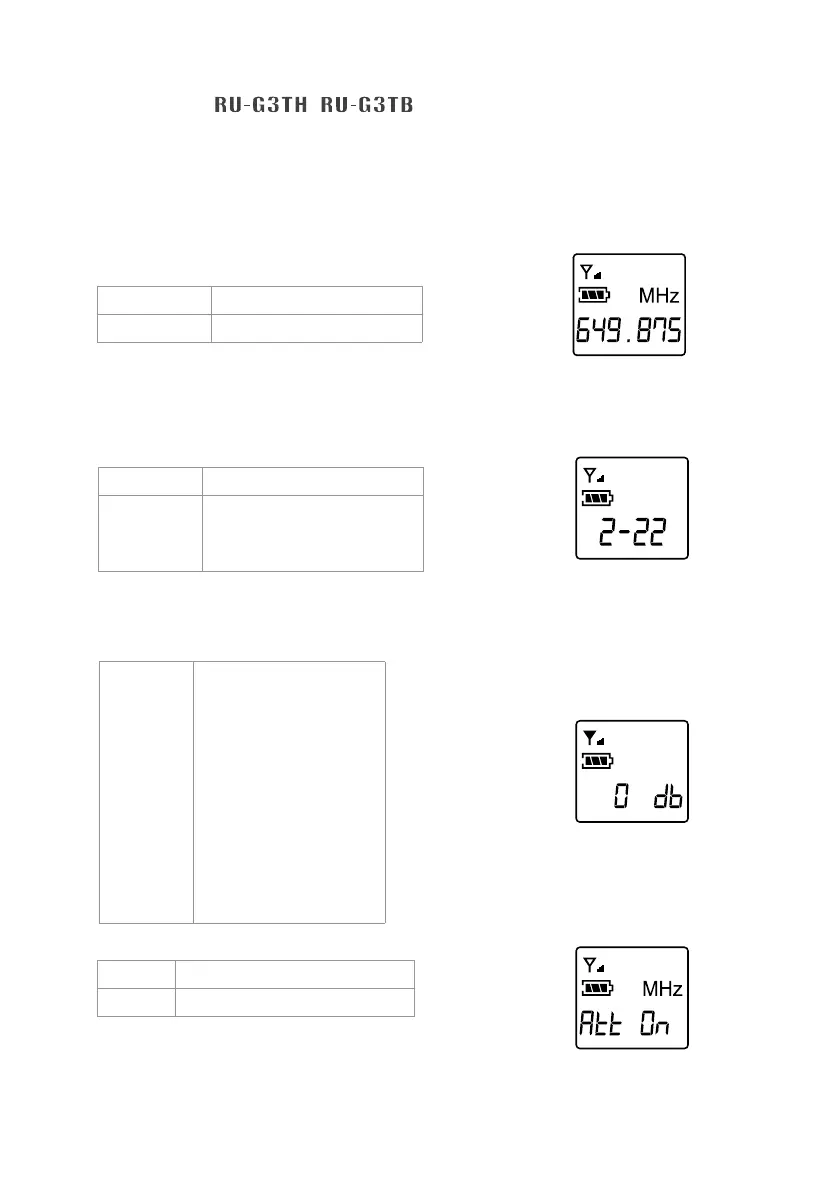
◎ FREQ: frequency setting
In 1MHz Select frequency with ▲/▼
In 0.025MHz Select frequency with ▲/▼
Select the number of frequency
rst in MHz and then in 0.025MHz.
◎ Group / channel
G: group Select default group 1~6
CH: channel Select default channel, 1~23
maxSelect default channel,
1~23 max
Select the number for group and
then the number for channel.
◎ Microphone input sensitivity
It shows the sensitivity is now at GAIN
0dB (default setting).
◎ ATT microphone audio input attenuation
Att oFF No attenuation at audio input
Att on 20dB attenuation at audio input
It shows the audio input
attenuation at 20dB.
Only for RU-G3TB


 To Next Page