− 61 −
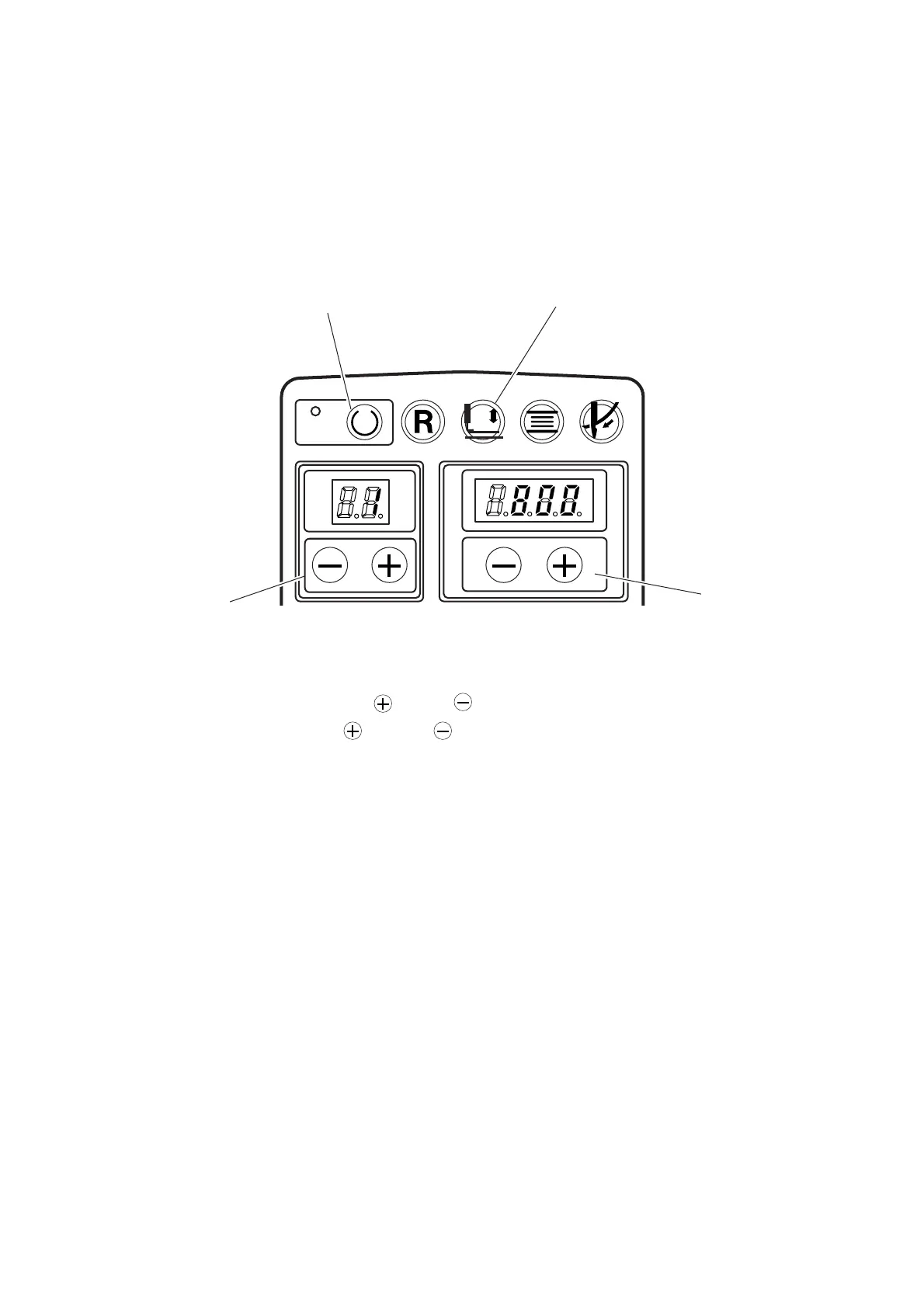
READY RESET CLAMP WINDER THREAD
7. MEMORY SWITCH
(1) How to use the memory switch
Various data can be changed in accordance with each level.
For user’s level (U) : pressing [Ready] key 1, turn ON the power, and the mode becomes memory switch
mode.
For service level (S) :simultaneously pressing [Ready] key 1 and [Clamp] key 2, turn ON the power, and the
mode becomes memory switch mode.
1) Slect th memory switch No. with [Left ] or [Left ] key 3. (See page 62.)
2) Change the set value with [Right ] or [Right ] key 4.
3) When changing respective data, repeat steps 1) to 2).
4) Turn OFF the power after completion of setting.
* The respective set values of the memory switch are common to and effective for all service patterns and
patterns made by our customers.
1
2
3
4



 To Next Page