18
Using the machine /
使用操作机器
Inserting the needles
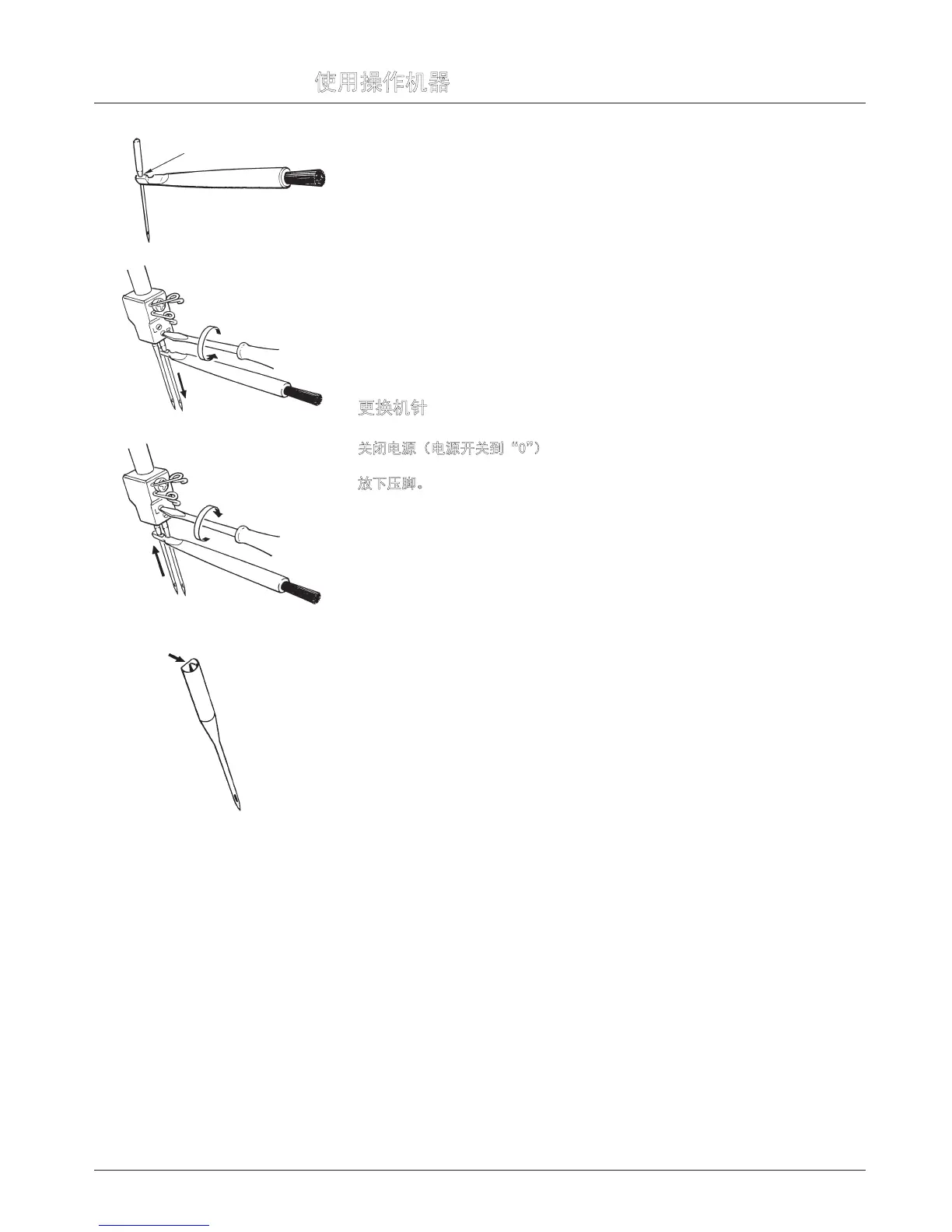
Needles can be inserted quickly and easily with the practical needle inserter (A).
Switch the machine off (Power switch to “0”)
Disconnect machine from electricity supply.
Turn handwheel towards you until needles are fully raised. Match the match-
ing up marks on handwheel and side cover.
Lower the presser foot.
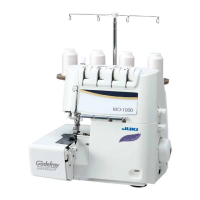
Using the small screwdriver, loosen the needle setscrews and remove the
needles (B).
Place the right-hand needle, at side towards the back, into the hole of the
needle inserter and insert the needle as far as possible into the needle clamp.
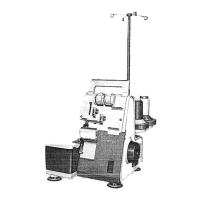
Tighten the setscrew lightly and then insert the left-hand needle in the same
way and tighten both setscrews (C).
更换机针
将机针插入插针器(A)处即可简便且迅速地安装完成。
关闭电源(电源开关到“0”)
朝着自己的方向转动手轮将机针提升到最高点。对准手轮及侧盖上的标记。
放下压脚。
用小螺丝刀松开固定螺丝并拆下机针(B)。
将右针平面朝后,将机针插到底碰到针夹头。
拧紧螺丝,然后轻轻插入左针以同样的方式并拧紧固定螺丝(C)。
A
B
C


 To Next Page