31
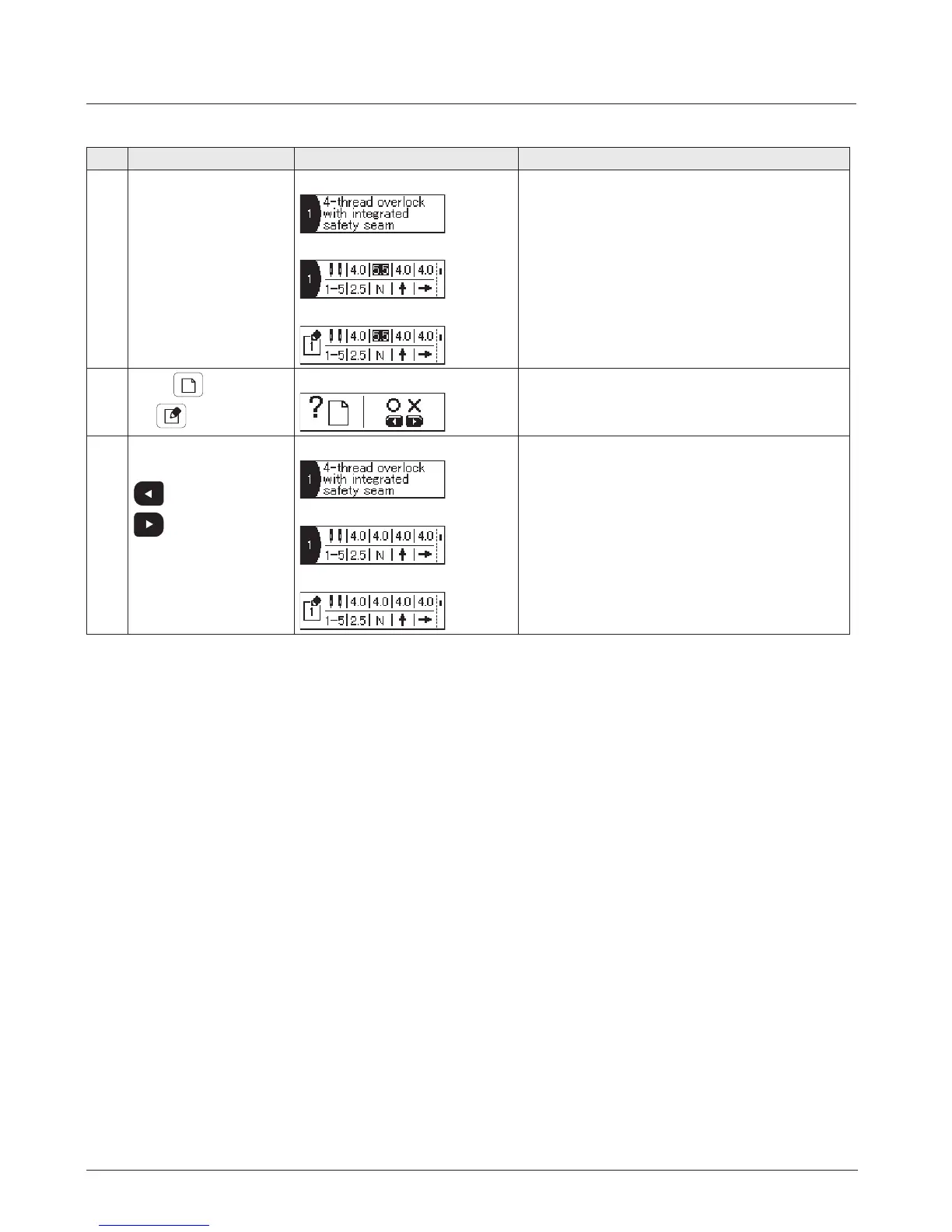
No. Operation Display Remarks
1 Sewing type name display screen
Set value display screen
Edit item selection screen
Display the stitch pattern you want to initialize.
2
Press
while keep-
ing
held pressed.
I
nitialization check screen
3 When one of them is
pressed:
: Initialize
: Cancel
Sewing type name display screen
Set value display screen
Edit item selection screen
The set value is initialized and the screen returns to
the previous screen.
4. How to initialize the set value


 To Next Page