Operating procedures
26
6.3. Automatic / non-automatic start mode
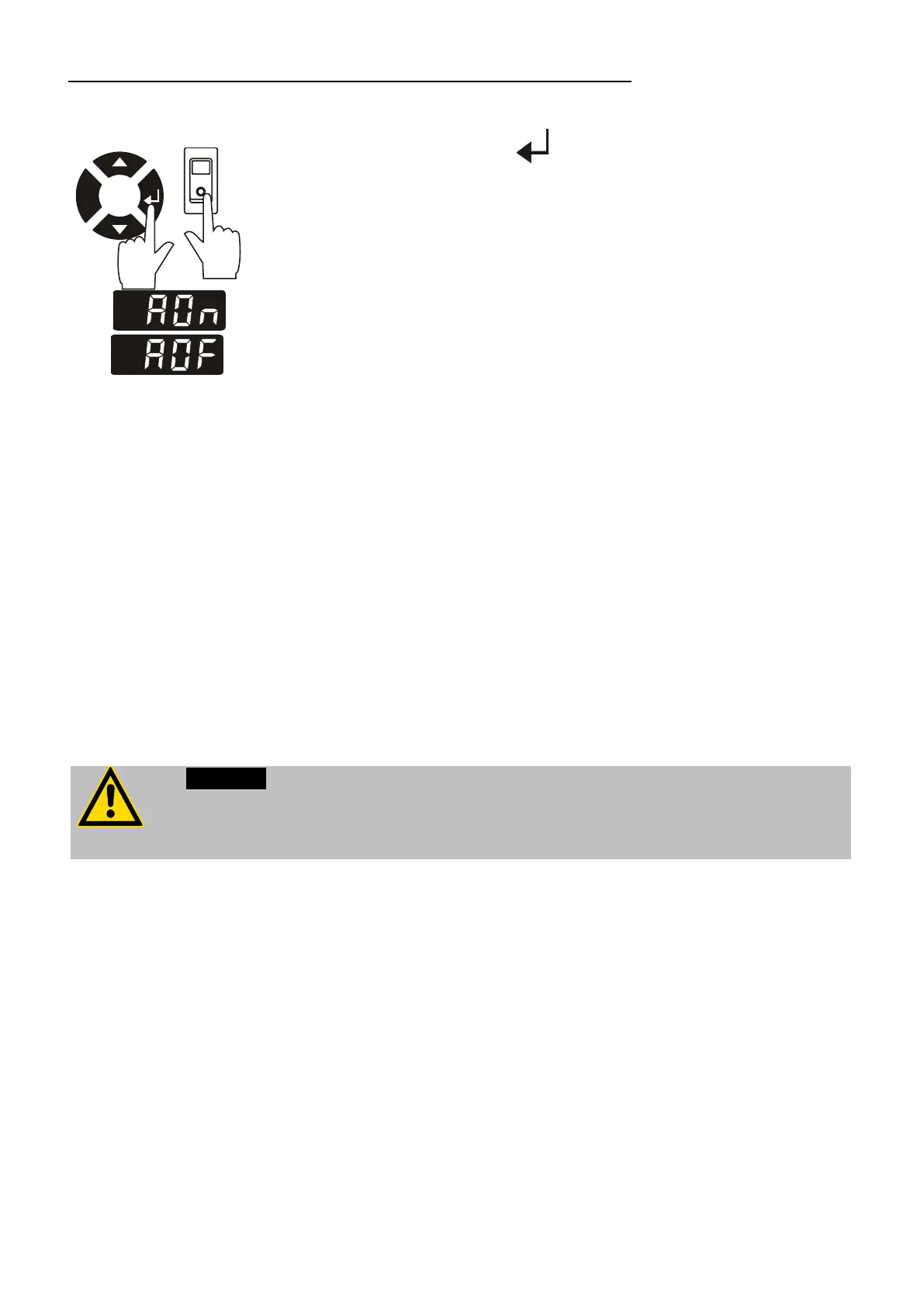
Keep depressed enter and
turn on the immersion cooler with the mains power switch.
For a short while the LED temperature DISPLAY indicates the
effective start mode:
AUTOSTART on.
AUTOSTART off.
The immersion cooler has been configured and delivered by
JULABO according to N.A.M.U.R. recommendations. This means for
the start mode, that the unit must enter a safe operating state after a
power failure (non-automatic start mode). This safe operating state is
indicated by „OFF“ on the LED temperature display. A complete
shutdown of the main functional elements is effected simultaneously.
The values set on the immersion cooler remain stored, and the unit is
returned to operation by pressing the start/stop key.
Should such a safety standard not be required, the AUTOSTART
function (automatic start mode) may be activated, thus allowing the
unit to be started directly by pressing the mains power switch or
using a timer.
For supervised or unsupervised operation with the AUTOSTART function, avoid
any hazardous situation to persons or property.
The instrument no longer conforms to N.A.M.U.R. recommendations.


 To Next Page