10 Configuration level 1
56
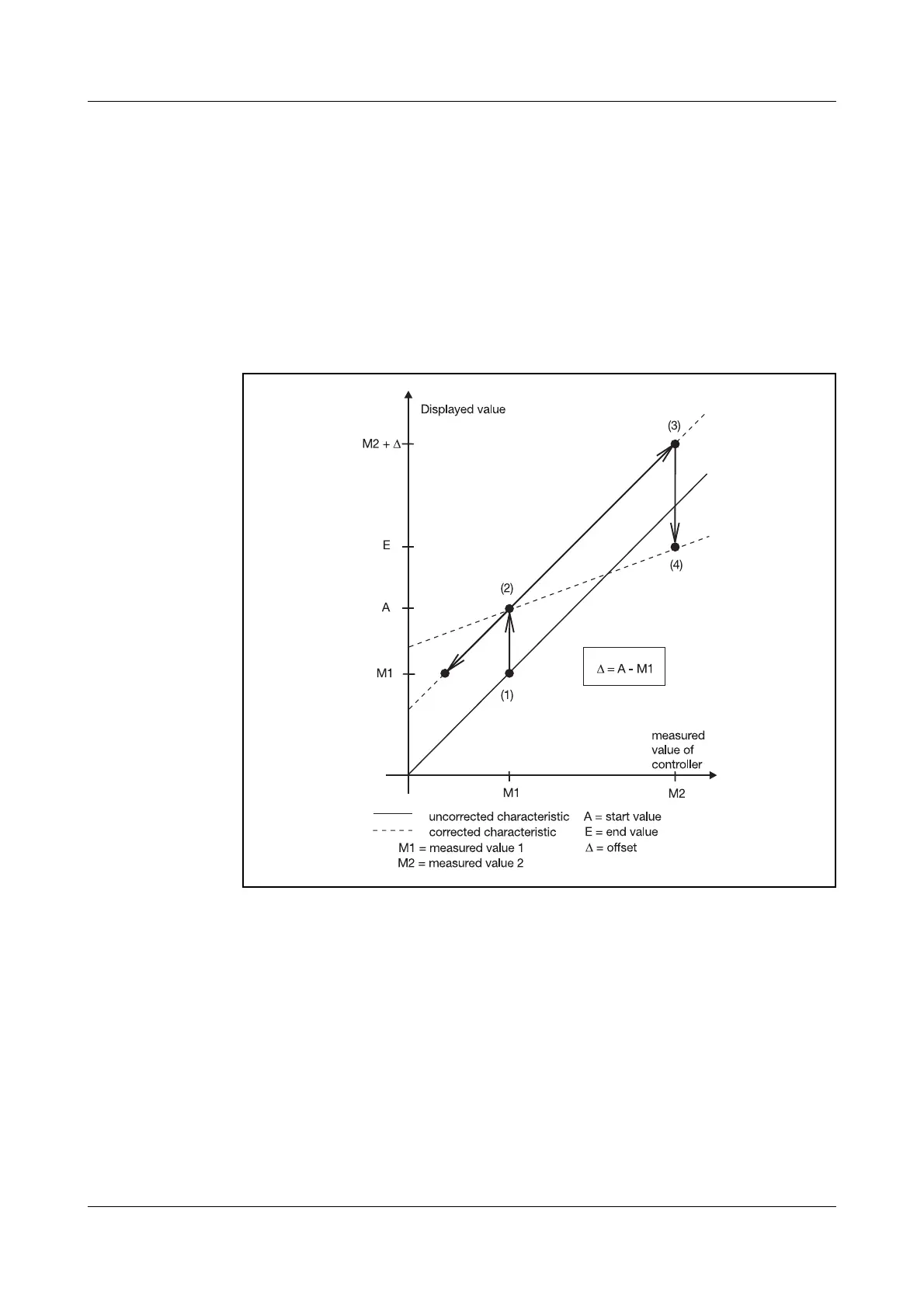
Procedure Apply two measurement points ((1), (3)), one after another, to the controller;
they should be as far apart as possible.
At these measurement points, enter the required display value (start value, end
value) in the controller. A reference instrument is most convenient for deter-
mining the measured values M1 and M2.
Measurement conditions must remain stable during programming.
Programming h Move to measurement point (1)
h Enter start value (2)
1
h Move to measurement point (3)
h Enter end value E (4)
1
To cancel recalibration, the start and end values have to be programmed to
the same value. This sets the start value to 0 and the end value to 1.
Any subsequent recalibration will otherwise be based on the corrected char-
acteristic.
1. If start value=0 or end value=1 is to be set, then the value must first be altered with
I or D to enable correction.
If recalibration is carried out without reference instrument, the offset ∆
must be taken into account when moving to measurement point (3).



 To Next Page