Need help?
Do you have a question about the Jung LS TOUCH and is the answer not in the manual?
Information about firmware updates and KNX Data Secure capabilities.
Describes the primary applications and purpose of the device.
Lists key features like display type, sensor capabilities, and KNX functions.
Safety warnings and initial steps for installing the device.
Instructions for attaching the mounting frame to an appliance box.
Details on connecting the KNX and external sensors.
The KNX room controller LS TOUCH is a sophisticated device designed for comprehensive control and monitoring within building automation systems. It integrates seamlessly into KNX installations, offering a wide array of functionalities for managing electrical loads, displaying system statuses, and regulating room climate.
The core function of the LS TOUCH is to serve as a central interface for controlling various electrical loads. This includes switching lights on and off, dimming lighting circuits, and controlling blinds or shutters. Beyond simple load management, the device excels at displaying real-time system statuses and information, such as current temperature and brightness levels. It incorporates a built-in room temperature sensor, enabling precise measurement and feedback control of the room temperature, with the added capability for setpoint value specification.
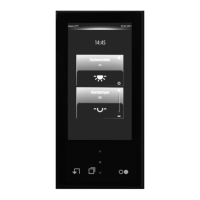
The device is equipped with a high-resolution IPS display and a capacitive touch screen, providing an intuitive and responsive user experience. It supports up to 32 KNX operating functions, encompassing a broad range of actions like switching, dimming, blind control, value transmission, recalling moods, and even music control. An integrated proximity and brightness sensor enhances its functionality by automatically adjusting screen behavior and enabling certain features based on user presence and ambient light conditions.
For enhanced safety and system integrity, the LS TOUCH is KNX Data Secure capable. This feature provides protection against manipulation in building automation, ensuring secure communication within the KNX system. Commissioning and support for KNX Data Secure are facilitated through ETS version 5.7.4 and above. The device also includes an integrated bus coupling unit, simplifying its connection to the KNX bus.
Additional features include an alarm function, which can provide both optical and optionally acoustic alerts. It supports up to eight timer functions, allowing for time-dependent, astronomical clock-based, or random control of various actions. The device also offers the flexibility to connect external installation buttons or reed contacts, expanding its input capabilities.
The LS TOUCH is designed for installation in standard flush boxes, adhering to DIN 49073 dimensions. Its compact design, with a height of only 12 mm above the surface, ensures a sleek and unobtrusive appearance. It comes with an integrated 1-gang frame, compatible with the LS 990 or LS ZERO design ranges, offering a cohesive aesthetic.
Operation of the device is primarily through its touch-sensitive surface. Users interact with the screen using their finger, navigating through menus and adjusting settings. The menu structure is organized for ease of use, with a screen saver that automatically hides when the proximity sensor is activated, revealing favorite functions. If there is no activity, the screen saver reappears.
Users can access different menus through intuitive swiping gestures. A swiping motion from top to bottom displays favorite functions, while a swiping motion from bottom to top brings up the main menu. These menus can be accessed directly from any other menu, ensuring quick navigation. The main menu allows users to select specific areas or functions, which can then be further controlled. For instance, selecting an area icon in the main menu allows for the display of functions within that area. Similarly, selecting a function icon or tapping and holding it in the favorites menu enables control over that specific function.
Adjusting functions, such as brightness or dimming, is done through on-screen sliders or plus/minus signs, providing precise control. The device also supports scrolling through pages with left or right swiping motions or by tapping on on-screen squares.
The device supports the connection of external sensors, offering flexibility in system design. Users can connect either an external temperature sensor or external switching contacts, such as installation buttons or reed contacts. This allows for expanded input options, catering to diverse installation requirements.
The LS TOUCH is designed for ease of maintenance and updates. Its firmware can be easily updated, ensuring that the device remains current with the latest features and improvements. For commissioning, the device requires configuration via parameters in the ETS product database. Detailed information on configuration and parameterization is available in the product documentation, which can be downloaded from the manufacturer's website.
During installation, the device's supporting frame is mounted on an appliance box, with clear markings to ensure correct orientation. The device itself then attaches to this supporting frame. For secure commissioning, especially with KNX Data Secure, a device certificate is provided and must be stored securely after removal from the device.
The device includes a Prog. LED and a Prog. button for programming. When the Prog. button is pressed, or programming mode is activated through the "Settings" menu, the Prog. LED lights up red, indicating that the device is in programming mode. This allows for the loading of the physical address into the device. Once programming is complete, the Prog. LED extinguishes.
In the event that the device has not yet been programmed after switching on, it will display a demo mode. In this mode, communication with the KNX system is not possible, serving as a clear indicator for the need for programming. The integrated design of the device means the frame cannot be removed from the device itself; instead, the entire unit is detached from the supporting frame using a suction lifter, simplifying any necessary access or replacement procedures.
 General
| Manufacturer | Jung |
|---|---|
| Protection Class | IP 20 |
| Product Type | Controller |
| Ambient Temperature | +45 °C |
| Housing Material | Plastic |
| Wire Cross-Section | 0.5 mm² |
| Compatibility | KNX |
| Relative Humidity | max. 95% (no condensation) |


 To Next Page