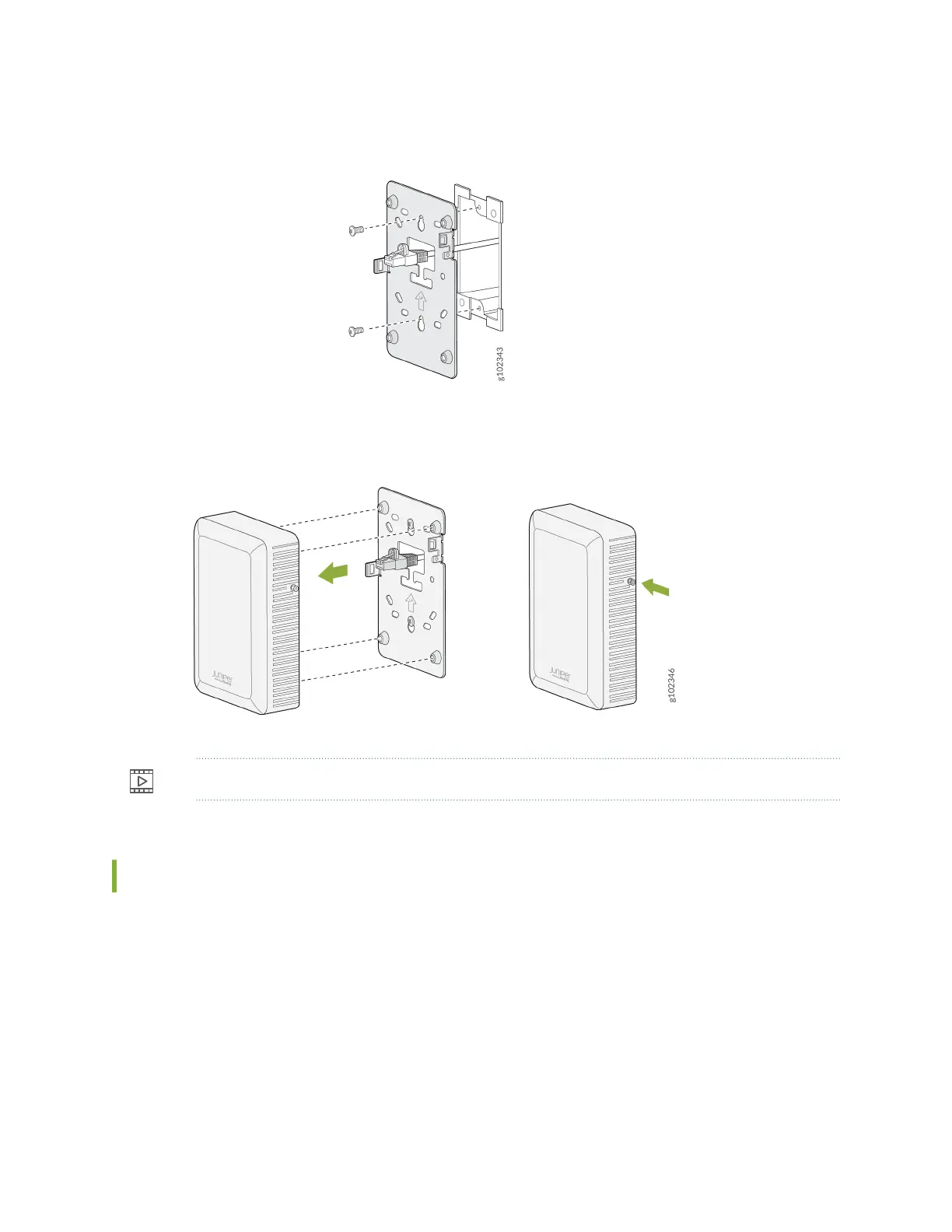
Figure 4: Aach the Wall Plate Bracket to the Single-Gang Juncon Box
2. Connect the Ethernet cable to the AP.
3. Slide the AP onto the wall plate unl the lock is engaged. Then, ghten the security screw.
Video:
Mount the AP12 on a Double-Gang Juncon Box
1. Aach the wall plate to the double-gang juncon box as shown in Figure 5 on page 18.
17



 To Next Page