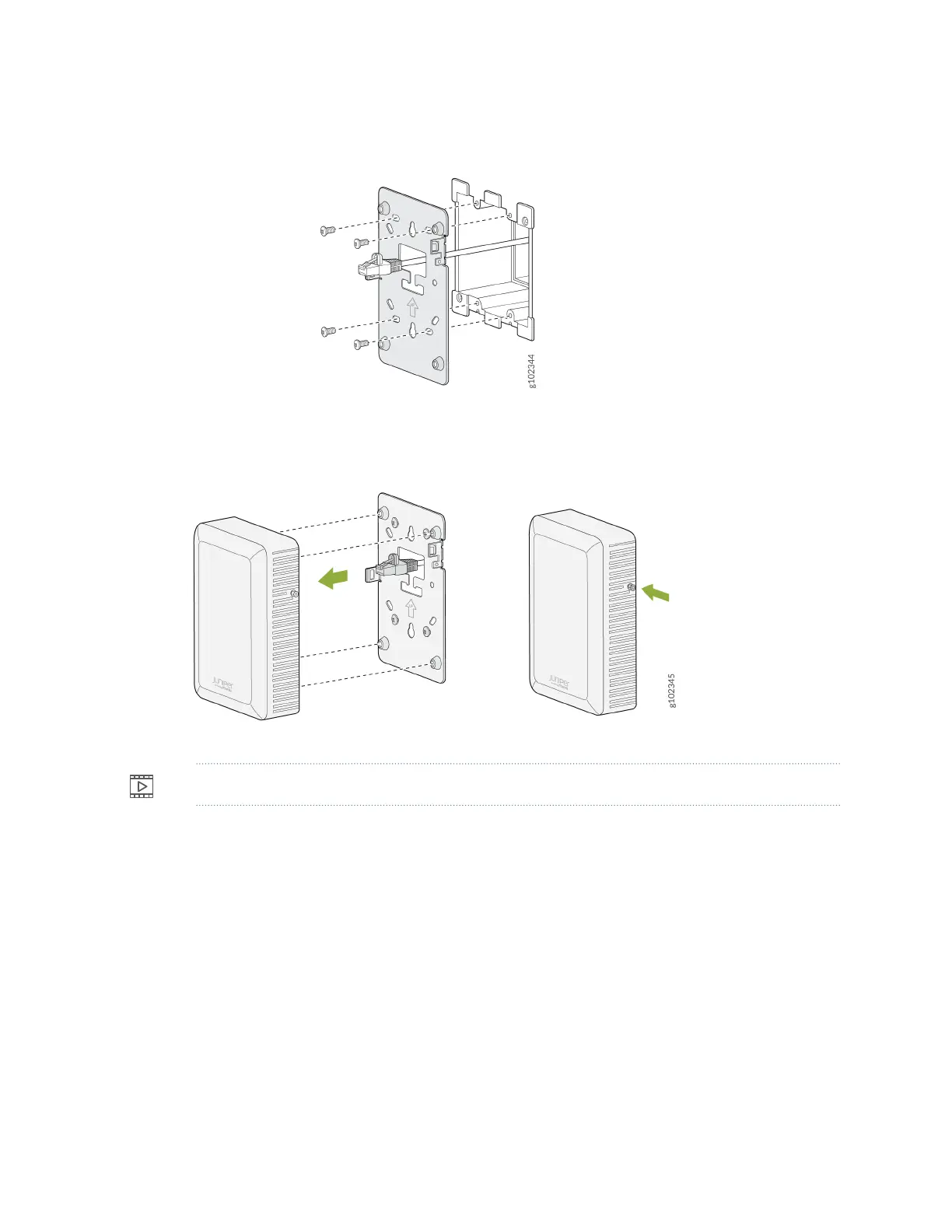
Figure 5: Aach the Wall Plate Bracket to the Double-Gang Juncon Box
2. Connect the Ethernet cable to the AP.
3. Slide the AP onto the wall plate unl the lock is engaged. Then, ghten the security screw.
Video:
Connect an AP12 to the Network and Power It On
The AP onboarding process involves the following steps:
• When you power on an AP, the AP obtains an IP address from the DHCP server on the untagged
VLAN.
• The AP performs a DNS lookup to resolve the Juniper Mist cloud URL. See Firewall Conguraon for
specic cloud URLs.
18



 To Next Page