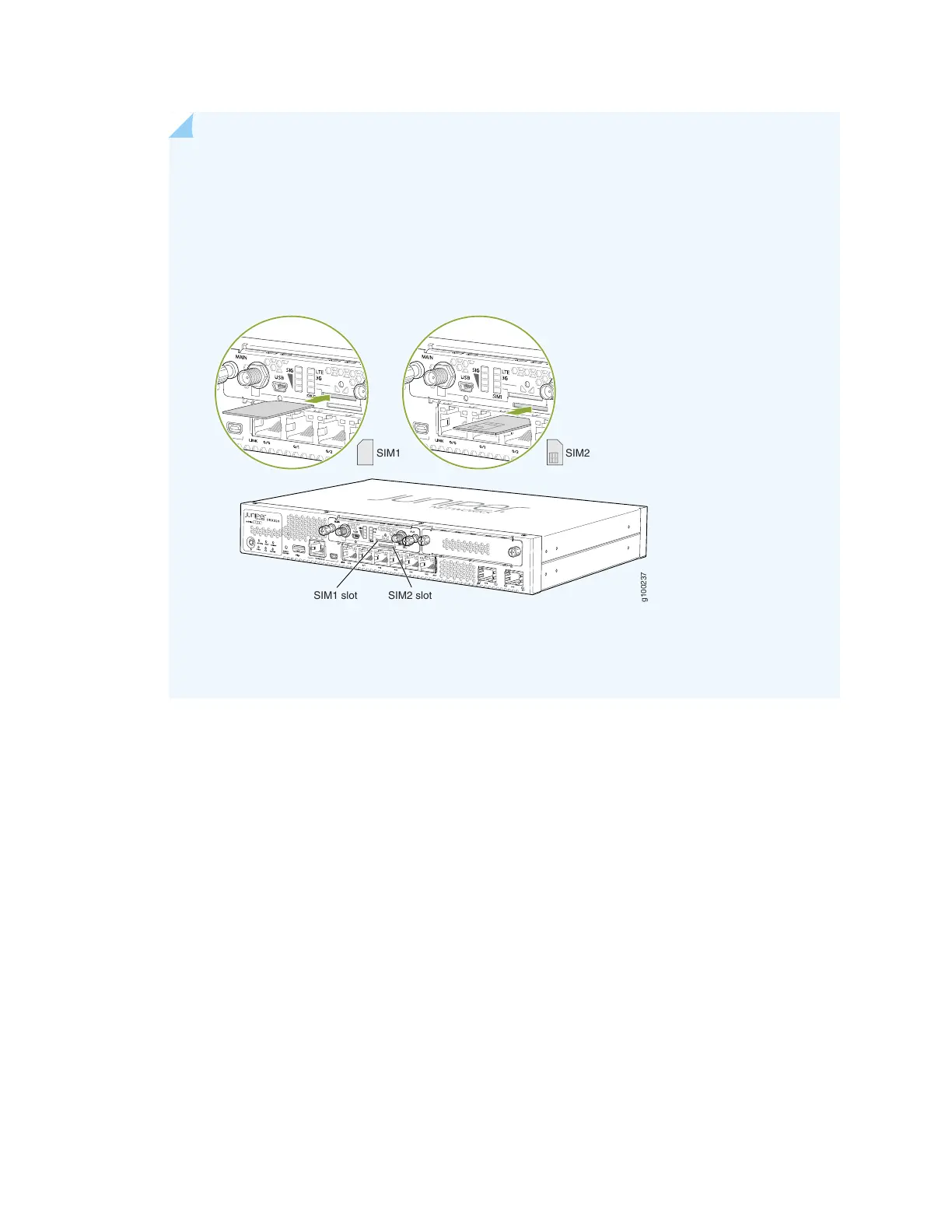
NOTE: When you insert SIM cards into the respective slots, make sure to orient the cards
correctly. Insert SIM1 into its slot with the connector side (SIM card chip) facing down and
the notch on the left. Insert SIM2 into its slot with the connector side facing up and the notch
on the right. See Figure 5 on page 11.
Figure 5: Inserting the SIM Card
g100237
SIM1 SIM2
SIM1 slot SIM2 slot
To remove a SIM card from its slot, press the edge of the card projecting out of the slot.
9. Replace the cover over the SIM slots.
10. Attach the antennas to the antenna base. Connect the cables from each antenna base to the SMA
connectors on the Mini-PIM. See Figure 6 on page 12.
11


 To Next Page