Hangzhou Junce Instruments Co., Ltd.
1. Connect the input and output correctly, and reverse connection is strictly
prohibited. Ensure that the input voltage is within the required range. The
input voltage must be 0.5V or more above the output voltage.
Note: Input voltage range: 10V~75V;
Output current range: 0~5A(DPM8605), 0~8A(DPM8608),
0~16A(DPM8616),0~24A(DPM8624),
0~50A(DPM8650)
Output voltage range: 0~60V.
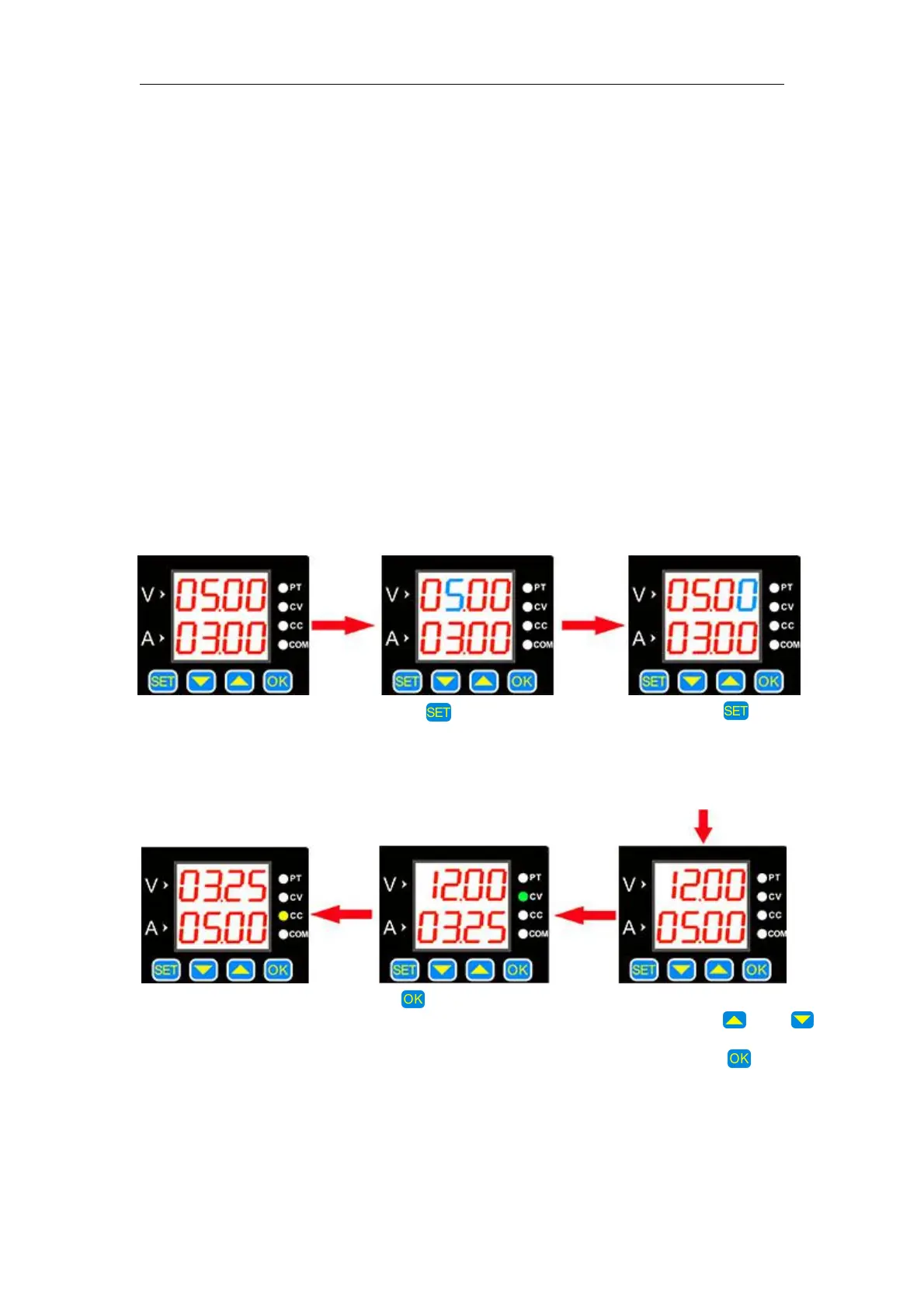
2. Set the required voltage and current values. It should be noted that the V
digital tube displays the voltage, and the A digital tube displays the current.
After the setting, press OK to turn on the output. At this time, the CV or CC
light is on,indicating that the output is turned on. The method for setting the
voltage and current value is as follows (Blue indicates that the number is
flashing):
The default setting is
5V, 3A at start-up.
Press button shortly,
a value flashes.
The flashing position can
be changed by and
buttons, such as adjusting
12V, 5A. Press to exit
the adjustment state.
Press to turn the output
on or off. When the load
current is less than the set
current, the output is
constant voltage output and
the CV indicator is on.
When the load current
reaches the set current,
the output is the set
current, constant current
output, and the CC
indicator is on.
Press the button
continuously, the flashing
position will move at
different positions of
voltage and current.


 To Next Page