Pana 34 Menus/Settings
Pana 34 User Manual 25
4.1.2 Aspect Ratios and Color
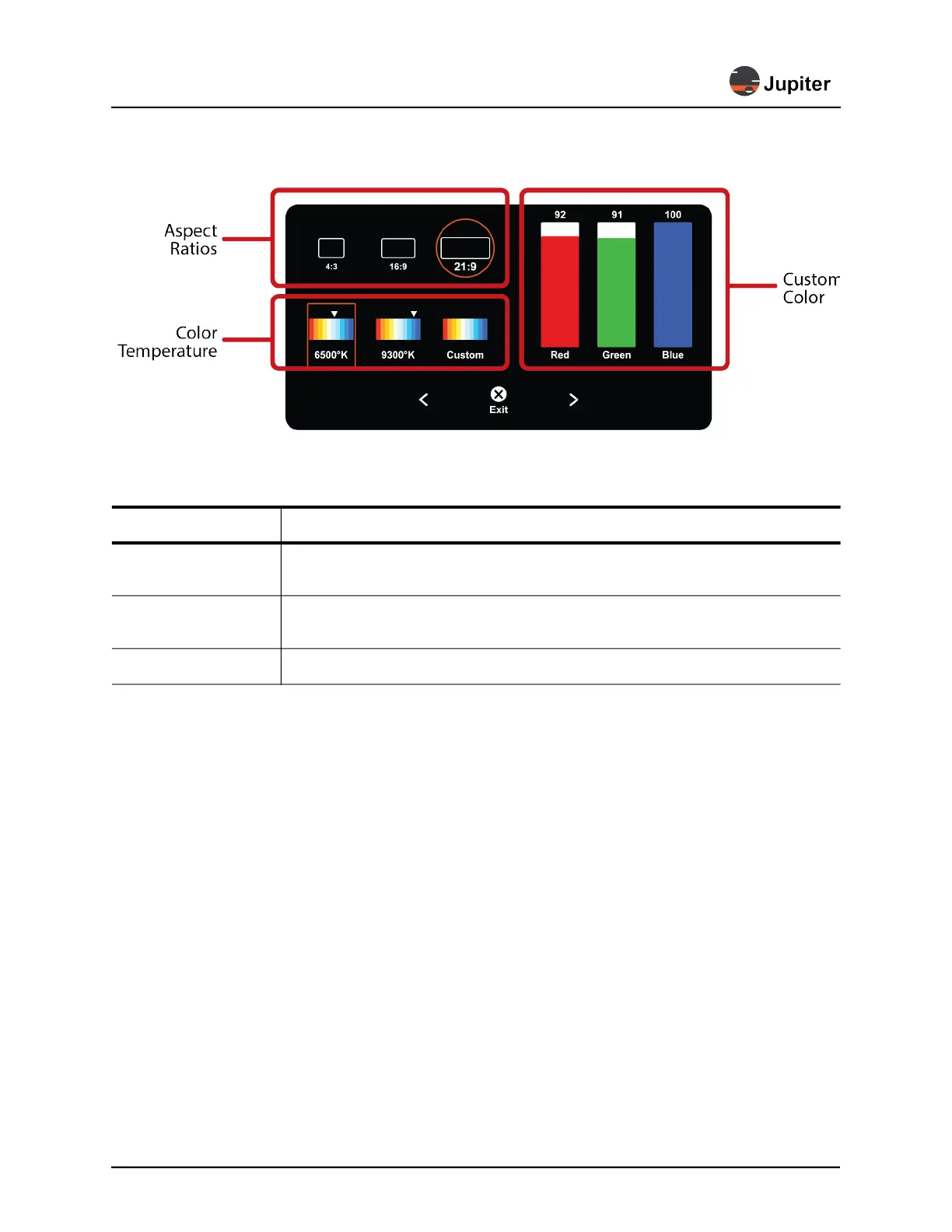
Figure 4.3: Aspect Ratios and Color
Table 5: Aspect Ratios and Color
Item Description
Aspect Ratio Modes
4:3, 16:9, 21:9; the Pana 34 will select the aspect ratio based on the aspect ratio of the
input source. If you select a different aspect ratio it will extend or contract the image
Custom Color:
Red, Green, Blue
You can push the sliders up and down to customize color to your preference
Color Temperature Adjusts how warm (reddish) or how cool (bluish) the picture appears


 To Next Page