EasyManua.ls Logo

JVC 0303MWMMDWJEM - User Manual

JVC 0303MWMMDWJEM
76 pages
Print Icon
To Next Page IconTo Next Page
Loading...
INSTRUCTIONS
UX-A7DVD
—Consists of CA-UXA7DVD and SP-UXA7DVD
For Customer Use:
Enter below the Model No. and Serial
No. which are located either on the rear,
bottom or side of the cabinet. Retain this
information for future reference.
Model No.
Serial No.
LVT0954-010A
[UF]
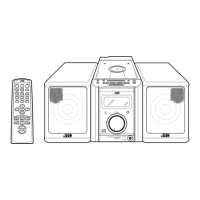
MICRO COMPONENT SYSTEM
DVD/SUPER VCD/VCD/CD
DVD
AUTO REVERSE
COMPACT
SUPER VIDEO
UX-A7DVD
DIGITAL
TAPE
AUX/MDREV.MODE
BASSFM/AM
TREBLE
MULTI COLOR DISPLAY
3•WAY SPEAKER SYSTEM3•WAY SPEAKER SYSTEM
ANGLE
AUDIO
123
456
789
10 0 +10
DIMMER
CANCEL
TOP MENU
SET
STROBE
PREV.
FADE
MUTING
BASS/
TREBLE
FM MODE
DIGITAL
ECHO
KEY
CONTROL
KEY
CONTROL
3D PHONIC
AHB PRO
NEXT
RETURN
SLOW
RM-SUXA7DVDU REMOTE CONTROL
GROUP SKIP
–+
SLOW
AUX/MD
DVD
SELECT
FM/AM
VOLUME
SHIFT
TAPE
ENTER
MENU CHOICE
COLOR
ON SCREEN
PLAY MODE
ZOOM
SUB TITLE
REV. MODE
DIGEST
CLOCK/TIMER
STANDBY
/
ON
DISPLAY
SLEEP
DVD
LEVEL
AP
OFF
CA-UXA7DVD
SP-UXA7DVD
English
DIGITAL
COMPACT
SUPER VIDEO
UX_A7DVD[UF]COVER.pm6 02.12.16, 9:44 PM1

Table of Contents

Questions and Answers

  • M
    Melanie GilbertAug 18, 2025
    How to improve poor radio reception on JVC 0303MWMMDWJEM Stereo System?
    • T
      Todd SheltonAug 18, 2025
      If your JVC Stereo System is experiencing poor radio reception, try these steps: * Ensure the antenna is securely reconnected. * Adjust the position and direction of the AM loop antenna, keeping it away from the unit. * Extend the FM antenna and orient it for the best reception.
  • J
    Jaime MejiaAug 21, 2025
    How to fix JVC 0303MWMMDWJEM Stereo System when power does not come on?
    • K
      Kimberly JordanAug 21, 2025
      If your JVC Stereo System isn't powering on, ensure the power cord is securely plugged into an AC outlet.
  • M
    Mr. Joshua YangAug 23, 2025
    Why is my JVC 0303MWMMDWJEM remote control not working?
    • A
      Andrew GrayAug 23, 2025
      If your JVC Stereo System remote control is not working, try the following: * Ensure there are no obstructions between the remote and the unit's sensor. * Replace the batteries in the remote. * Move closer to the main unit.
  • C
    Carol RobinsonAug 26, 2025
    What to do if no sound is heard from JVC 0303MWMMDWJEM speakers?
    • B
      Brian AlexanderAug 26, 2025
      If you're not getting any sound from the speakers of your JVC Stereo System, check that all connections are correct and secure. Also, make sure headphones are not plugged into the PHONES jack.
  • S
    Summer ThompsonAug 28, 2025
    Why does my JVC 0303MWMMDWJEM shut off right after turning it on?
    • K
      Kristen Hunter DDSAug 28, 2025
      If your JVC Stereo System shuts off immediately after being turned on or when starting playback, unplug the AC power cord, check the speaker cord connections, and then plug the AC power cord back in. This may be due to short-circuited speaker cords or an internal malfunction.
  • D
    Devon JohnsonAug 30, 2025
    What to do if operations are disabled on JVC Stereo System?
    • G
      gomezjacquelineAug 30, 2025
      If operations are disabled on your JVC Stereo System, it may be due to a malfunction of the built-in microprocessor caused by external electrical interference. Unplug the AC power cord and then plug it back in to resolve this issue.
  • A
    abrownSep 1, 2025
    What to do if loaded disc cannot be ejected from JVC Stereo System?
    • J
      Jonathan EstradaSep 2, 2025
      If a disc loaded in your JVC Stereo System cannot be ejected, ensure the AC power cord is plugged in. Also, check if the Disc Lock function is enabled and, if so, cancel it.
  • M
    Monique SimonSep 4, 2025
    Why does JVC Stereo System disc not play?
    • S
      Sean SheaSep 4, 2025
      If your JVC Stereo System isn't playing a disc, make sure the disc is inserted with the label side up. Also, verify that the unit and disc Region Code numbers are compatible. Check if the parental lock is enabled and unlock it if necessary. Finally, inspect the disc for dirt or scratches; clean or replace it if needed.
  • D
    Daniel BurchSep 6, 2025
    What does ERROR mean on JVC 0303MWMMDWJEM Stereo System when playing disc?
    • S
      Shane SchwartzSep 6, 2025
      If “ERROR” appears on the main display of your JVC Stereo System and the disc cannot be played, it might be because you are trying to play a CD-R/RW that has not been “finalized.” Try replacing the disc.
  • E
    Eric KelleySep 8, 2025
    Why no picture appears on the screen from JVC 0303MWMMDWJEM?
    • J
      Judith CoxSep 8, 2025
      If no picture appears on the screen when using your JVC Stereo System, check that the video cord is correctly connected. Also, ensure that the correct color system is selected on the unit. Finally, verify that the correct input has been selected on your TV or monitor.

Summary

MICRO COMPONENT SYSTEM UX-A7 DVD

Warnings, Cautions, and Safety Precautions

Electrical Safety and Fire Prevention

Instructions to reduce the risk of electrical shock, fire, and damage.

Laser Product Safety Information

Initial Setup and Connections

Audio and Speaker Connections

Connecting to a Television

Initial DVD Player Setup

Digital Audio Output Configuration

Setting the System Clock

Powering the Unit On and Off

Source Selection and Volume Adjustment

Adjusting Volume Level

Methods for increasing, decreasing, and temporarily muting volume.

Loading and Playing Discs

DVD Playback Operations

DVD Playback Controls

How to start, stop, pause, and navigate DVD playback.

SVCD, VCD, and Audio CD Playback

MP3 Disc Playback

Cassette Tape Playback Operations

Disc Navigation by Chapter and Time

Audio and Subtitle Language Selection

Preparing for Tape Recording

Synchronized Disc-to-Tape Recording

Disc Synchronized Recording Process

Steps for recording discs to tape simultaneously with playback.

Single Track and Source Recording

Initial DVD Settings Configuration

DVD Setting Menu Navigation

LANGUAGE Menu Settings

Configuring initial languages for menus, audio, subtitles, and on-screen text.

AUDIO Menu Settings

Adjusting digital audio output, down mix, and compression settings.

DISPLAY Menu Settings

Customizing monitor type, screen saver, and on-screen guide display.

SYSTEM Menu Settings

Configuring resume playback and AV COMPU LINK mode settings.

Initial Language Settings

MENU LANGUAGE Settings

Configuring initial language for DVD disc menus.

AUDIO LANGUAGE Settings

Setting initial language for audio sound tracks.

SUBTITLE LANGUAGE Settings

Selecting initial language for subtitles.

ON SCREEN LANGUAGE Settings

Setting language for on-screen menus and indications.

Changing Various Audio Settings

DIGITAL AUDIO OUTPUT Settings

Configuring the output signal type for the digital terminal.

DOWN MIX Settings

Adjusting sound conversion for multichannel audio.

COMPRESSION Settings

Applying dynamic range compression for sound.

Display and System Settings

MONITOR TYPE Settings

Setting monitor type for DVD playback aspect ratio.

SCREEN SAVER Settings

Activating or deactivating the screen saver function.

ON SCREEN GUIDE Settings

Enabling or disabling on-screen guide icons during DVD playback.

RESUME Playback Settings

Configuring the unit to store and resume playback position.

DVD Parental Lock Function

Setting Parental Lock Levels

How to set and manage parental lock levels and passwords.

Recording Timer Setup

Daily Timer Setup

AV COMPU LINK Control System

Troubleshooting Common Issues

JVC 0303MWMMDWJEM Specifications

General IconGeneral
BrandJVC
Model0303MWMMDWJEM
CategoryStereo System
LanguageEnglish

Related product manuals