Chapter 5---Electronics
5-54 Model 250 Service Manual
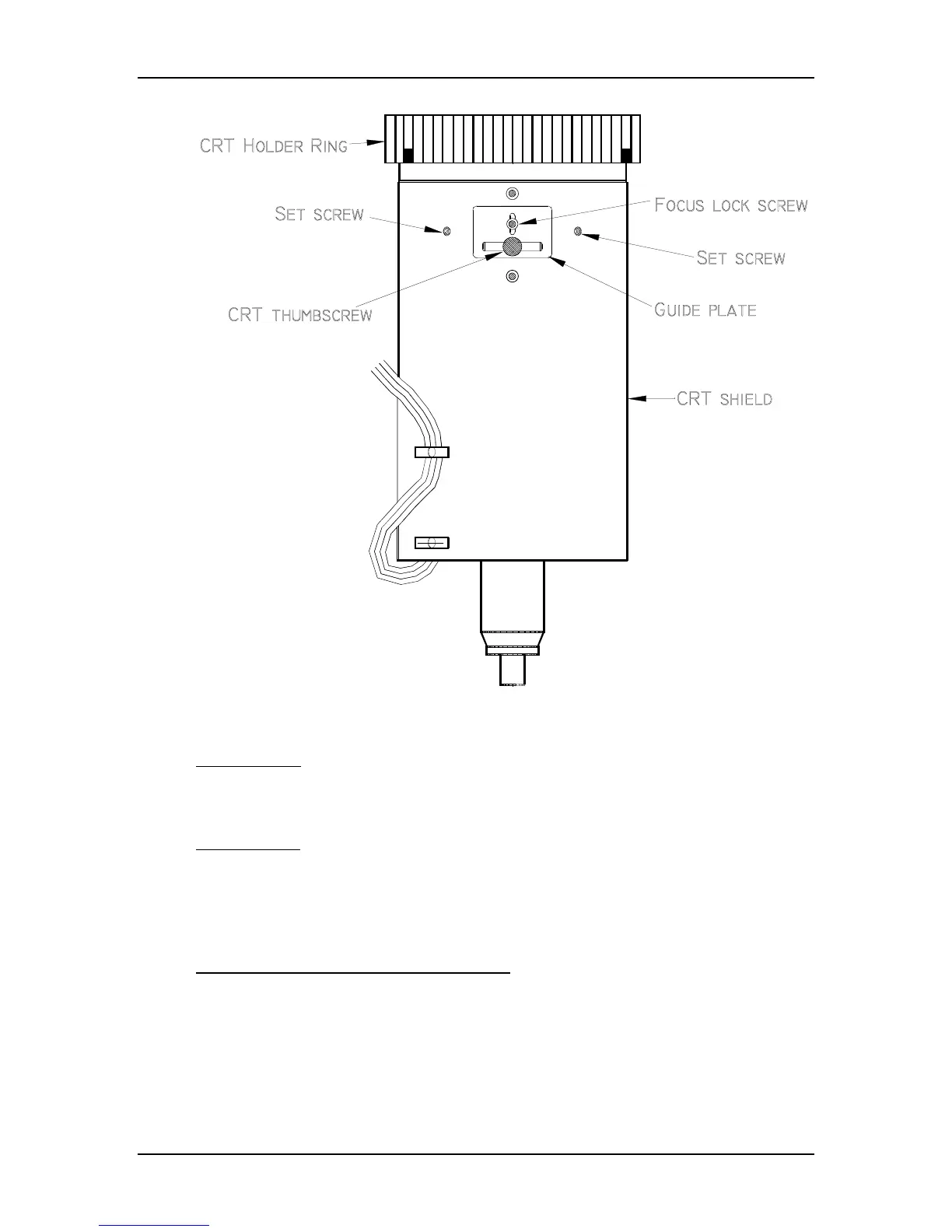
Figure 5-29
CRT Mechanical Focus adjustments.
CRT Rotation
The CRT tilt adjustment aligns the CRT level with the screen. This is a factory-set
adjustment and should not need adjusting unless the CRT or yoke is moved.
Tools Needed
1.5-mm Hex-head wrench
#0 Pozi-drive Phillips-head screwdriver
3-mm Hex-head wrench
To perform the CRT Rotation adjustment:
1. Remove the rear cover.
2. Power the projector ON and allow it to stabilize for at least 15 minutes.
3. Tilt the electronic module to the full up position.
4. Select Center/Lin pattern (test pattern #8).


 To Next Page