EasyManua.ls Logo

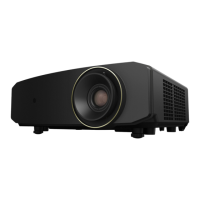
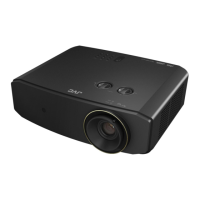
JVC LX-NZ3 - User Manual

JVC LX-NZ3
43 pages
Print Icon
To Next Page IconTo Next Page
Loading...
USER MANUAL
DLP PROJECTOR
LX-NZ3

Questions and Answers

  • D
    Daryl ZunigaJul 28, 2025
    Why my JVC Projector does not turn on?
    • J
      John RodriguezJul 28, 2025
      If your JVC Projector doesn't turn on, here are a couple of things to check: * First, ensure the power cable is properly connected to both the AC inlet on the rear of the projector and the power outlet. If the outlet has a switch, make sure it's on. * Second, if you've recently tried turning it on, it might be cooling down. Wait until the cooling down process is complete before attempting to turn it on again.
  • N
    Nancy WilliamsAug 4, 2025
    How to fix blurred picture on JVC LX-NZ3?
    • W
      Wendy BeckerAug 4, 2025
      If the picture on your JVC Projector is blurred, try the following: * The projection lens may not be correctly focused. Adjust the focus of the lens using the focus ring. * The projector and screen may not be aligned properly. Adjust the projection angle, direction, and height of the projector if necessary. * The lens cover might still be closed. Remove the lens cover if there is one.
  • M
    Michael SilvaAug 9, 2025
    What to do if the image is unstable on JVC LX-NZ3?
    • H
      Heidi AustinAug 9, 2025
      If the image on your JVC Projector is unstable, it might be due to connection issues. Ensure that the connection cables are securely connected to both the projector and the signal source. Correctly connect the cables to the appropriate terminals.
  • E
    Emily WalshAug 15, 2025
    What to do if my JVC LX-NZ3 Projector has no picture?
    • T
      Tina WoodsAug 15, 2025
      If your JVC Projector shows no picture, there might be several reasons: * The video source might not be turned on or connected properly. Ensure that the video source is on and the signal cable is correctly connected. * The projector might not be correctly connected to the input source device. Check the connection. * The input source might not be correctly selected. Use the INPUT key on the projector or remote control to select the correct source. * The HDMI cable might not support a 4K signal. Use a certified Premium High Speed HDMI Cable (18 Gbps compatible).
  • B
    bowenpeterAug 21, 2025
    How to fix JVC Projector remote control that is not working?
    • D
      Donald SummersAug 21, 2025
      If the remote control for your JVC Projector isn't working correctly, consider these points: 1. The battery might be out of power. Replace both batteries with new ones. 2. There might be an obstacle between the remote and the projector. Remove any obstacles. 3. You might be too far from the projector. Ensure you are within 8 meters (26.2 feet) of the projector.

JVC LX-NZ3 Specifications

General IconGeneral
Display TechnologyDLP
Brightness3000 lumens
Light SourceLaser diode
Lens ShiftVertical: ±60%, Horizontal: ±23%
Weight6.3 kg
Lamp Life20, 000 hours
Zoom1.6x
Contrast Ratio30, 000:1
InputsHDMI x 2, USB, RS-232
HDR SupportHDR10
Resolution3840 x 2160 (4K UHD)
3DYes (Frame Packing, Side-by-Side, Top-and-Bottom)

Related product manuals