Need help?
Do you have a question about the JVC LX-UH1 and is the answer not in the manual?
Details the items included with the projector upon purchase.
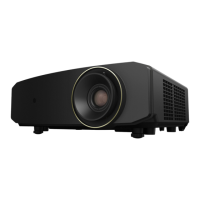
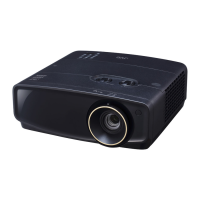
Illustrates and labels the front and top parts of the projector.
Illustrates and labels the rear and bottom parts of the projector.
Describes the buttons and indicators on the projector's control panel.
Details the functions and buttons of the projector's remote control.
Covers battery replacement and effective range for the remote control.
Guidance on selecting an appropriate installation spot for the projector.
Information on adjusting projected image size and lens shift for optimal placement.
Details the allowable range for adjusting the projector's lens shift.
Instructions for powering the projector on and off correctly.
How to choose and switch between different video input signals.
Guide to adjusting projection angle, image size, clarity, and keystone correction.
Introduction to accessing and navigating the On-Screen Display (OSD) menus.
Detailed settings for picture modes, brightness, contrast, color, tint, and advanced options.
Settings related to aspect ratio, image position, and overscan adjustment.
Configuration options for projector mode, test patterns, lamp settings, and 12V trigger.
Basic system settings including language, splash screen, auto power, and menu settings.
Advanced system settings for HDR, HDMI range, and password protection.
Displays current input source, picture mode, resolution, color system, and lamp usage time.
Hierarchical overview of the projector's OSD menu options based on signal type.
Instructions for cleaning lens and case, and general care of the projector.
Guidelines for storing and safely transporting the projector.
How to check the operating hours of the projector lamp.
Settings and tips to maximize the lifespan of the projector lamp.
Guidance on when to replace the projector lamp based on usage and indicators.
Step-by-step instructions for safely replacing the projector lamp.
Key technical specifications including optical, electrical, environmental, and mechanical details.
Table of supported resolutions, refresh rates, and frequencies for PC input signals.
Table of supported resolutions, refresh rates, and frequencies for HDMI input signals.
Details JVCKENWOOD's warranty terms and conditions for the projector.
Information on publication copyright, trademarks, and liability disclaimers.
 General
| Resolution | 3840 x 2160 (4K UHD) |
|---|---|
| Light Source | Laser |
| Light Source Life | 20, 000 hours |
| Lens Shift | Vertical: ±60%, Horizontal: ±23% |
| HDMI Inputs | 2 |
| Projection Technology | DLP |
| Zoom Ratio | 1.6x |
| Brightness | 2000 Lumens |
| HDR Support | HDR10 |
| Input Connectors | HDMI, USB, RS-232C, Trigger |

 To Next Page