EasyManua.ls Logo

JVC LX-N68BC - User Manual

JVC LX-N68BC
10 pages
Print Icon
To Next Page IconTo Next Page
Loading...
SERVICE MANUAL
COPYRIGHT © 2019 JVCKENWOOD Corporation
No.PA063<Rev.001>
2019/12
DLP PROJECTOR
PA063<Rev.001>201912SERVICE MANUAL
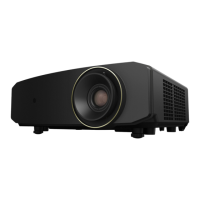
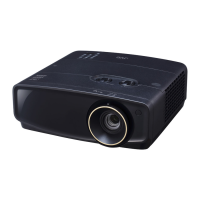
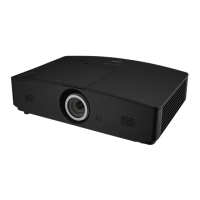
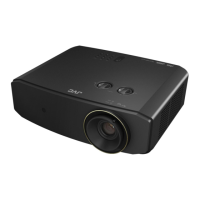
LX-N68BC, LX-NZ3BG,
LX-NZ3BK, LX-NZ3WG,
LX-NZ3WK
COPYRIGHT © 2019 JVCKENWOOD Corporation
SERVICE POLICY
Ring focus
(4B.3V109.022)
Set for product exchange
(NZ3BG-S): LX-NZ3BG/BK
(NZ3WG-S): LX-NZ3WG/WK
(N68BC-S): LX-N68BC
Ring zoom
(4B.3V110.001)
Remote control
(5F.263K9.021)
Power cable (US)
(2G.01111.001)
User manual CD
(5B.4GT01.001)
Quick start guide
(4J.4GT01.001): US/EU
(4J.4GT01.021): CHINA
1.8m
Power cable (EU)
(2G.05921.011)
1.8m
Power cable (CHINA)
(2G.04245.001)
1.8m
Basic service policy is "repair by product exchange" (not subject to repair)
If a functional failure occurs, please carry out repair correspondence by exchanging the product.
However, the following parts will be supplied.

Questions and Answers

  • M
    matthew65Aug 14, 2025
    Why my JVC LX-N68BC does not turn on?
    • K
      karendavisAug 15, 2025
      If your JVC Projector doesn't turn on, here are a couple of things to check: * First, ensure the power cable is properly connected to both the AC inlet on the rear of the projector and the power outlet. If the outlet has a switch, make sure it's on. * Second, if you've recently tried turning it on, it might be cooling down. Wait until the cooling down process is complete before attempting to turn it on again.
  • D
    Dale CastilloAug 17, 2025
    How to fix blurred picture on JVC LX-N68BC Projector?
    • D
      dmeadowsAug 17, 2025
      If the picture on your JVC Projector is blurred, try the following: * The projection lens may not be correctly focused. Adjust the focus of the lens using the focus ring. * The projector and screen may not be aligned properly. Adjust the projection angle, direction, and height of the projector if necessary. * The lens cover might still be closed. Remove the lens cover if there is one.
  • G
    garciakyleAug 21, 2025
    What to do if the image is unstable on JVC LX-N68BC Projector?
    • H
      hannahthompsonAug 21, 2025
      If the image on your JVC Projector is unstable, it might be due to connection issues. Ensure that the connection cables are securely connected to both the projector and the signal source. Correctly connect the cables to the appropriate terminals.
  • A
    Amy HammondAug 25, 2025
    What to do if JVC LX-N68BC shows Temperature 1 error?
    • E
      Elizabeth PetersonAug 25, 2025
      If your JVC Projector displays a Temperature 1 error (over limited temperature), ensure that the projector has proper ventilation and check for any components that may be overheating.
  • T
    thomastoddAug 27, 2025
    How to fix JVC Projector scaler reset fail?
    • R
      Ronnie HessAug 28, 2025
      If the JVC Projector's scaler fails to reset (data abort), reboot the system to attempt a reset.
  • C
    Charles MatthewsAug 31, 2025
    How to troubleshoot JVC LX-N68BC Projector colorwheel start fail?
    • J
      Jennifer AdamsAug 31, 2025
      If your JVC Projector experiences a colorwheel start failure, check for any obstructions that might be preventing the colorwheel from spinning freely.
  • L
    Lauren MontesSep 3, 2025
    What to do if JVC LX-N68BC colorwheel doesn't spin?
    • D
      Daniel SmithSep 4, 2025
      If your JVC Projector experiences a colorwheel spin failure, inspect the mechanical connections of the colorwheel.
  • H
    Heather BondSep 7, 2025
    What to do if my JVC LX-N68BC has no picture?
    • M
      mitchellsarahSep 7, 2025
      If your JVC Projector shows no picture, there might be several reasons: * The video source might not be turned on or connected properly. Ensure that the video source is on and the signal cable is correctly connected. * The projector might not be correctly connected to the input source device. Check the connection. * The input source might not be correctly selected. Use the INPUT key on the projector or remote control to select the correct source. * The HDMI cable might not support a 4K signal. Use a certified Premium High Speed HDMI Cable (18 Gbps compatible).
  • C
    cobbtheresaSep 10, 2025
    How to fix JVC Projector remote control that is not working?
    • S
      Sean FreySep 10, 2025
      If the remote control for your JVC Projector isn't working correctly, consider these points: 1. The battery might be out of power. Replace both batteries with new ones. 2. There might be an obstacle between the remote and the projector. Remove any obstacles. 3. You might be too far from the projector. Ensure you are within 8 meters (26.2 feet) of the projector.

JVC LX-N68BC Specifications

General IconGeneral
Brightness3000 lumens
Display TypeDLP
Projection Size30 - 300 inch
InputsHDMI, USB
OutputsAudio out

Related product manuals