EasyManua.ls Logo

JVC LX-NZ3BK - User Manual

JVC LX-NZ3BK
43 pages
Print Icon
To Next Page IconTo Next Page
Loading...
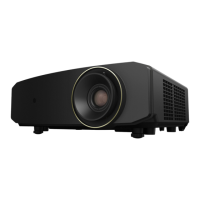
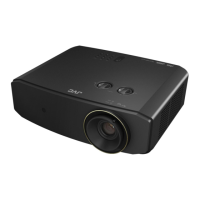
USER MANUAL
DLP PROJECTOR
LX-NZ3

Other manuals for JVC LX-NZ3BK

Questions and Answers

JVC LX-NZ3BK Specifications

General IconGeneral
Typelaser
Colorblack
Throw Typestandard throw
TV Tunerno
Portablefixed
Noise Level29 decibels
Color Brightness3000 lumens
White Brightness3000 lumens
Resolution4k (2160p)
Native Resolution1920 x 1080
Contrast Ratioinfinity:1 dynamic contrast ratio
Aspect Ratio16:9
Throw Ratio Range1.36-2.18
Response Time58 milliseconds
HDRyes
HDR Formathdr 10, hybrid log-gamma (hlg)
3 Chip Technologyno
3Dno
Minimum Screen Size60 inches
Maximum Screen Size200 inches
Focus Adjustmentmanual
Optical Zoom1.6x
HDMI Ports2
HDMI 2.2 Ports1
HDMI ARC Portsno
USB Ports0
RS-232 Port1
Video Inputhdmi
Inputshdmi, usb type a, svga, serial, 3.5mm audio
Remote Controlyes
Weight and Dimensions IconWeight and Dimensions
Depth13 1/2 inches
Height5 3/4 inches
Width15 7/8 inches
Net Weight13.89 pounds

Summary

Safety Precautions

Important Safety Instructions

Safe Projector Placement and Handling

Guidance on safe placement, operation, avoiding damage, and environmental considerations.

Operational and Environmental Safety

Hazards and Precautions

Covers hazards from liquids, lens viewing, disassembly, packing, moisture, and high temperatures.

Disposal and Laser Safety Warnings

Product Disposal and Laser Radiation

Information on proper product disposal and warnings related to the Class 3R laser.

Laser Safety and Light Source

Laser Warnings and Light Source Specs

Includes laser radiation warnings, precautions, and light source specifications.

Projector Exterior and Controls

Controls and Functions

Control Panel Layout and Buttons

Explains the functions of the projector's control panel buttons and indicators.

Remote Control Operation

Button Functions and Usage

Details the functions of each button on the remote control for operating the projector.

Installation Guide

Choosing an Installation Location

Covers choosing the optimal location for projector installation, including different mounting options.

Image Setup and Projection

Lens Shift Capabilities

Connection Procedures

Projector Operation Basics

Powering On and Off

Covers the essential steps for powering the projector on and off safely.

Input Source Selection

Selecting Video Input Sources

Explains how to select and switch between different video input sources connected to the projector.

Image Adjustment Techniques

Angle, Size, Clarity, and Keystone Correction

Covers adjusting projection angle, size, clarity, and correcting keystone distortion.

PICTURE Menu Settings

INSTALLATION Menu Options

Maintenance and Care Procedures

Indicator Status and Troubleshooting

Troubleshooting Common Issues

Problem Resolution Guide

A comprehensive guide to identifying and resolving common projector problems.

Projector Specifications

Related product manuals