V-Chip
24
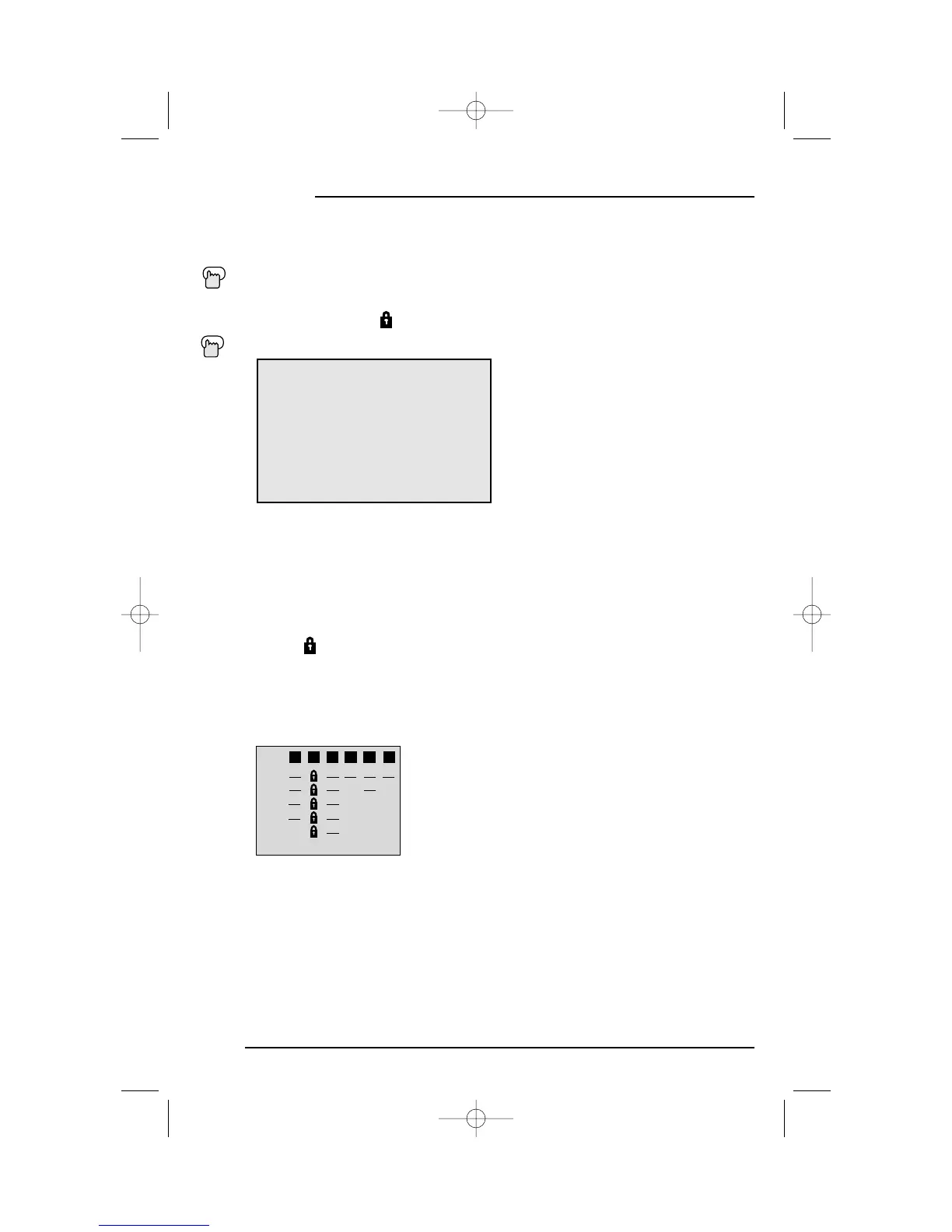
Line up the cursor in the column (TV PG, TV G, etc.) with the content row (V/FV, S, etc.) and press the
or
❷
to move the cursor to the correct location. Press
➛
or
❿
to turn the locking feature on or off. An
item is locked if the icon appears instead of a “—”.
For example. To block viewing of all TV 14 shows, move the cursor to the top row of that column
and add a lock icon. Once you've put a lock on the top row, everything in that column is
automatically locked.
❷
To the TV 14 Column
➛❿
To turn on the lock
❷
To FINISH
➛❿
To save settings and exit
• If you want to change the setup, move the cursor to the top column and change the lock icon to
“—” by pressing
➛
or
❿
again. You may then select individual categories to block.
Press the MENU button
❷
To V-CHIP
➛❿
To operate (Lock icon will appear)
Press Z
ERO to access the V-Chip menu
➛❿
To turn V-Chip ON or OFF
❷
To move to SET US TV RATINGS
➛❿
To operate
V-CHIP ON OFF
SET US TV RATINGS
SET MOVIE RATINGS
SET CANADIAN RATINGS ENG
SET CANADIAN RATINGS FRE
UNRATED VIEW BLOCK
FINISH
Setting US V-Chip Ratings
Directions to set US V-Chip Ratings:



 To Next Page