18
POWER
RM-C394G
123
DISPLAY
789
456
SLEEP TIMER
0
TV RETURN
LIGHT
TV
CATV
PAUSE/STILL
OPEN/CLOSE
TV / DVD
RETURN
AUDIO
REPEATA-B
CANCEL
SLOW
ZOOM
TITLE
AUDIO
ANGLE
SUBTITLE
INPUT
C.C.
DVD SETUP
SELECT
/ENTER
TV MENU
MUTING
DVD
CONTROL
PLAY MODE
PREV NEXT
TV/DVD
DVD MENU
F.SEARCH
PLAY
B.SEARCH
STOP
+
CH
VOL
VOL
+
CH
Repeat steps 1-6 for other channels
you want to add or delete.
Press TV MENU until the MENU
screen is cleared.
<
/ / / /MENU
>
TV/CATV
ADD/DELETE
CATV
DELETE
AUTO CH MEMORY
<
/ / / /MENU
>
TV/CATV
ADD/DELETE
CATV
ADD
AUTO CH MEMORY
<
/ / / /MENU
>
TV/CATV
ADD/DELETE
CATV
ADD
AUTO CH MEMORY
<
/ / / /MENU
>
TV/CATV
ADD/DELETE
CATV
ADD
AUTO CH MEMORY
<
/ / / /MENU
>
TV/CATV
ADD/DELETE
CATV
ADD
AUTO CH MEMORY
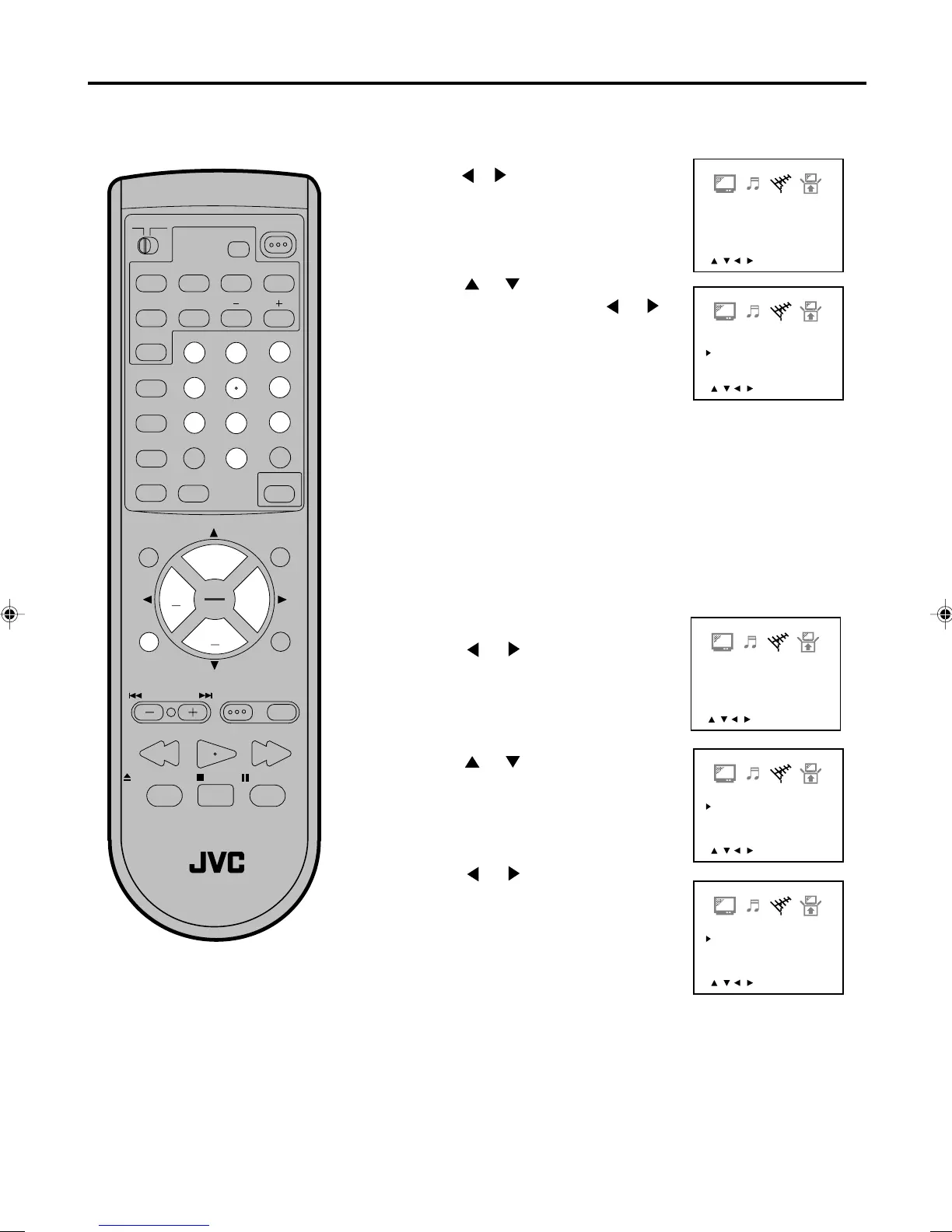
Press TV MENU in the TV mode. The TV menu screen
will appear.
Press or until CHANNEL-SETUP
menu appears.
AUTOMATIC MEMORY TUNING
Press or to select the “AUTO
CH MEMORY”, then press or .
The TV will begin memorizing all the
channels available in your area.
Press TV MENU until the MENU
screen is cleared.
1
2
3
4
TO ADD/DELETE CHANNELS
Press or to select ADD or
DELETE, whichever function you
want to perform.
5
7
Select the desired channel to be
memorized or deleted using Direct
Channel Selection (0-9), or CH + or –.
1
Press or to select the “ADD/
DELETE”.
4
Press or until CHANNEL-SET
UP menu appears.
3
Press TV MENU in the TV mode.
The TV menu screen will appear.
2
6
5870201AE(18-23) 5/4/01, 5:32 PM18


 To Next Page