19
POWER
RM-C394G
123
DISPLAY
789
456
SLEEP TIMER
0
TV RETURN
LIGHT
TV
CATV
PAUSE/STILL
OPEN/CLOSE
TV / DVD
RETURN
AUDIO
REPEATA-B
CANCEL
SLOW
ZOOM
TITLE
AUDIO
ANGLE
SUBTITLE
INPUT
C.C.
DVD SETUP
SELECT
/ENTER
TV MENU
MUTING
DVD
CONTROL
PLAY MODE
PREV NEXT
TV/DVD
DVD MENU
F.SEARCH
PLAY
B.SEARCH
STOP
+
CH
VOL
VOL
+
CH
<
0 9/ENTER/CANCEL/MENU
>
V-CHIP SET
CONFIRM
PASSWORD :
<
0 9/ENTER/CANCEL/MENU
>
V-CHIP SET
NEW
PASSWORD
:
<
/ / / /MENU
>
V-CHIP SET
LANGUAGE/IDIOMA/LANGUE
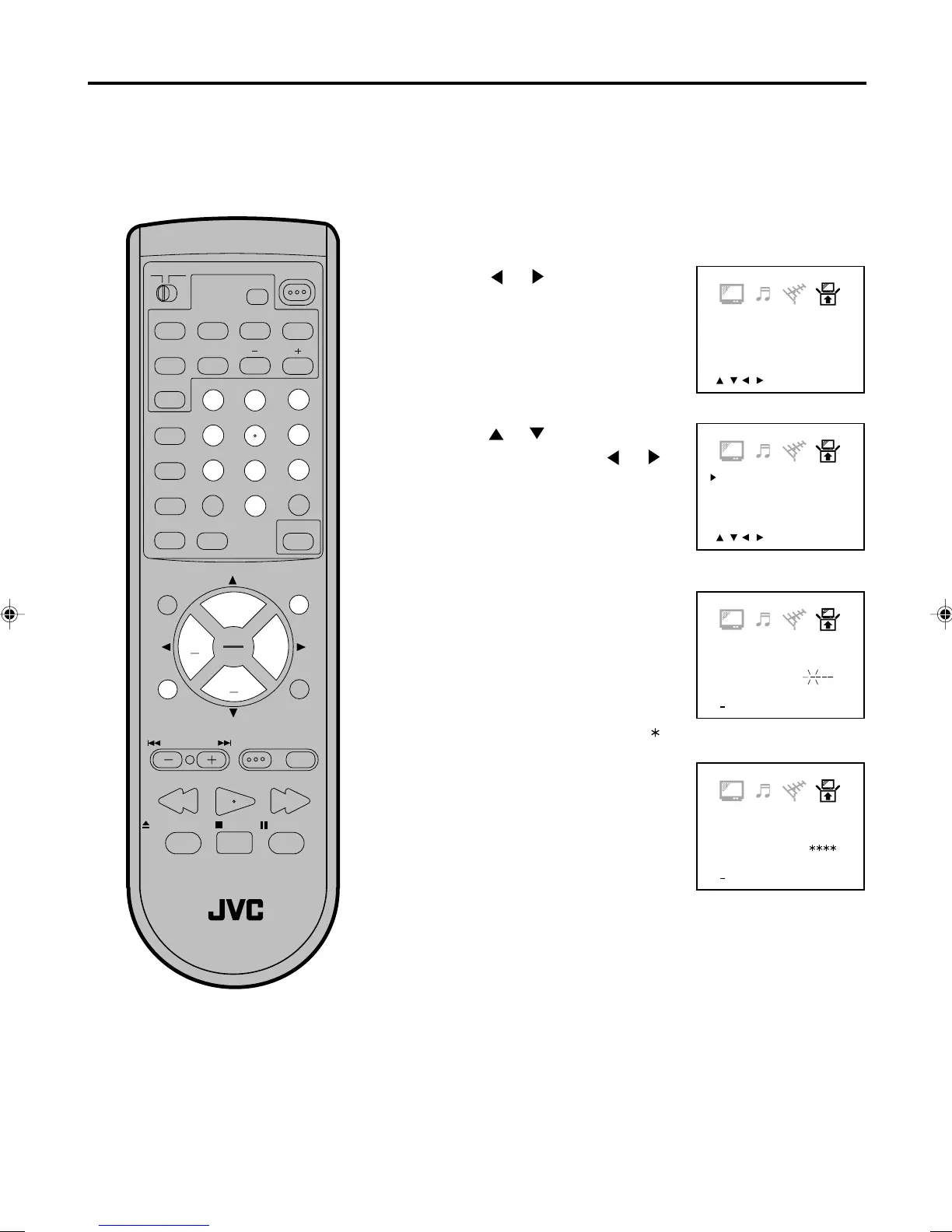
Press or until the SETUP
menu appears.
Setting the V-Chip
Press TV MENU in the TV mode. The TV menu
screen will appear.
Enter the password (4 digits)
using Direct Channel Selection
(0-9), then press ENTER.
Enter the same password again
for the safety, then press ENTER.
Now the password was registered
and V-Chip setting menu will
appear on the display.
NOTES:
•
•
TO REGISTER PASSWORD
An age limitation can be set to forbid children to see and hear violent scenes or pictures for adults, etc.
The TV/DVD corresponds to "TV RATING" and "MOVIE RATING". To use the V-Chip function, you must
register a password.
If you forget the password, you can-
not set the V-Chip.
To avoid forgetting the password, write
it down and keep in the safe place.
1
2
4
5
" " appears instead of the number.
<
/ / / /MENU
>
V-CHIP SET
LANGUAGE/IDIOMA/LANGUE
Press or to select the “V-
CHIP SET”, then press
or .
3
5870201AE(18-23) 10/4/01, 12:21 PM19


 To Next Page