39
POWER
RM-C394G
123
DISPLAY
789
456
SLEEP TIMER
0
TV RETURN
LIGHT
TV
CATV
PAUSE/STILL
OPEN/CLOSE
TV / DVD
RETURN
AUDIO
REPEATA-B
CANCEL
SLOW
ZOOM
TITLE
AUDIO
ANGLE
SUBTITLE
INPUT
C.C.
DVD SETUP
SELECT
/ENTER
TV MENU
MUTING
DVD
CONTROL
PLAY MODE
PREV NEXT
TV/DVD
DVD MENU
F.SEARCH
PLAY
B.SEARCH
STOP
+
CH
VOL
VOL
+
CH
Tv Screen
Display
On
4:3
/Enter/Setup/Return
Language Picture Parental Other
/Enter/Setup/Return
Language Picture Parental Other
Tv Screen
Display
Off
4:3
/Enter/Setup/Return
Language Picture Parental Other
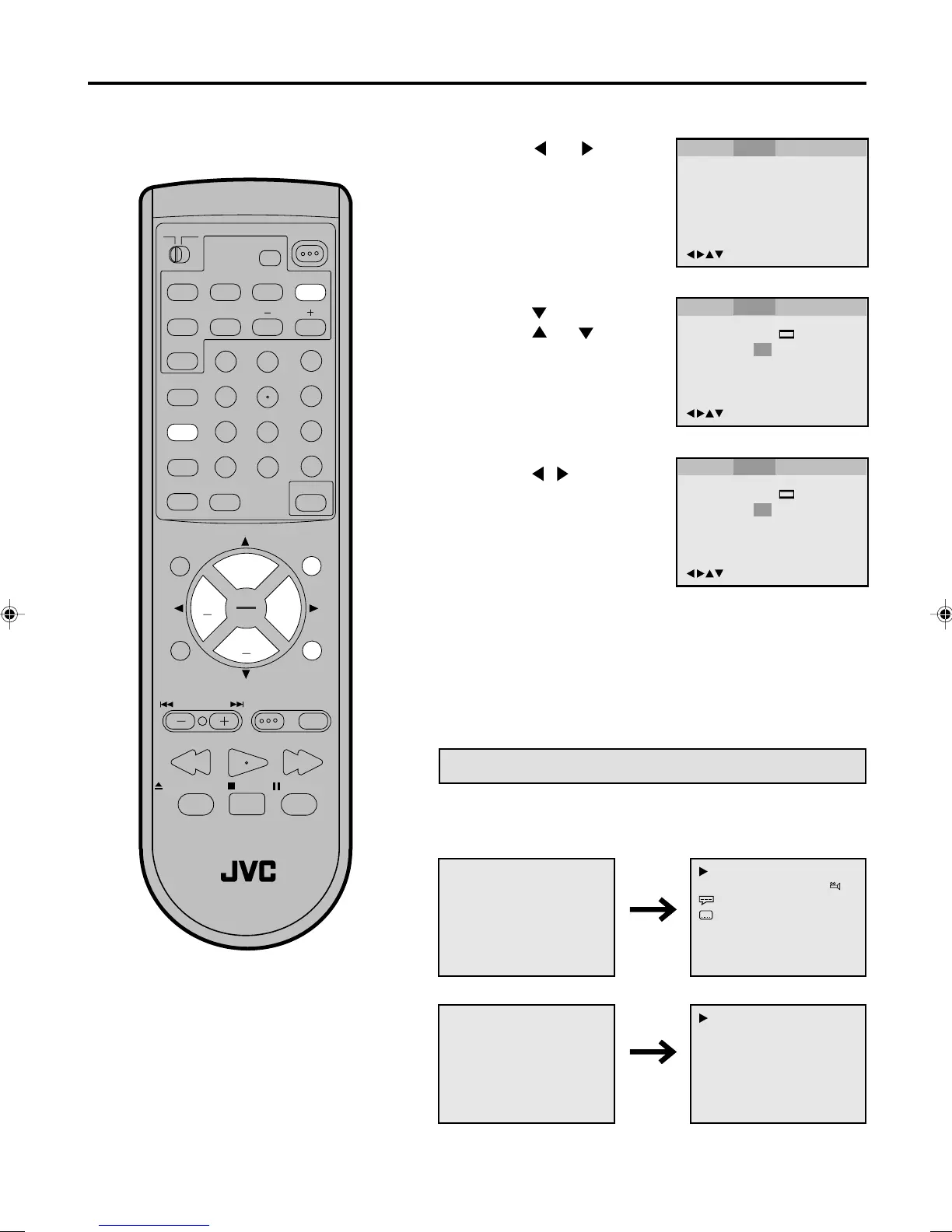
Setting on Screen display/Status display of Disc
Press / or ENTER to
select ON or OFF.
1
Press DVD SETUP in the stop mode or No Disc.
2
Press or to select
Picture.
3
To make SETUP screen disappear, press DVD SETUP or
RETURN while the SETUP screen is being displayed.
4
On screen display can be switched on
or off when you press the buttons.
ON: On screen displays appear when you press the
buttons (factory setting).
OFF: On screen displays do not appear when you press
any buttons.
Press
or ENTER, then
press
or to select
Display.
00:34:56 01:12:33
Each Press of DISPLAY, the status display of the disc will appear
on the screen and change as follows.
DVD
00:34:56 01:12:33
1/9
Title 1/99
1/8
1/32
Chapter 1/999
Eng DolbyDigital
Eng
34:56 71:33
CD
34:56 71:33
Track 11/99
To make status display disappear, press DISPLAY again.
Status display of Disc
5870201AE(38-45) 5/4/01, 5:35 PM39


 To Next Page