17
POWER
RM-C394G
123
DISPLAY
789
456
SLEEP TIMER
0
TV RETURN
LIGHT
TV
CATV
PAUSE/STILL
OPEN/CLOSE
TV / DVD
RETURN
AUDIO
REPEATA-B
CANCEL
SLOW
ZOOM
TITLE
AUDIO
ANGLE
SUBTITLE
INPUT
C.C.
DVD SETUP
SELECT
/ENTER
TV MENU
MUTING
DVD
CONTROL
PLAY MODE
PREV NEXT
TV/DVD
DVD MENU
F.SEARCH
PLAY
B.SEARCH
STOP
+
CH
VOL
VOL
+
CH
<
/ / / /MENU
>
TV/CATV
ADD/DELETE
CATV
ADD
AUTO CH MEMORY
<
/ / / /MENU
>
TV/CATV
ADD/DELETE
CATV
ADD
AUTO CH MEMORY
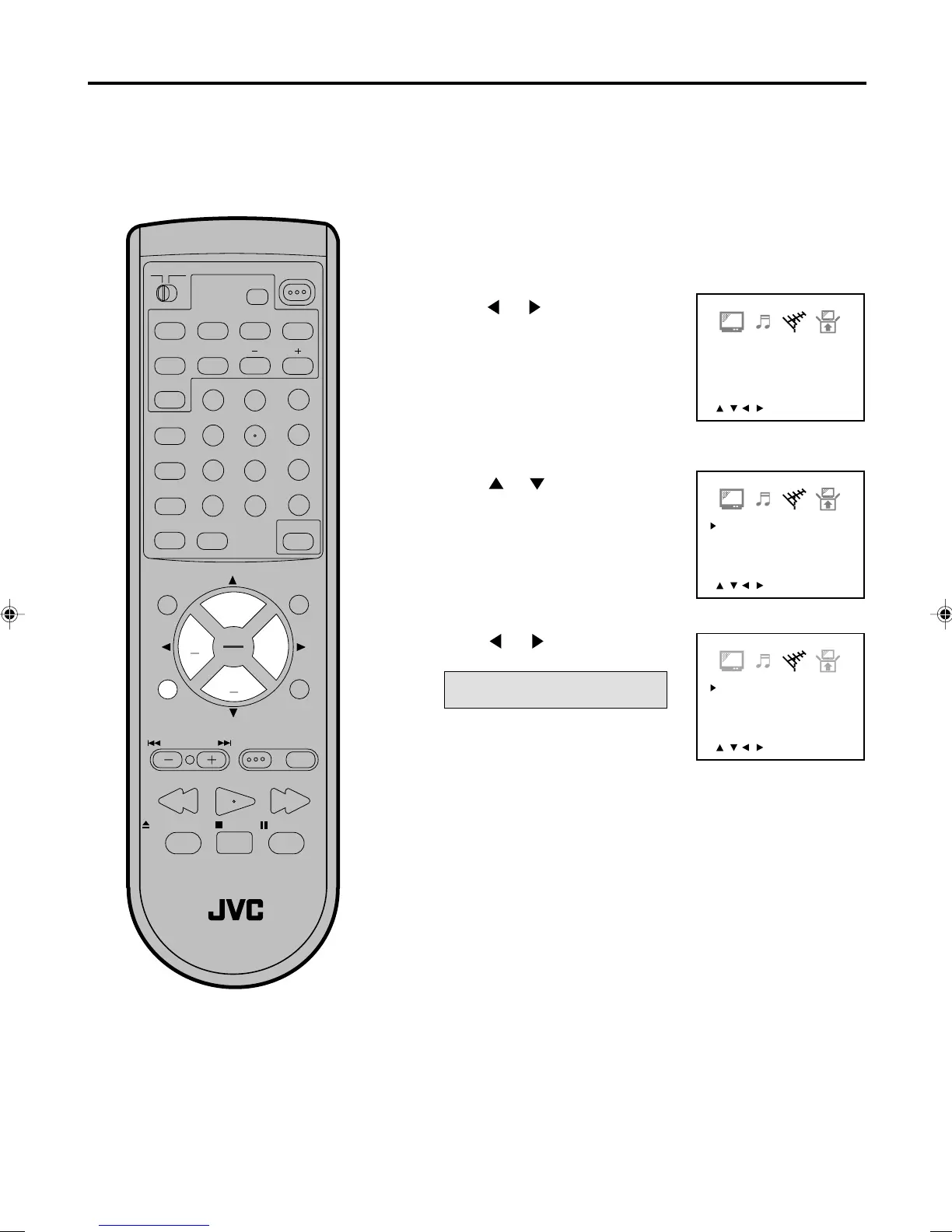
To memorize channels
Press TV MENU in the TV mode.
The TV menu screen will appear.
Press or until the CHANNEL
-
SETUP menu appears.
This TV/DVD is equipped with a channel memory feature which allows channels to skip up or down to the next
channel set into memory, skipping over unwanted channels. Before selecting channels, they must be pro-
grammed into the TV/DVD’s memory. In addition to normal VHF and UHF channels, this TV/DVD can receive up
to 113 Cable TV channels. To use this TV/DVD with an antenna, set the TV/CATV menu option to the TV mode.
When shipped from the factory, this menu option is in the CATV mode.
TV/CATV SELECTION
Press or to select the TV
or CATV mode.
Press TV MENU until the MENU
screen is cleared.
Press
or to select the “TV/
CATV”.
TV - VHF/UHF channels
CATV - CABLE TV channels
1
2
3
4
5
<
/ / / /MENU
>
TV/CATV TV
ADD/DELETE ADD
AUTO CH MEMORY
5870201AE(12-17) 5/4/01, 5:32 PM17


 To Next Page