EasyManua.ls Logo

JVC LT-22DD22J - User Manual

JVC LT-22DD22J
40 pages
Print Icon
To Next Page IconTo Next Page
Loading...
Before operating the unit, please read this manual thoroughly.
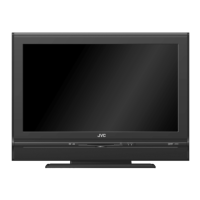
LCD-TV WITH DVD PLAYER
LT-22DD22J
Operating Instructions
55L0501A_ENG.indd 155L0501A_ENG.indd 1 12/9/10 10:05:01 AM12/9/10 10:05:01 AM

Questions and Answers

JVC LT-22DD22J Specifications

General IconGeneral
Screen Size22 inches
Built-in DVD PlayerYes
HDMI Ports1
USB Ports1
Built-in SpeakersYes
Display Resolution1366 x 768 pixels

Summary

Precautions

Important Warning

Safety warnings for laser product, electrical shock, and misuse.

Headphone Warning

Warning about potential hearing damage from loud headphone use.

DVB-T Function Information

Details on the availability and usage of the DVB-T digital TV function.

Features

Important Safety Information

Fire and Flame Hazard Warning

Warning against placing candles or open flames near the TV set.

Unit Moving and Handling

Guidelines for safely moving the unit and preventing damage.

LCD Screen Care and Damage

Advice on cleaning the screen and preventing permanent image retention.

Stand Installation and Base Removal

Attaching the TV Stand

Step-by-step instructions for attaching the TV stand.

Dismantling the Base

Instructions on how to remove the base for wall mounting.

Mains Power Connection Safety

Connecting to Mains Power

Critical safety instructions for connecting the unit to the mains power.

Location of Controls

Indicator and Button Descriptions

Explains the function of each indicator light and control button on the unit.

Remote Control

Button Functions and Pages

Detailed list of remote control buttons and their corresponding functions/page references.

Remote Control Operation

Battery Installation

Instructions for installing batteries in the remote control.

Operation Distance and Cases

Information on optimal remote control operating distance and common issues.

Antenna Connection

Connecting the Antenna

Guide on how to connect the DVB-T or analogue antenna to the TV.

Rear Panel Connections Overview

Overview of various input/output ports on the rear of the TV.

Auto Setup

Automatic Tuning Process

Step-by-step guide for the automatic channel tuning process.

Menu Operation Guide

Basic steps for navigating and operating the TV's menu system.

Input Source and Channel Management

Selecting Input Source

How to choose the signal source for connected devices.

On-screen Language Selection

How to set the preferred language for menus and on-screen displays.

Station Search Procedures

Procedures for automatically searching for TV channels.

Manual Station Search

Digital Manual Search

Steps to manually search for digital TV channels.

Analogue Manual Search

Steps to manually search for analogue TV channels.

Basic Operation and Information Display

Channel Selection and List

How to select channels and view the channel list.

Audio;Subtitle Language for DVB

Changing audio and subtitle languages for DVB channels.

Quick View and Teletext Functions

Quick View, Muting, and Still Picture

Using quick channel switching, muting, and freezing the picture.

Teletext Page Selection and Enlargement

Methods for navigating Teletext pages and zooming.

Stereo Reception in Analogue TV

Information on stereo sound modes for analogue TV channels.

Remarks on DVB-T System

DVB-T Reception and Quality

Factors affecting DVB-T reception and troubleshooting tips.

DVB-T Image;Sound Quality and Formats

Explanation of DVB-T image/sound quality, formats, and updates.

EPG (Electronic Program Guide)

How the TV displays Electronic Program Guide information.

Parental Lock and EPG Usage

Parental Lock Setup and Management

How to set up, manage, and use the parental lock feature.

EPG Program Listing Navigation

How to navigate and view program listings using the EPG.

Picture Size and Resolution

Supported Resolutions for Broadcast Media

Table showing supported resolutions for different broadcast media types.

Resolution Impact on Picture Quality

Explains how input signal resolution affects picture quality.

Picture Format and Black Bars

How different aspect ratios create black bars on the screen.

Picture Format Adjustment

Picture Size Adjustment Methods

How to adjust the picture size using the PICTURE SIZE button.

Understanding Different Picture Formats

Explanation of Auto, 4:3, 16:9, 14:9, Cinema, and Real formats.

Other Convenience Functions

Picture Settings Customization

Adjusting picture mode, brightness, contrast, color, and noise reduction.

Sound Settings Customization

Customizing sound modes, bass, treble, balance, and surround sound.

Other Convenience Functions (continued)

Language and Teletext Settings

Setting preferred languages for audio, subtitles, and Teletext.

Clock and Timer Settings

Adjusting time, time zone, sleep timer, and auto power off.

Indicator and CI Module Info

Controlling power LED and accessing CI module information.

Setup and System Settings

OSD Timer and AV Input Configuration

Configuring OSD timer, AV input, HDMI mode, and blue back screen.

System Reset and Software Version

Resetting TV settings and checking software version.

Disc Information and Handling

Disc Compatibility and Handling Guidelines

Guidelines for compatible disc types and proper handling.

Disc Structure and Cleaning Methods

Explains disc titles, chapters, tracks, and cleaning methods.

PC-Created Disc Compatibility

Playable File Formats (JPEG, WMA, MP3)

Information on playing JPEG, WMA, and MP3 files.

Copy Control CD (CCCD) Information

Notes on CD-DA compatibility.

Playing a Disc

Basic Playback and Controls

Steps for basic DVD/Audio CD playback, pause, stop, and removal.

Resume Playback Feature

How the unit remembers playback points for last five discs.

Fast Playback Modes

Using fast forward, fast reverse, slow motion, and frame-by-frame playback.

Disc Playback Features

Slow Motion and Scene Locating

Using slow motion and locating specific scenes by chapter or track.

Zoom and Angle Selection

How to zoom into the picture and change viewing angles.

Soundtrack and Subtitle Selection

Changing audio languages and subtitle options for DVDs.

DVD Menu Navigation and HOME MENU

Title and DVD Menu Navigation

Selecting titles and navigating DVD menus.

Disc Navigator for File Playback

Using the Disc Navigator to locate files and play media.

Play Mode Options

A-B Repeat and Repeat Playback

Setting up A-B repeat and other repeat playback modes.

Random and Program Playback

How to configure random playback and create program sequences.

Locating Desired Scene on Disc

Methods for searching and locating specific scenes on a disc.

Audio and Video Settings

Audio Settings Customization

Adjusting equalizer, Audio DRC, and dialog settings.

Video Adjust Menu Options

Customizing sharpness, brightness, contrast, gamma, hue, and chroma level.

Customizing Function Settings

Digital Audio and Video Output Settings

Configuring digital audio output and video signal settings.

Language and Display Settings

Setting preferred languages for audio, subtitles, menus, and OSD.

Options Settings (Parental Lock, Angle Indicator)

Managing parental lock and angle indicator settings.

Parental Control Settings

Level Change and Password Setup

Setting the parental control level and changing the password.

Country Code Selection

How to select or input the country code for playback restrictions.

Code Lists for Settings

Language Code List

A comprehensive list of language codes and their corresponding languages.

Country;Area Code List

A list of country/area codes for playback restrictions.

PC Connection Setup

Connecting the PC Input

Steps for connecting a PC to the TV's VGA input.

PC Setup and Adjustments

Configuring PC input settings like H Position, V Position, Phase, and Clock.

HDMI and DVI Connection

Connecting HDMI;DVI Devices

Guide for connecting HDMI or DVI devices using appropriate cables.

Selecting HDMI Signal Mode

How to choose the correct HDMI signal mode (Auto, PC, Video).

Connecting to Other Equipment

SCART Connections for Receivers;Players

Instructions for connecting satellite receivers or DVD players via SCART.

Video Recorder Connection for Recording

How to connect a video recorder for DVB-T recording.

Audio System Connection Guide

Connecting TV sound to stereo or surround sound systems.

Connecting Audio;Video Equipment

Digital Amplifier;AV Receiver Connection

Connecting to digital amplifiers with Dolby Digital or DTS decoders.

Video Camera;Game Console Connection

Connecting video cameras or game consoles to the AV-2 input.

Component Video Connection for Quality

Connecting devices with Component Video outputs for enhanced quality.

Troubleshooting Table

TV Troubleshooting Guide

Solutions for common TV picture and sound issues.

DVD Troubleshooting Guide

Solutions for common problems with DVD playback.

License and Safety Information

Product and Technology Licenses

Details on various licenses and technologies used in the product.

Electrical Safety Precautions

Warnings regarding electrical safety and cable connections.

Product Specifications

TV System Specifications

Technical details for the TV system, LCD, and HDMI input.

DVD and General Specifications

Specifications for the DVD player, power, weight, and dimensions.

Included Accessories List

List of items included with the product.

Software License and Service Information

Open Source Software Components

Lists open source software components used in the product.

Customer Service and Warranty

Service Contact Information by Country

Contact details for customer service and warranty support by country.

Related product manuals