5
Preparation
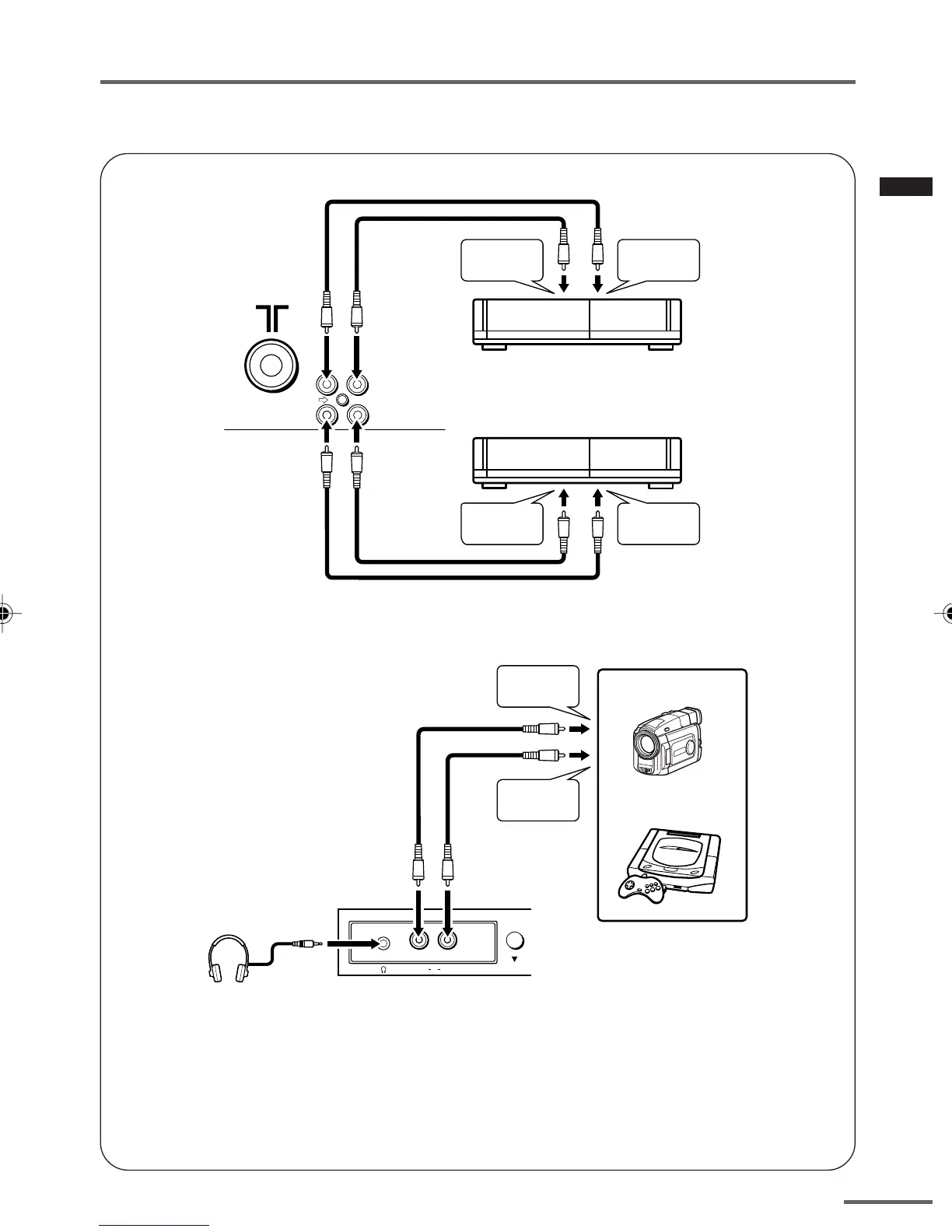
■ Connecting other external devices
• Use the headphones with a stereo mini jack (3.5 mm in diameter). When you connect the
headphones, the TV speakers go off.
• Illustration of AV-2106TE.
VIDEO
AUDIO
IN
OUT
VCR (for recording)
VCR (for playing)
To audio
output
To video
output
To audio
input
To video
input
• Illustration of AV-2106TE.
MENU
VIDEO AUDIOIN
To audio
output
To video
output
Headphones
Camcorder
or
TV game
GGT0112-001A-H_E_P02-05 21`01`06, 18:385



 To Next Page