GGT0106-001A-H
0206-NIC-JMT
© 2006 Victor Company of Japan, Limited
COLOUR TELEVISION
INSTRUCTIONS
Thank you for buying this JVC
colour television.
To make sure you understand how to
use your new TV, please read this
manual thoroughly before you begin.
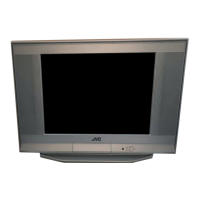
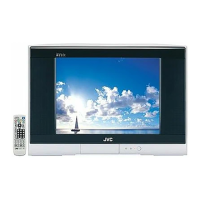
AV-14A16
AV-21B16
AV-21F16
AV-21T16
Contents
Safety precautions 2
Preparation 3
1 Confirm which remote control you have
......
3
2 Inserting the batteries
...................................
3
3
Connecting the aerial and external devices
...
4
4 Connecting the power cord
........................
6
5 SETUP TOUR
..............................................
6
Basic operation 7
Remote control buttons and functions 8
PICTURE MODE button
.................................
8
COLOUR SYSTEM button
.............................
8
SOUND SYSTEM button
...............................
8
DISPLAY button
.............................................
9
RETURN + button
..........................................
9
CHANNEL SCAN button
................................
9
MUTING button
.............................................
9
OFF TIMER button
.........................................
9
Using the TV’s menus 10
Basic operation
............................................
10
ON TIMER
.....................................................
11
INPUT
...........................................................
11
VNR
...............................................................
12
AUTO SHUTOFF
..........................................
12
CHILD LOCK
.................................................
12
BLUE BACK
..................................................
12
SETUP TOUR
...............................................
13
LANGUAGE
..................................................
13
AUTO CH PRESET
.......................................
13
MANUAL CH PRESET
..................................
14
SKIP
..............................................................
15
Picture Adjustments
....................................
15
Using the buttons on the TV 16
Troubleshooting 18
Specifications 19
GGT0106-001A-H_Cover 16/1/06, 5:48 PM3



 To Next Page