5
Preparation
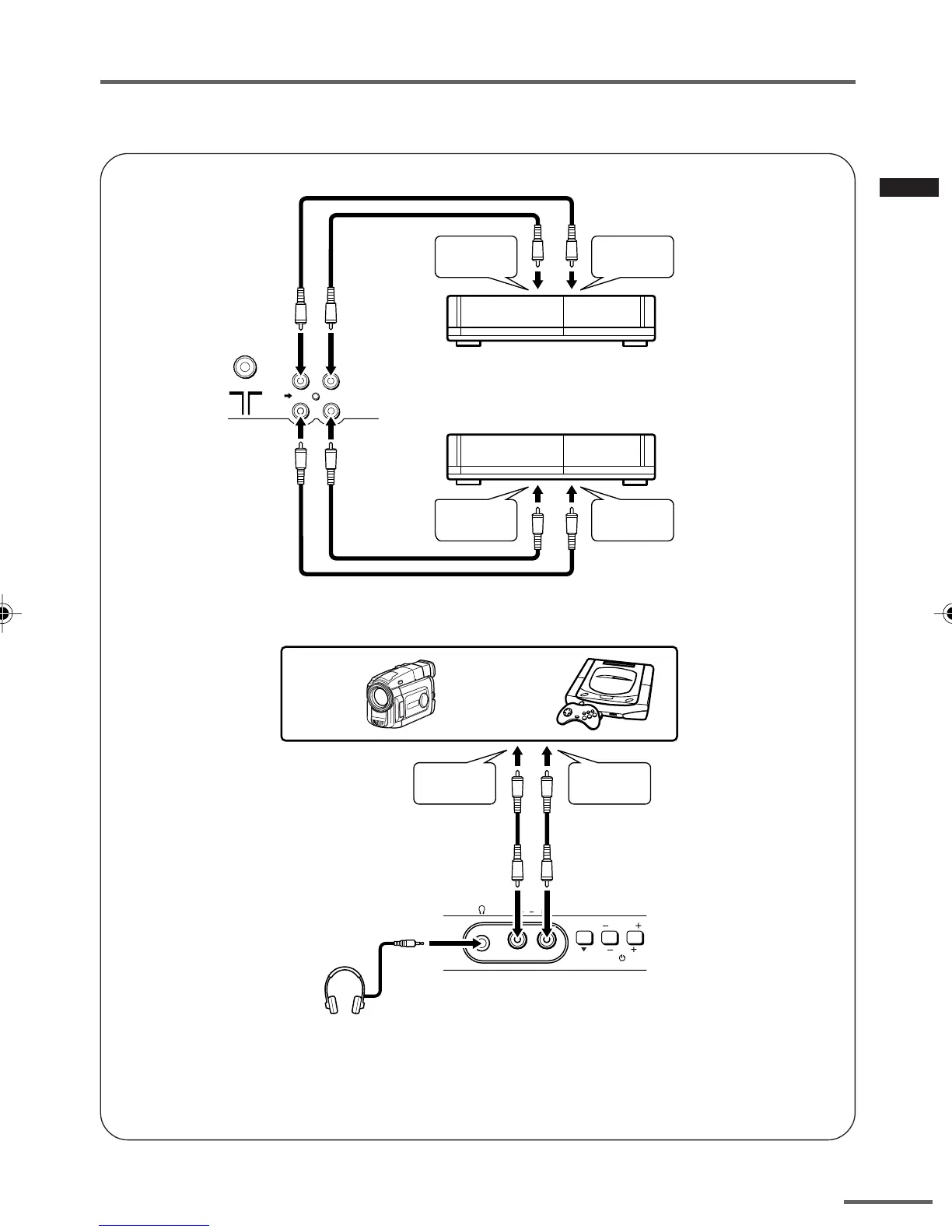
■ Connecting other external devices
• Use the headphones with a stereo mini jack (3.5 mm in diameter). When you connect the
headphones, the TV speakers go off.
• Illustration of AV-14A16.
• Illustration of AV-14A16.
VIDEO
AUDIO
IN
OUT
(VIDEO - 1)
VCR (for recording)
VCR (for playing)
To audio
output
To video
output
To audio
input
To video
input
VIDEO AUDIO
MENU CHANNEL
IN
To audio
output
To video
output
Headphones
Camcorder or TV game
GGT0106-001A-H_P02-05 16/1/06, 5:48 PM5



 To Next Page