(No.MB616<Rev.002>)1-17
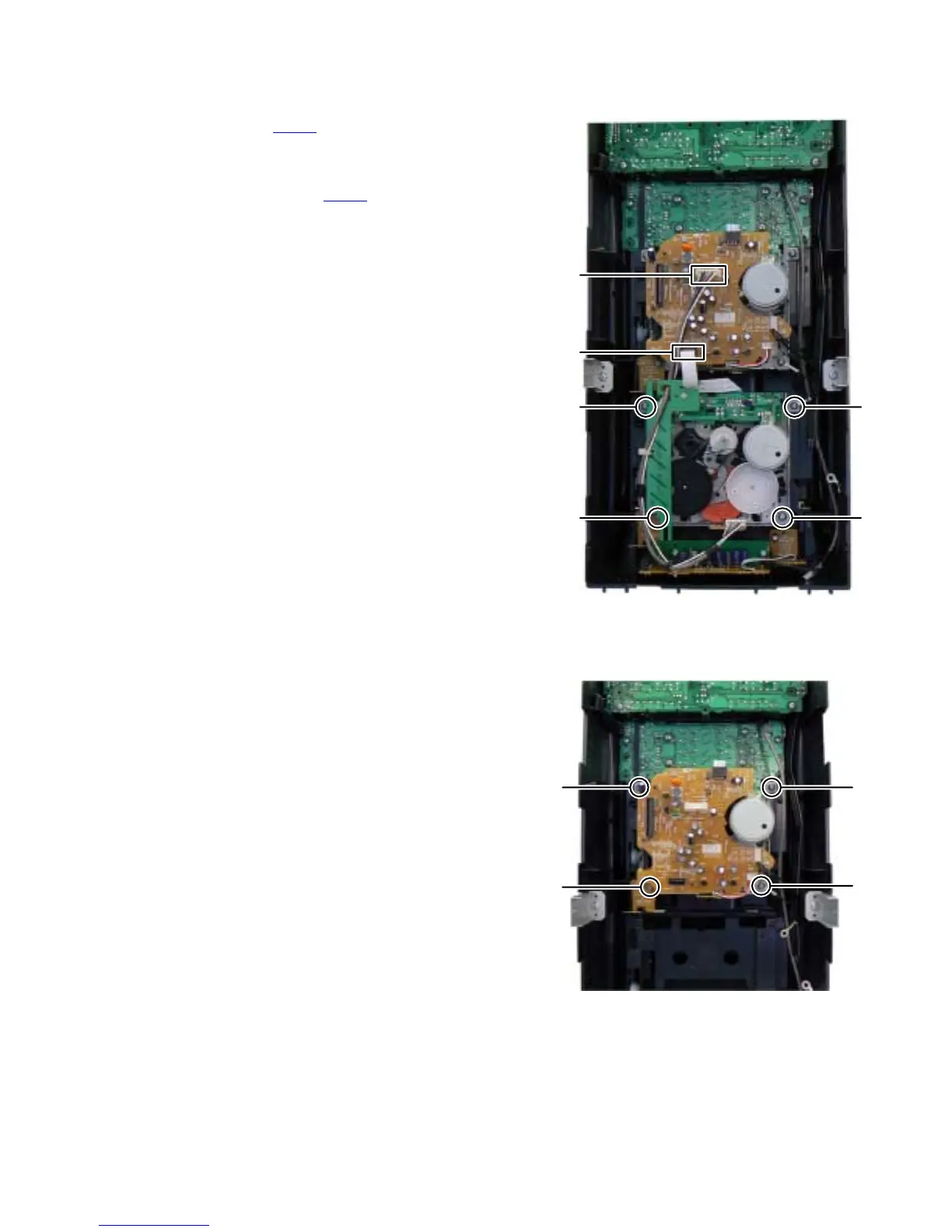
3.1.13 Removing the CASSETTE MECHANISM B
(SeeFig.24)
(1) Disconnect the card wire from CASSETTE MECHANISM B
connected to connector CN120
of the CASSETTE MECH-
ANISM BOARD assembly of the CASSETTE MECHA-
NISM A.
(2) Disconnect the connector wire from CASSETTE MECHA-
NISM B connected to connector CN200
of the CASSETTE
MECHANISM BOARD assembly of the CASSETTE
MECHANISM A.
(3) Remove the four screws T attaching the CASSETTE
MECHANISM B.
Fig.24
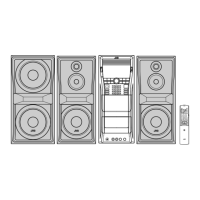
3.1.14 Removing the CASSETTE MECHANISM A
(See Fig.25)
(1) Remove the four screws U attaching the CASSETTE
MECHANISM A.
Fig.25
T
TT
T
CN200
CN210
U
U
U
U



 To Next Page