43 CA-EX90
Shortcut Playback (From a Source Component)
By starting playback of a source component , the amplifier/tuner’s input source is automatically
switched to that source and playback can be monitored through it.
If playback is started while the amplifier/tuner’s power is in the STANDBY mode, it is also switched
ON automatically.
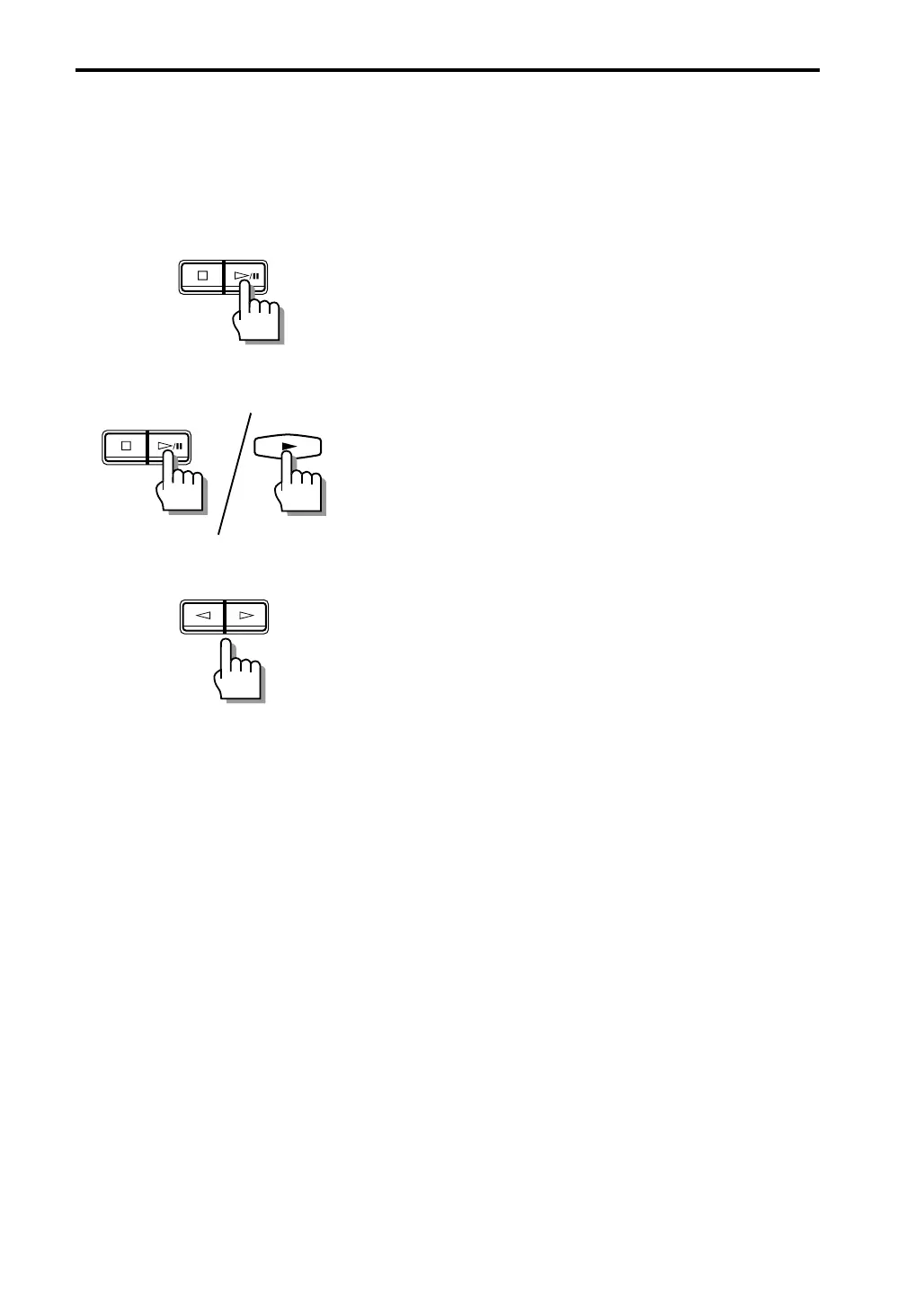
CD player operation
Press ‹/8 or CD 1, CD 2, or CD 3.
The amplifier/tuner’s input source is set to “CD” and CD
playback starts.
If the amplifier/tuner’s power is in the STANDBY mode, it is
automatically switched ON.
MD recorder operation
Press ‹/8 of the MD recorder or £ of the
remote control unit provided with the MD
recorder.
The amplifier/tuner’s input source is set to “MD” and MD
playback starts.
If the amplifier/tuner’s power is in the STANDBY mode, it is
automatically switched ON.
Tape deck operation
Press ¤ or ‹.
The amplifier/tuner’s input source is set to “TAPE” and tape
playback starts.
If the amplifier/tuner’s power is in the STANDBY mode, it is
automatically switched ON.
• It takes about 5 seconds after the amplifier/tuner is turned ON until it can start audio reproduction.
In this period, the audio cannot be reproduced even when the source component has started
playback. As a result, the beginning of playback may not be heard in this case.
• When another source component is played, the source component which has been played stops
automatically in a few seconds.
/CANCEL
/CANCEL
EN41-52.CA-EX90[J]/1 98.6.8, 8:28 AM43


 To Next Page