46 CA-EX90
Synchronized Recording
When recording CD audio onto an MD, CD audio onto a cassette tape or MD audio on a cassette
tape, the recording operation can be synchronized with the playback operation.
Recording CD audio onto an MD (1: Recording the digital input from the
CD player)
1 Prepare the MD recorder.
Load a recordable MD (Mini Disc) in the MD recorder.
2 Prepare the CD player.
Load the CD to be recorded in the CD player. Program
tracks if required.
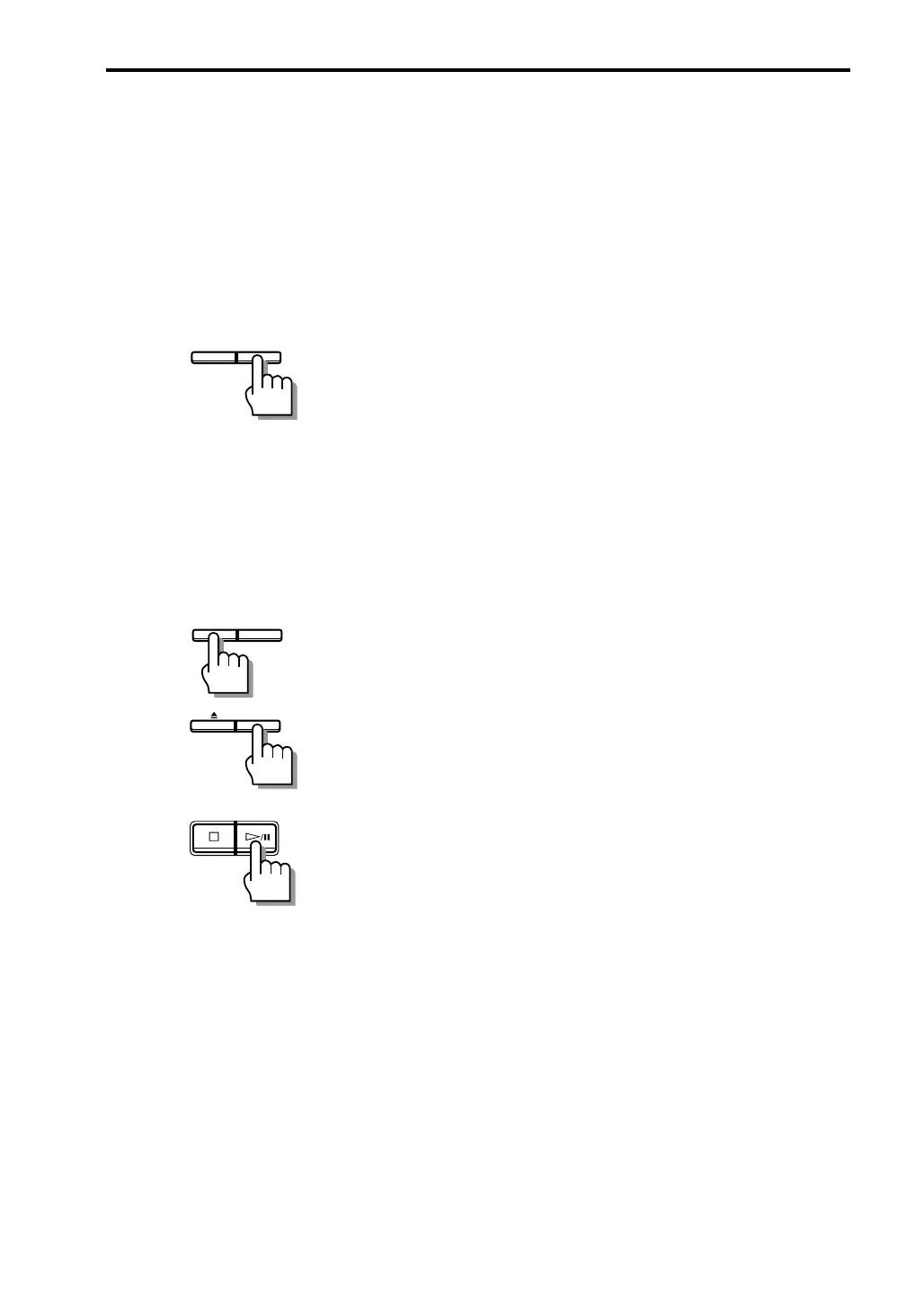
3 Press CD REC of the MD recorder.
Synchronized recording starts.
• To stop the recordind, press &/CANCEL either or the
MD recoder or on the CD player.
• Refer also to the instruction manual of the MD
recorder.
Recording CD audio onto an MD (2: Recording the analog input from the
CD player)
1 Prepare the MD recorder.
Load a recordable MD (Mini Disc) in the MD recorder.
2 Prepare the CD player.
Load the CD to be recorded in the CD player. Program
tracks if required.
3 Press REC PAUSE of the MD recorder.
The MD recorder enters record-pause mode.
4 Press INPUT of the MD recorder to select the
analog input.
5 Press ‹/8 of the CD player.
Synchronized recording starts.
CD RECREC PAUSE
CD RECREC PAUSE
INPUT
/CANCEL
• To stop the recordind, press &/CANCEL either or the
MD recoder or on the CD player.
• Refer also to the instruction manual of the MD
recorder.
EN41-52.CA-EX90[J]/1 98.6.8, 8:28 AM46


 To Next Page