45 CA-EX90
Program playback of CD
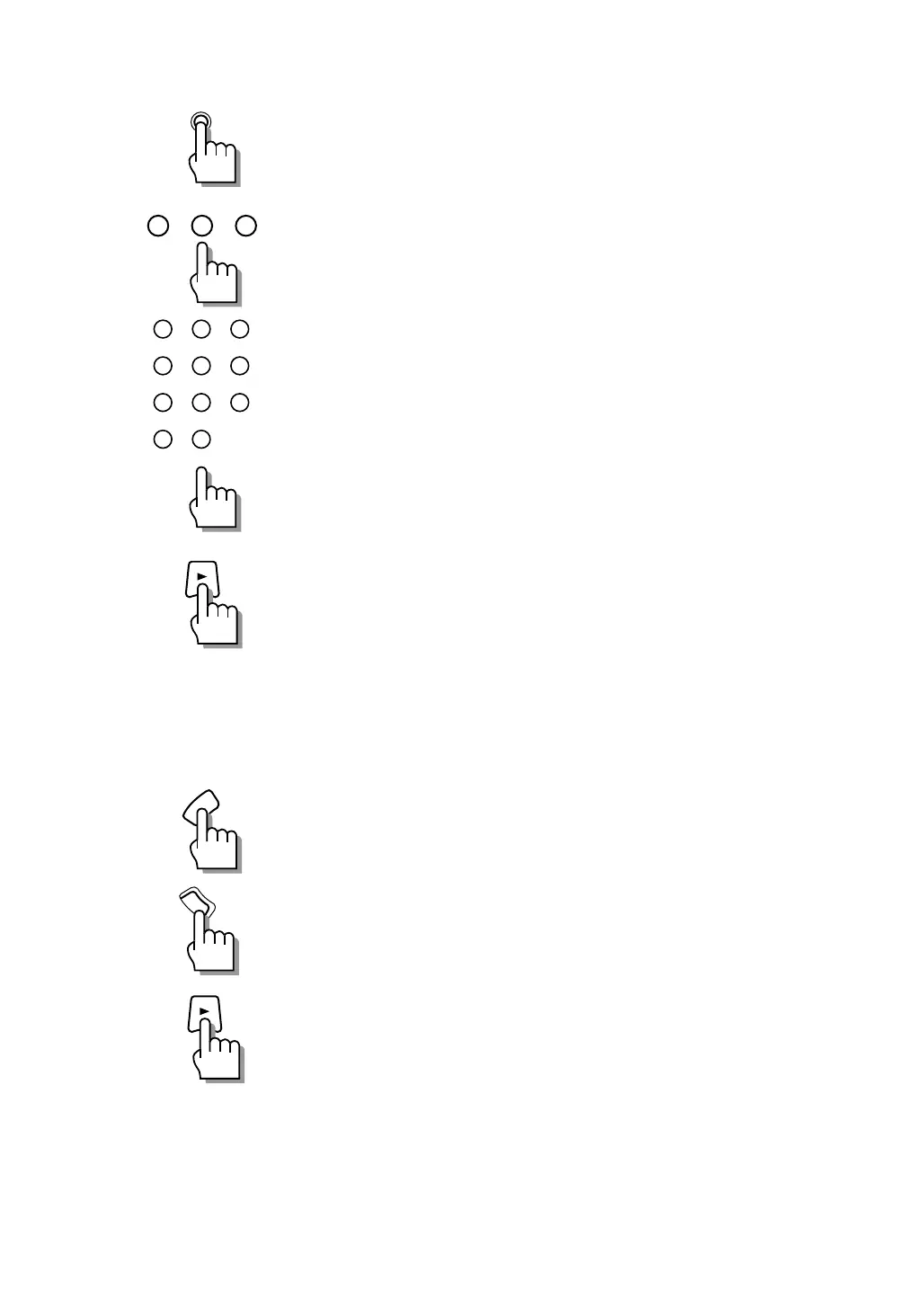
1 While the CD player is in stop mode, press
PLAY MODE of the CD player to
“PROGRAM”.
2 Specify the disc number.
Press one of CD1, CD 2 and CD 3.
3 Specify a track number using the number
buttons.
Specify while the display is blinking (for 4 sec.).
4 Program required tracks by repeating steps 2
and 3 for each.
5 Press 3.
Program playback starts.
Recording of cassette deck
1.Load the tape for use in recording in the tape
tray.
2 Press TAPE DIRECTION to select the tape
running direction.
3 Press REC PAUSE.
The cassette deck enters the record-pause mode.
4 Play the source to be recorded.
5 Press 3.
Recording starts.
TAPE
DIRECTION
REC
PAUSE
PLAY MODE
CD 3CD 2CD 1
1
23
4
5
6
7
8
9
10
+
10
EN41-52.CA-EX90[J]/1 98.6.8, 8:28 AM45


 To Next Page