- 17 -
13
13
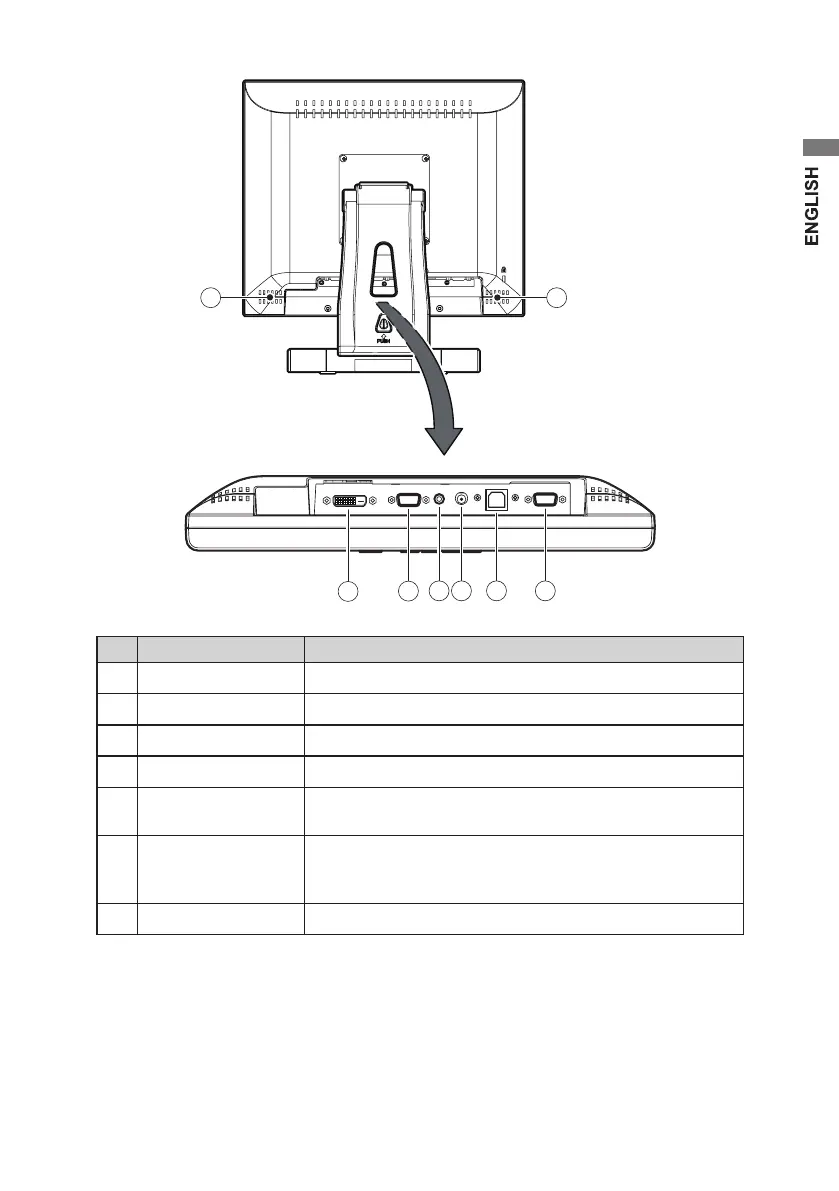
No. Name Function
⑦
DVI-D
Connect a DVI cable.
⑧
D-SUB
Connect a VGA cable.
⑨
Audio IN
Connect an audio cable.
⑩
DC 12V IN
Connect the DC power plug
⑪
USB
To use the touch panel, connect one end of a USB cable
here and the other end to the computer’s USB port.
⑫
RS232
To use the touch panel for RS232 connector, connect one
end of a RS-232C cable here and the other end to the
computer’s COM (RS232) port.
⑬
(Speaker)
The small stereo speakers are built in the back cover.


 To Next Page
 Loading...