- 16 -
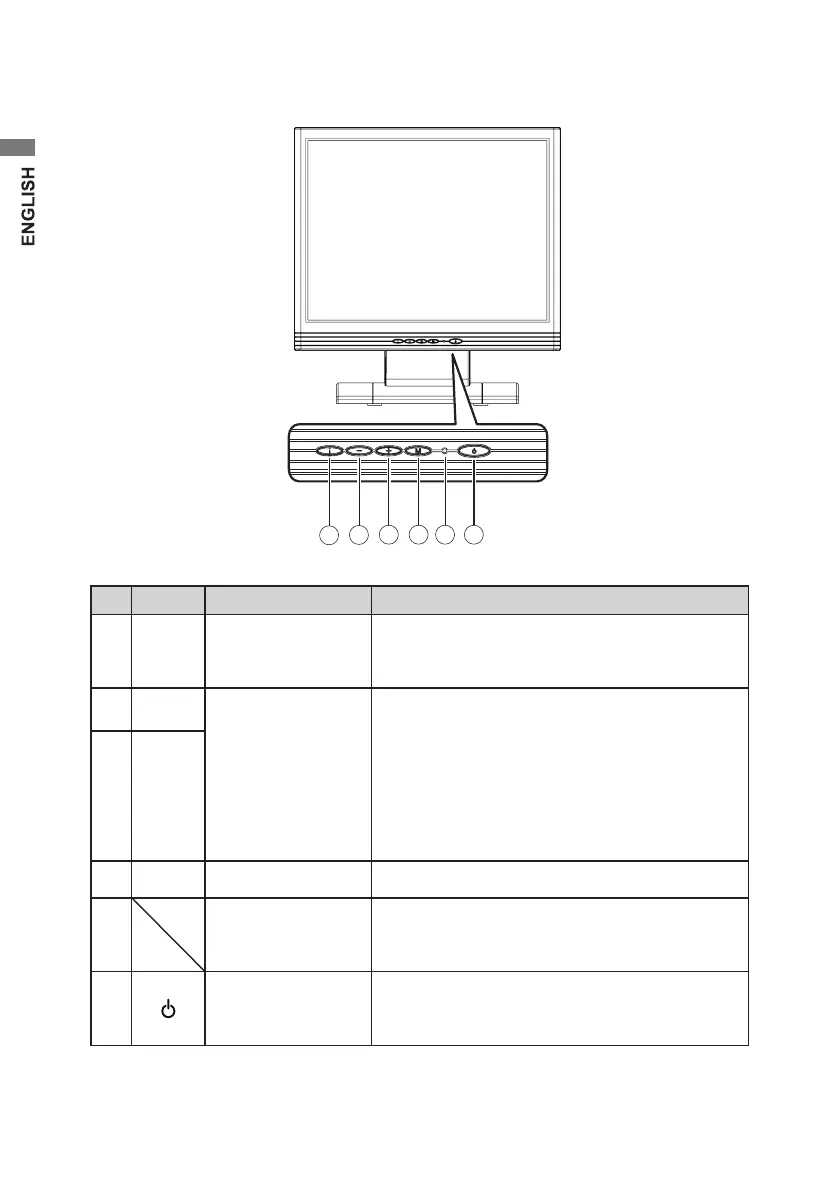
Names and functions of parts
No. Button Name Function
①
i Source / Exit
If OSD is inactive, press once, then press the
buttons marked – or + to select source. If OSD is
active, press the button to exit OSD menu.
②
–
Minus / Plus
If OSD is active, press to select or adjust OSD
options. If OSD is inactive, press once, then press
the buttons marked – or + to adjust the volume.
Press the OSD Main Menu button and hold it for
10 seconds to lock the keys. “KEY LOCK on” is
displayed on screen.
To unlock the keys, re-press and hold the button
for another 10 seconds.
③
+
④
M OSD Main Menu Press to view OSD menu.
⑤
LED indicator
Green: ON mode (normal operation)
O: standby mode (turn o screen display)
Blinking orange: sleep mode
⑥
Standby
Each time you press the standby button, it
switches between standby mode and ON mode.
Touch-panel is still available on standby mode.


 To Next Page
 Loading...