- 9 -
Warning
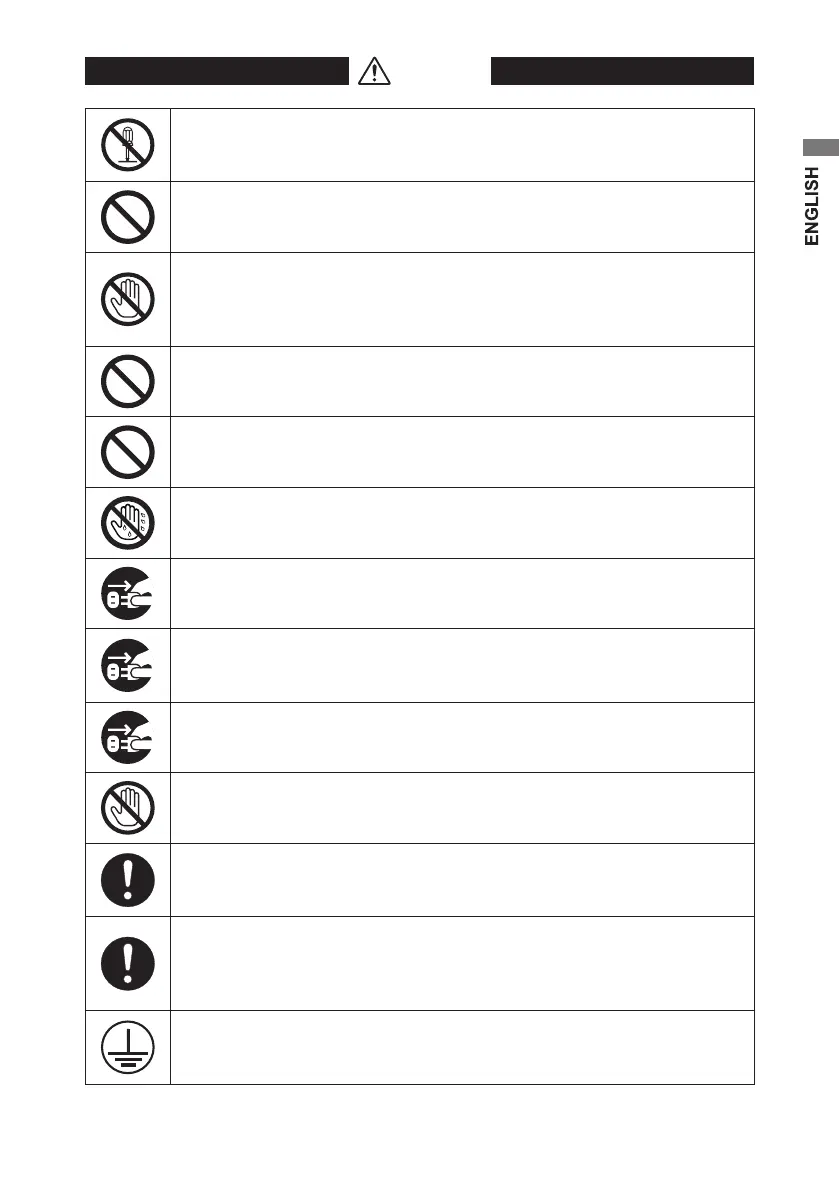
Do not disassemble, repair, or alter the monitor. It could cause re, electric
shock, or injury. Servicing of such a monitor may be refused. Or a fee may be
charged even within the warranty period. Ask your dealer for repairs.
Do not continue using the monitor when failure or abnormality is found. It
could cause re or electric shock.
Do not touch or swallow the liquid crystal that may leak from the damaged
panel. It could cause skin irritation. If it gets into the eye, ush the eye with
water and call your doctor. If it adheres to skin or clothes, wash it o
immediately with water. It contains a stimulating substance.
Do not put anything on top of or over the monitor. It could cause the
monitor to fail or cause re.
Do not put anything over the cables. It could cause the monitor to fail or
cause re.
Do not handle the monitor with wet hands. It could cause the monitor to fail
or cause electric shock.
If smoke or odor is observed, unplug the monitor immediately. Continual
use could cause re or electric shock. Consult your dealer.
If by accident you drop the monitor or give it a jolt, unplug the monitor
immediately. Continual use could cause re or electric shock. Consult your
dealer.
If liquid or any foreign object enters inside, unplug the monitor immediately.
Continual use could cause re or electric shock. Consult your dealer.
To avoid a lighting strike, stop using the monitor during thunder. It could
result in electric shock.
Make sure to use the supplied AC adapter.
Don’t use the AC adapter packaged with this product for other electronics.
The use of a cable other than supplied could cause the monitor to fail.
The input voltage for this monitor is limited to AC 100 V to AC 240 V. Do not
use it at any other voltage.
The supplied 2P power cord is only for use at 100 V.
Failure to do so could cause the monitor to fail or cause re.
The monitor must be grounded. Failure to do so could cause electric shock.
When using a 2P plug, ground the monitor before plugging into a wall
outlet. To remove the grounding cable, unplug the monitor rst.


 To Next Page
 Loading...