EasyManua.ls Logo

JVC DD-1 - User Manual

JVC DD-1
60 pages
Print Icon
To Next Page IconTo Next Page
Loading...
English
NETWORK MEDIA SYSTEM
INSTRUCTIONS
LVT1546-009C
[A, US, UB, UW, UX, UA]
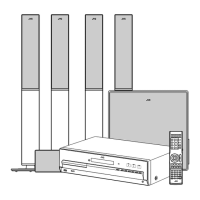
DD-8
Consists of CA-DD8, SP-PWDD8,
SP-DD8F and SP-DD8S
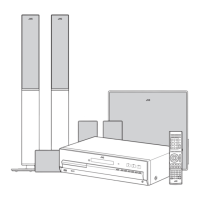
DD-3
Consists of CA-DD3, SP-PWDD3,
SP-DD3F and SP-DD8S
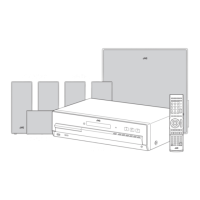
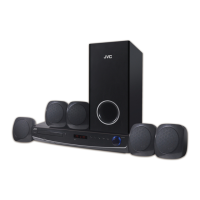
DD-1
Consists of CA-DD1, SP-PWDD1,
SP-DD1F and SP-DD1S
DIGITAL MEDIA SYSTEM
(Only for DD-8 and DD-3)
DD-831[A_Ux]-frontcover.fm Page i Monday, July 9, 2007 11:09 AM

Table of Contents

Questions and Answers

  • A
    andrewbridgesJul 30, 2025
    What to do if my JVC DD-1 has no sound or video?
    • C
      Cassandra FischerJul 30, 2025
      If your JVC Home Theater System isn't producing any sound or video, first ensure all cables are properly connected. Also, check if headphones are connected; if so, disconnect them.
  • T
    tsmithAug 5, 2025
    Why is my JVC DD-1 Home Theater System not playing discs?
    • M
      Matthew BoydAug 5, 2025
      If your JVC Home Theater System isn't starting disc playback, make sure the disc is placed correctly with the printed surface facing up. If that's not the issue, moisture may have condensed on the lens. Leave the unit turned on for 1 to 2 hours, then try again.
  • J
    Jeffrey WatsonAug 11, 2025
    Why is there no sound/video via HDMI on my JVC Home Theater System?
    • G
      Gary GuzmanAug 11, 2025
      If you're not getting sound or video through the HDMI terminal on your JVC Home Theater System, it could be due to several reasons. First, the disc or file might be in a format not compatible with your unit or TV. Second, the connected TV might not be compatible with HDCP. Third, the unit might not recognize the TV connected to the HDMI terminal – try disconnecting and reconnecting the HDMI cable. Finally, using an HDMI cable longer than 5 m (15 feet) can cause issues; use a shorter cable.
  • C
    Christina ReeseAug 16, 2025
    Why does my JVC DD-1 suddenly start playing?
    • J
      Jessica OsborneAug 16, 2025
      If your JVC Home Theater System starts playback suddenly, QP LINK may be enabled. This is not a malfunction, but you can disable it by selecting “QP OFF.”
  • A
    amber34Aug 22, 2025
    What to do if a certain part of a disc won't play on my JVC Home Theater System?
    • K
      Kenneth BarnettAug 22, 2025
      If a certain point on a disc cannot be played back properly on your JVC Home Theater System, the disc may be scratched or dirty. Clean or replace the disc.

Summary

Safety and Warnings

Laser Product Safety Information

Details safety precautions and warnings specific to laser product components.

Introduction to System Operation

Using the Remote Control

Explains how to operate the system effectively using the provided remote control for various functions.

System Preparation and Setup

Connecting Antennas

Provides instructions on how to properly connect both AM and FM antennas for optimal radio reception.

Speaker Connection and Assembly

Details the process of assembling and connecting the various speaker units to the main system.

Connecting to a Television

Explains how to connect the main unit to a television using different video output terminals.

Basic Operations

Disc and File Playback

Playing Back Discs and Files

Steps for inserting and playing various types of audio and video discs, as well as files from media.

Remote Control for External Devices

Reference and Support

Troubleshooting and Specifications

Lists common problems, their solutions, and detailed technical specifications for the system.

JVC DD-1 Specifications

General IconGeneral
BrandJVC
ModelDD-1
CategoryHome Theater System
LanguageEnglish

Related product manuals