24
Adjusting the Menu Settings
Sharpness
Adjust the sharpness of the edges of elements in the picture.
Size & Position
Horiz. Position / Vertical Position Adjust the horizontal / vertical position of the picture.
Horizontal Size / Vertical Size Adjust the horizontal / vertical size of the picture.
Color Temperature
Color Temperature
Apply a preset color temperature setting.
(Custom / Cool / Natural / Warm)
Red / Green / Blue Gain
Adjust the red / green / blue gain settings according to your
preference.
Red / Green / Blue Oset
Adjust the red / green / blue oset settings according to your
preference.
Reset Color Temperature Reset the color temperature to default settings.
Advanced Picture
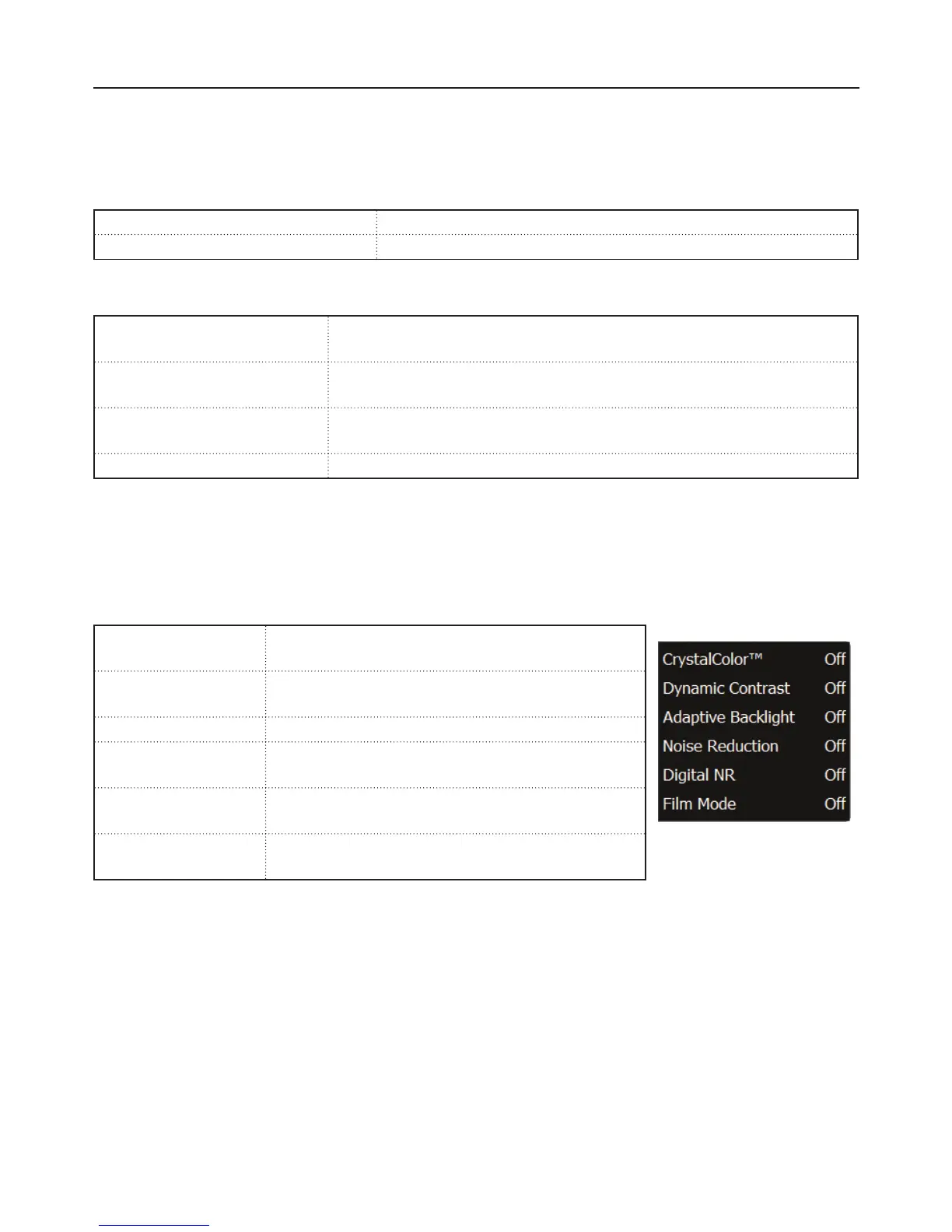
CrystalColor™
CrystalColor™ produces more vivid and crisp color
pictures. (Off / Normal / Rich)
Dynamic Contrast
Dynamic contrast automatically enhances the
image for greater picture details.
Adaptive Backlight Enable or disable adaptive backlight. (O / On)
Noise Reduction
Reduce the noise level.
(O / Low / Medium / High)
Digital NR
Reduce noise level of digital signals.
(O / Low / Medium / High)
Film Mode
Produce smoother motion picture when viewing
movies .
Reset Picture Mode
Reset the picture mode settings to default.


 To Next Page