Playing a Video with Defective Management Information
Plays videos with defective management information.
1
Select the playback mode.
.
2
Press MENU to display the menu.
.
3
Select “PLAYBACK MPG FILE” with the ZOOM/SELECT lever and
press OK.
.
.
4
Select the desired video and press OK.
.
"Playing Back Videos" (A P.31)
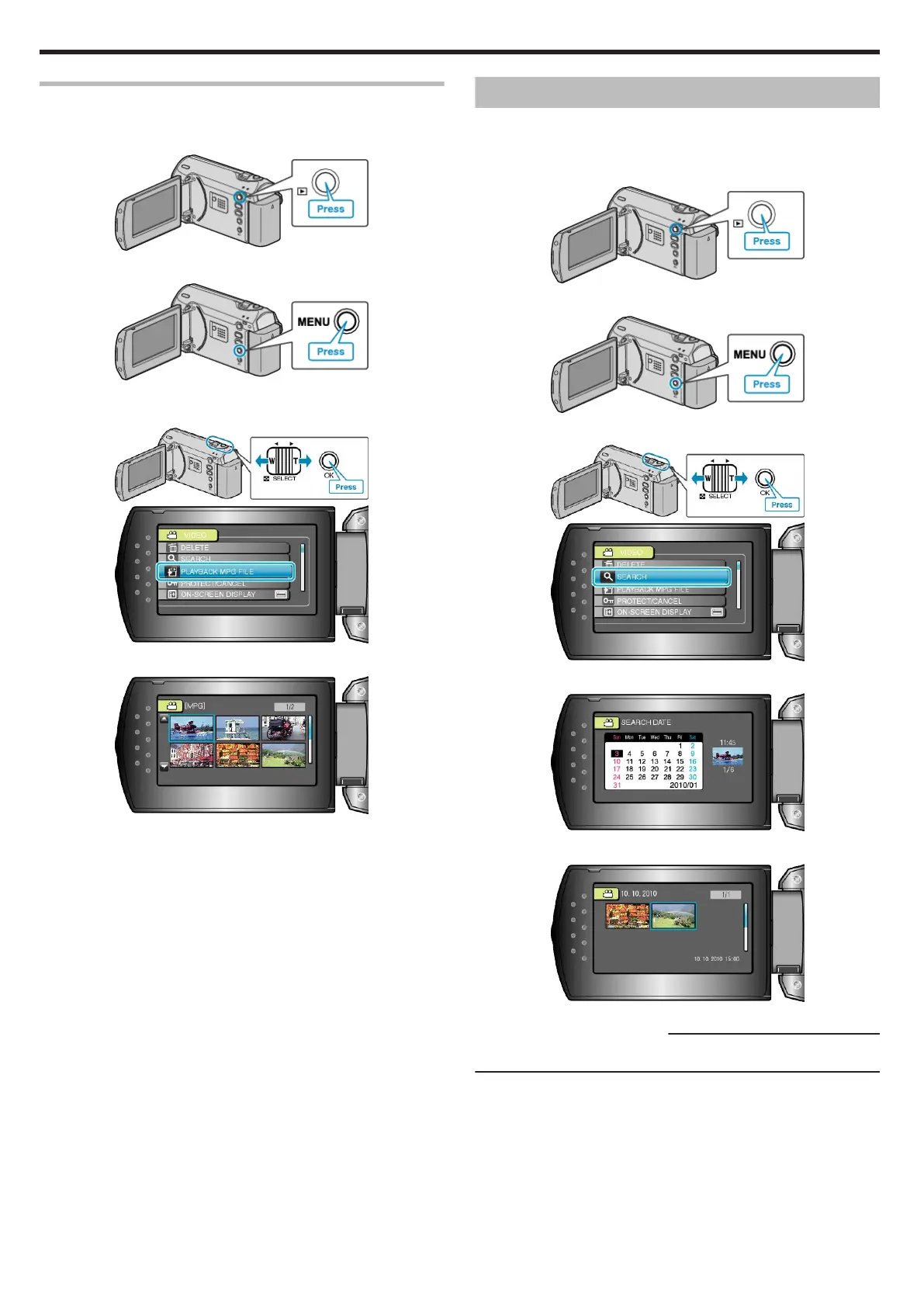
Searching for a Specific Video Image
When there is a large number of recorded videos, it is difficult to look for
the desired file from the index screen.
Use the search function to find the file you want.
1
Select the playback mode.
.
2
Press MENU to display the menu.
.
3
Select “SEARCH” with the ZOOM/SELECT lever and press OK.
.
.
4
Select a recording date and press OK.
.
5
Select the desired video and press OK to start playback.
.
●
Only the videos recorded on the selected date are displayed.
Deleting Files of a Selected Date:
Select “DELETE” from the playback menu to delete unwanted files.
"Deleting Unwanted Files" (A P.34)
Playback
32


 To Next Page
 Loading...