EasyManua.ls Logo

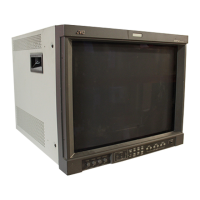
JVC GD-171 - User Manual

JVC GD-171
16 pages
Print Icon
To Next Page IconTo Next Page
Loading...
- 1 -
MA
MAMA
MA-
--
-LMU
LMULMU
LMU179
179179
179V
VV
V
P/NO.OAM000
P/NO.OAM000P/NO.OAM000
P/NO.OAM0008
88
8
European Union only
European Union only
FCC NOTICE
User
UserUser
Users
s s
s Guide
GuideGuide
Guide
LCD MONITOR
LCD MONITORLCD MONITOR
LCD MONITOR
Please read this manual thoroughly before use, and keep it handy for future reference.
GD-171
GD
-
191

Other manuals for JVC GD-171

Questions and Answers

  • A
    Angelica RobertsAug 8, 2025
    What to do if the screen size will not fit for the PC input on JVC GD-171?
    • T
      Toni ThompsonAug 9, 2025
      If the screen size doesn't fit for the PC input on your JVC Monitor, press the AUTO button on the front panel. Note that this function is only applicable for PC signals.
  • A
    amandachristianAug 25, 2025
    How to fix a JVC GD-171 with no picture?
    • R
      Robin WagnerAug 25, 2025
      If your JVC Monitor shows no picture, ensure the power supply is properly connected and the power is turned on. Also, verify that you've selected the correct input signal for the connected port.

JVC GD-171 Specifications

General IconGeneral
Screen Size17 inches
Resolution1280 x 1024
Aspect Ratio5:4
Display Colors16.7 million
Brightness250 cd/m²
Input ConnectorsVGA

Related product manuals