18
ENGLISH
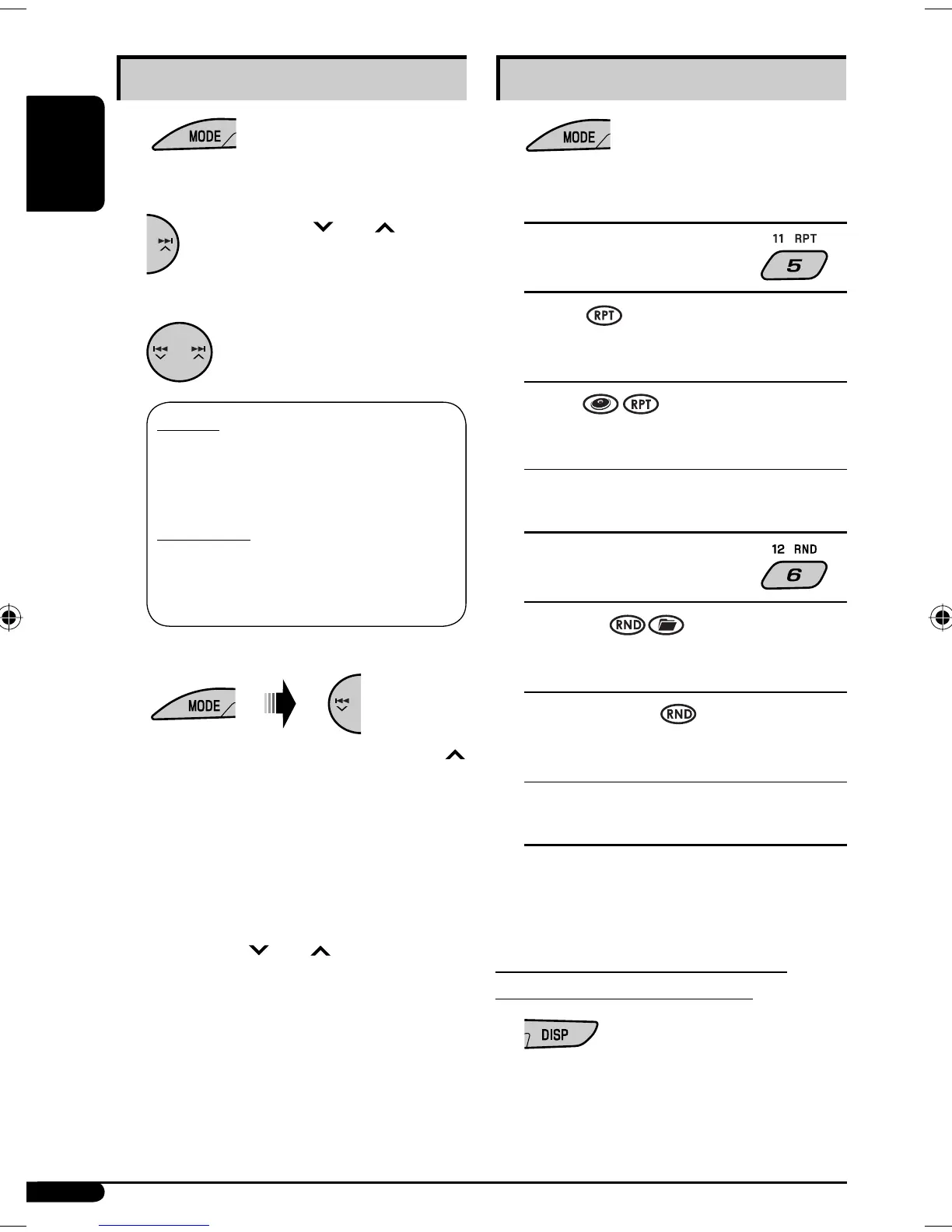
Selecting the playback modes
1
2 Select your desired playback mode.
7 Repeat play
ONE RPT
Functions the same as “Repeat One” of the iPod or
“Repeat Mode = One” for the D. player.
ALL RPT
Functions the same as “Repeat All” of the iPod or
“Repeat Mode = All” for the D. player.
RPT OFF
Cancels.
7 Random play
ALBM RND*
Functions the same as “Shuffle Albums” of the
iPod.
SONG RND/RND ON
Functions the same as “Shuffle Songs” of the iPod
or “Random Play = On” of the D. player.
RND OFF
Cancels.
* For iPod: Functions only if you select “ALL” in
“ALBUMS” of the main “MENU.”
To check the other information while
listening to an iPod or a D. player
Selecting a track from the menu
1
2 Enter the main menu.
Now the
4 /¢ buttons
work as the menu selecting buttons*.
3 Select the desired menu.
For iPod:
PLAYLIST Ô ARTISTS Ô ALBUMS Ô
SONGS Ô GENRES Ô COMPOSER Ô
(back to the beginning)
For D. player:
PLAYLIST
Ô ARTIST Ô ALBUM Ô
GENRE Ô TRACK Ô (back to the
beginning)
4 Confirm the selection.
To move back to the previous menu, press ¢
after pressing MODE.
• If a track is selected, playback starts
automatically.
• If the selected item has another layer, you will
enter the layer. Repeat steps 3 and 4 until the
desired track is played.
• Holding 4 /¢ can skip 10 items at
a time.
* The menu selecting mode will be canceled:
– If no operations are done for about 5 seconds.
– When you confirm the selection of a track.
EN14-19_SV3305_007A_f.indd 18EN14-19_SV3305_007A_f.indd 18 1/30/07 10:33:49 AM1/30/07 10:33:49 AM


 To Next Page