ENGLISH
17
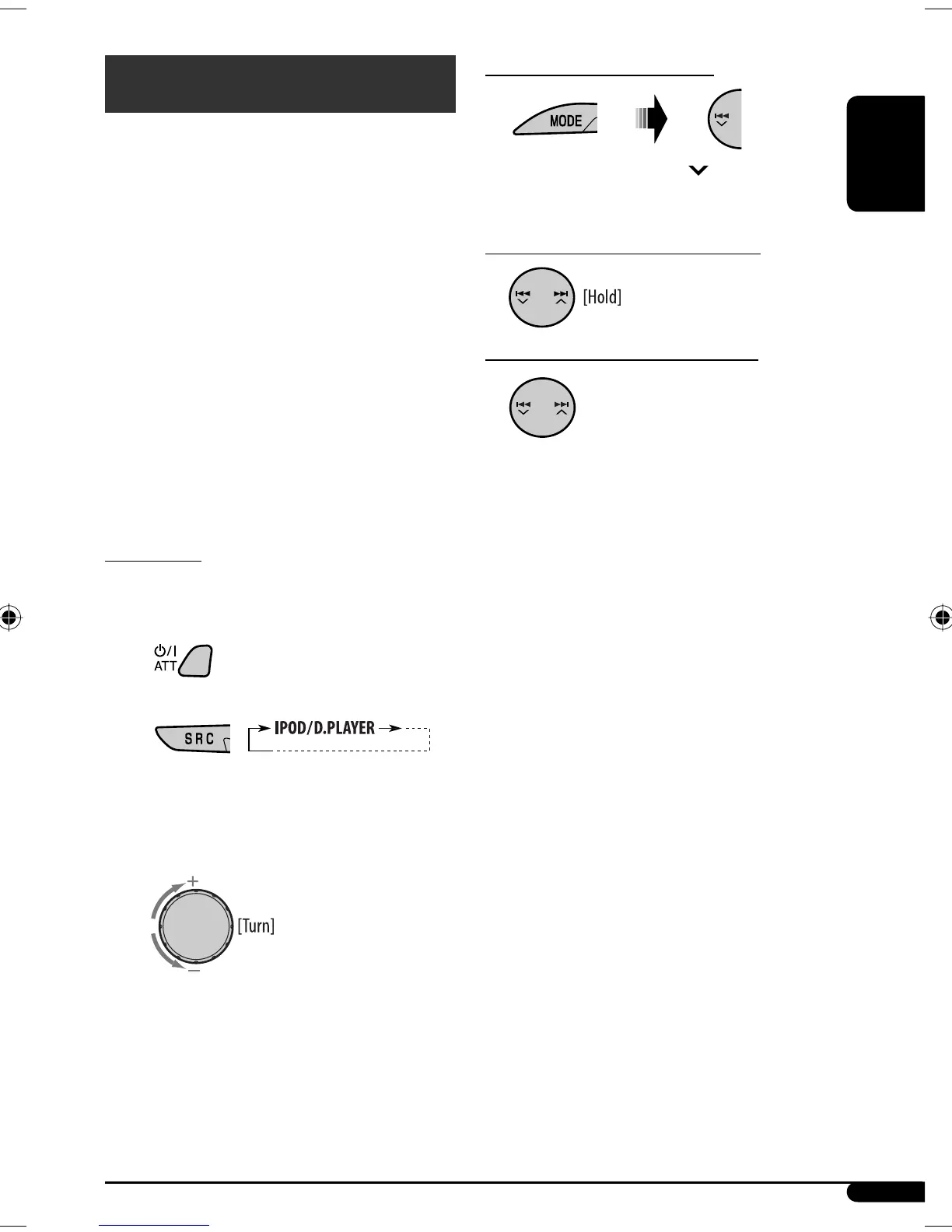
To pause*
1
or stop*
2
playback
To resume playback, press 4 after pressing
MODE.
To fast-forward or reverse the track
To go to the next or previous tracks
*
1
For iPod
*
2
For D. player
iPod / D. player operations
This unit is ready for operating an Apple iPod or a JVC
D. player from the control panel.
Before operating your iPod or D. player:
Connect either one of the following (separately
purchased) to the CD changer jack on the rear of this
unit.
• Interface adapter for iPod—KS-PD100 for
controlling an iPod.
• D. player interface adapter—KS-PD500 for
controlling a D. player.
• For connection, see Installation/Connection Manual
(separate volume).
• For details, refer also to the manual supplied with the
interface adapter.
Preparations:
Make sure “CHANGER” is selected for the external input
setting, see page 16.
~
Ÿ
Playback starts automatically from where it has
been paused*
1
or stopped*
2
previously.
! Adjust the volume.
⁄ Adjust the sound as you want. (See
page 14.)
Continued on the next page
EN14-19_SV3305_007A_1.indd 17EN14-19_SV3305_007A_1.indd 17 1/5/07 2:54:22 PM1/5/07 2:54:22 PM


 To Next Page