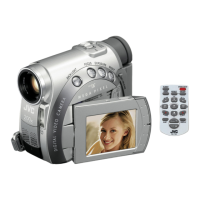
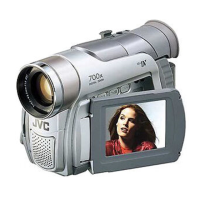
IournalisticShooting
n some situations,
Jifferent shooting
angles may provide
-nore dramatic results.
4old the camcorder in
:he desired position
and tilt the LCD
-nonitor in the most
_'onvenient direction. It
_'an rotate 270 ° (90 °
Jownward, 180 °
Jpward).
timeCode
During recording, a time code is recorded on the
:ape. This code is to confirm the location of the
"ecorded scene on the tape during playback.
Display
Minutes
Secends
Frames*
,30frames°,eeoond,
Frames are not displayed during recording,
f recording starts from a blank portion, the time
;ode begins counting from "00:00:00"
'minute:second:frame) If recording starts from
:he end of a previously recorded scene, the time
_'ode continues from the last time code number.
f during recording a blank portion is left partway
:hrough the tape, the time code is interrupted.
When recording is resumed, the time code starts
_'ounting up again from "00:00:00". This means
:he camcorder may record the same time codes
as those existing in a previously recorded scene.
To prevent this, perform Recording From The
Vliddle Of A Tape ( pg. 19) in the following
_ases;
DWhen shooting again after playing back a
recorded tape.
DWhen power shuts off during shooting.
DWhen a tape is removed and re-inserted during
shooting,
DWhen shooting using a partially recorded tape.
DWhen shooting on a blank portion located partway
through the tape.
DWhen shooting again after shooting a scene then
opening/closing the cassette holder cover.
NOTES:
• The time code cannot be reset.
• During fast-forwarding and rewinding, the time
code indication does not move smoothly.
• The time code is displayed only when "TIME
CODE" is set to ON". ( pg. 26)
QuickReview
Enables to check the end of the last recording.
1) Press @ during the Recording-Standby
mode.
2) Tape is rewound for about several seconds
and played back automatically, then pauses in
the Recording-Standby mode for the next shot.
• Distortion may occur at start of playback. This is
normal.
RecordingFromTheMiddleOf ATape =
1) Play back a tape or use Blank Search ._
( pg. 20) to find the spot at which you want to €
start recording, then engage the Still Playback r,
mode.( -pg. 20) _4
2) Set the Power Switch to "_" or 'I_" while
pressing down the Lock Button located on the .=
switch, then start recording.
Q
c
,=


 To Next Page