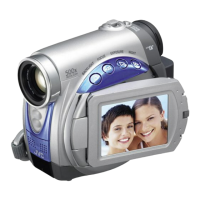
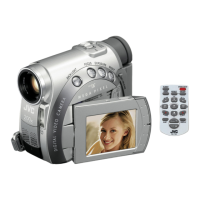
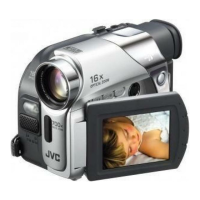
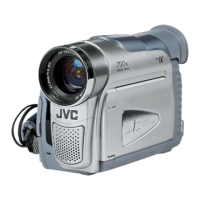
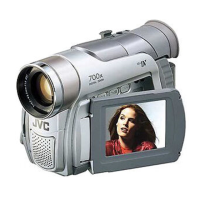
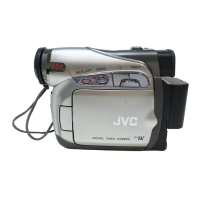
Controls
i_ Stop Button [I] (: pg. 20)
Backlight Compensation Button [BACK
LIGHT] (:_ pg. 31)
Play/Pause Button [1_/11] ( pg. 20)
Manual Focus Button [FOCUS] (: pg. 29)
Rewind Button [441] ( pg. 20)
Menu select Button [-] (pg. 14)
Quick Review Button [[_] (_ pg. 19)
Fast-Forward Button [1_-I_] (_ pg. 20)
Menu select Button [+] (: pg. 14)
Night Button [NIGHT] (, pg. 28)
Menu Button [MENU] (;, pg. 22)
Data Battery Button [DATA] (0 pg. 12)
_ Dioptre Adjustment Control (_ pg. 15)
Snapshot Button [SNAPSHOT] ( "pg. 29)
_ Power Zoom Lever IT/W] (:,' pg. 18)
Speaker Volume Control [VOL. +, -]
( pg. 20)
Battery Release Button [PUSH BATT.]
( pg. 11)
_¢ Recording Start/Stop Button ( pg. 17/
Power Switch [_, [], PLAY, OFF] (_ pg. 13)
Lock Button (; pg. 13)
_ Cassette Open/Eject Switch [OPEN/EJECT]
( ' pg. 16)
Connectors
The connectors are located beneath the covers.
D Audio/Video Output Connector [AV]
( ,pg. 21,35)
DC input Connector [DC] (:_ pg. t t)
@ Digital Video Connector [DV IN/OUT] (i.Link*)
(: / pg. 36, 37)
i.Link refers to the IEEE1394-1995 industry
specification and extensions thereof. The _,logo
is used for products compliant with the i.Link
standard.
Indicators
ff POWER/CHARGE Lamp (_ pg. 11, 17)
uz.i iz_vu Jl_lz._ EN lr
Other Parts
[] Monitor Latch (: pg. 18)
[]LCDMonitor( 'pg. 18,19)
[] Viewfinder (:: pg. 15)
[] Battery Pack Mount (_1, pg. 12)
[] Shoulder Strap Eyelet ( pg. 11)
[] Speaker (_ pg. 20)
[] Grip Strap (:pg. 14)
[] Lens
[] Camera Sensor
[Be careful not to cover this area, a sensor
necessary for shooting is built-in here.)
[] Stereo Microphone
[] Stud Hole ( pg. 15)
[] Tripod Mounting Socket (_ pg. 15)
[] Cassette Holder Cover ( pg. 16)


 To Next Page