16 EN
P
L
A
Y
O
F
F
FULL
RECORDING
Basic Recording (cont.)
Snapshot
This feature lets you record still images that look like
photographs onto a tape.
SNAPSHOT MODE SELECTION
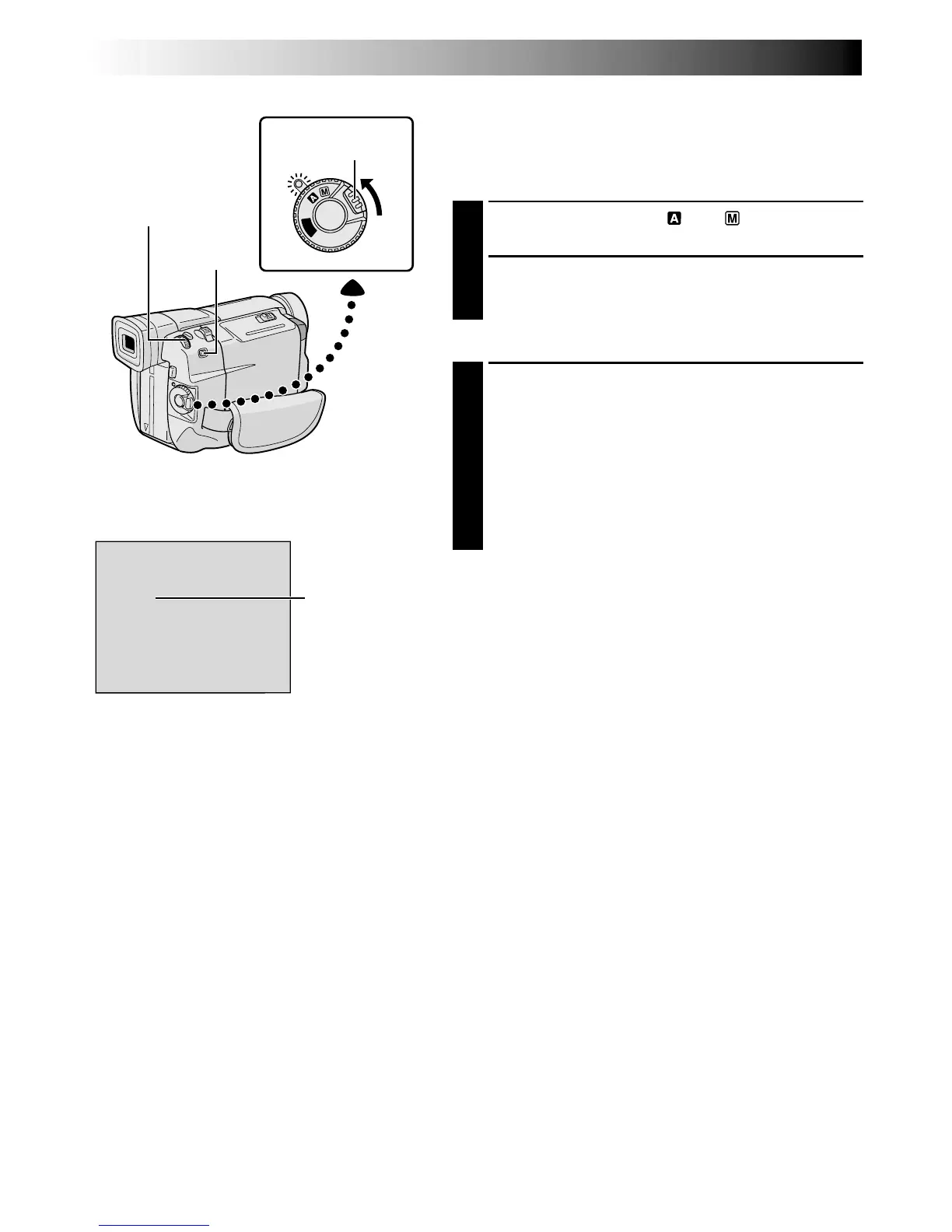
1
Set the Power Switch to “ ” or “ ” while pressing
down the Lock Button located on the switch.
2
Choose the appropriate Snapshot mode from the 5
available by repeatedly pressing MODE until the
desired snapshot mode indicator appears.
SNAPSHOT RECORDING
1
Press SNAPSHOT.
If you press during Record-Standby . . .
.... “PHOTO” appears and a still image will be
recorded for approx. 6 seconds, then the
camcorder re-enters the Record-Standby mode.
If you press during Recording . . .
.... “PHOTO” appears and a still image will be
recorded for approx. 6 seconds, then the normal
recording resumes.
Motor Drive Mode
Keeping SNAPSHOT pressed provides an effect similar to
serial photography. (Interval between still images: approx.
1 second)
Power Switch
SNAPSHOT Button
Lock Button
MODE
Button
Snapshot mode
Display


 To Next Page
 Loading...