Masterpage:Right-NoTitle0
EN 9
Filename [HRS6960E1-EN.fm]
Page 9 April 22, 2003 3:24 pm
Buttons with a small dot on the left side of the name can also be used to operate your JVC TV while holding down the TV button.
(
墌 “Operating JVC TVs” below)
This remote control transmits A code signals only; it is not applicable to B code signals.
How To Use
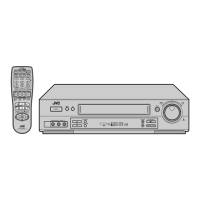
The remote control can operate most of your video recorder’s functions, as well as basic functions of JVC TV sets. (墌 “Operating
JVC TVs” below)
● Point the remote control toward the receiving window.
● The maximum operating distance of the remote control is about 8 m.
Operating JVC TVs
To operate your TV, while holding down the TV button, press the corresponding button: 1, TV/VCR, TV PR +/–, TV %+/–,
^ (TV Muting).
NOTES:
● When inserting the batteries, be sure to insert in the correct directions as indicated under the battery cover.
● Depending on the type of JVC TV, some or all functions may not be operated using the remote control.
● If the remote control doesn’t work properly, remove its batteries, wait a short time, replace the batteries and then try again.
HRS6960E-EN.book Page 9 Tuesday, April 22, 2003 3:24 PM



 To Next Page
 Loading...