9
INTRODUCTION
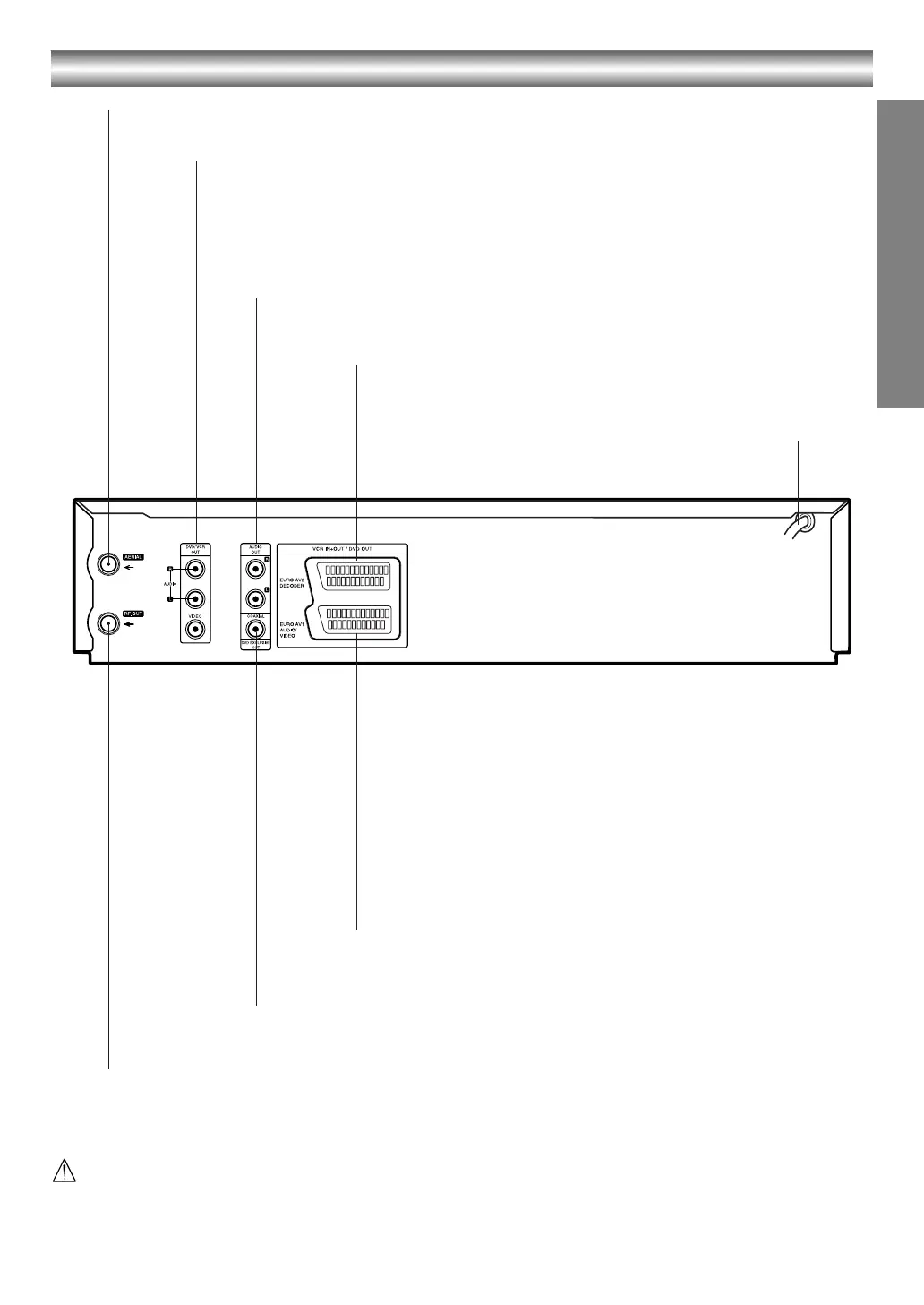
Rear Panel
Do not touch the inner pins of the jacks on the rear panel.
Electrostatic discharge may cause permanent damage to the unit.
AERIAL
Connect the aerial using this jack.
AC Power Cord
Connect to a power source.
DVD/VCR OUT (VIDEO/AUDIO (Left/Right))
Connect to a TV with video and audio inputs.
AUDIO OUT (Left/Right) (DVD EXCLUSIVE OUT)
Connect to an amplifier, receiver or stereo system.
EURO AV2 DECODER (VCR IN+OUT/DVD OUT)
Connect to pay-TV decoder, Set Top Box or another
video recorder.
EURO AV1 AUDIO/VIDEO (VCR IN+OUT/DVD OUT)
Connect to your TV set or another video recorder.
COAXIAL (DVD EXCLUSIVE OUT)
(Digital audio out jack)
Connect to digital (coaxial) audio equipment.
RF.OUT
Connect to your TV using this jack.
VJ9033CP1Z_E-EK.book Page 9 Friday, March 11, 2005 9:53 AM



 To Next Page
 Loading...






